
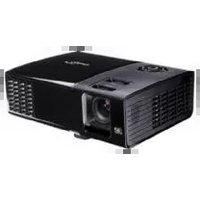
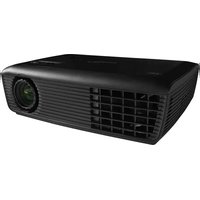
TS721 - Projector OPTOMA - Free user manual and instructions
Find the device manual for free TS721 OPTOMA in PDF.


Pick your language and provide your email: we'll send you a specifically translated version.
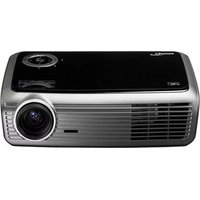
| Product Type | Video Projector |
| Brand | Optoma |
| Model | TS721 |
| Projection Technology | DLP |
| Native Resolution | SVGA (800 x 600) |
| Brightness | 2600 ANSI lumens |
| Contrast Ratio | 2200:1 |
| Lamp Life | Up to 4000 hours (Eco mode) |
| Aspect Ratio | 4:3 |
| Keystone Correction | ±20° |
| Inputs | VGA, S-Video, Composite, Audio |
| Output | VGA monitor loop-through |
| Speaker | Built-in 2W |
| Dimensions (W x D x H) | 326 x 210 x 95 mm |
| Weight | 2.5 kg |
| Power Consumption | 230W |
| Power Supply | AC 100-240V, 50/60Hz |
| Maintenance | Clean the lens and air filters regularly |
| Safety | Ensure proper ventilation during use |
| Spare Parts | Replacement lamp available; filters cleanable |
| Repairability | Repairs only by qualified technicians |
| Additional Features | Remote control, adjustable feet, energy-saving mode |
Frequently Asked Questions - TS721 OPTOMA
How do I connect the projector to a laptop?
Use a VGA cable to connect the laptop's VGA port to the VGA input on the projector. Switch the projector to the correct input source using the Source button on the remote or control panel. You may also need to set your laptop to extended display mode.
What resolution should I use for my computer?
Set your computer to the projector's native resolution of 800 x 600 for the sharpest image. Higher resolutions can be used but will be scaled down. To adjust, go to your computer's display settings and select the recommended resolution.
How often should I clean the lens?
Clean the lens when you notice dust or smudges on the image. Use a soft, dry cloth specifically designed for optics. Gently wipe the lens in a circular motion. Do not use liquids or abrasive materials.
How can I replace the lamp?
Turn off and unplug the projector, then wait for it to cool down completely. Remove the lamp cover using a screwdriver. Carefully disconnect the old lamp and replace it with a genuine Optoma replacement lamp. Secure the cover and plug the projector back in.
Why is the image blurry or out of focus?
Adjust the focus ring on the projector lens until the image is clear. If the image remains blurry, check that the projector is the correct distance from the screen and that the keystone is not set too high. Also ensure the lens is clean.
How do I adjust the keystone distortion?
Use the Keystone button on the remote or control panel to access the keystone adjustment. Press the corresponding arrows to correct the trapezoid shape of the image. Keep the adjustment below ±20° to maintain image quality.
Can I use the projector with a gaming console?
Yes, you can connect a gaming console using the composite video or S-Video input. For better quality, use a VGA to component adapter if your console supports it. Set the console to a resolution compatible with the projector.
How do I enlarge the image size?
Move the projector further away from the screen to increase image size while maintaining the correct focus. Use the zoom ring if available on the lens. The table in the manual shows the projected screen size for different distances.
Is it safe to use the projector for long periods?
Yes, but ensure the ventilation openings are not blocked and the air filters are clean. The projector has thermal protection that shuts it down if overheated. Allow the device to cool down before turning it off.
Where can I find the spare remote control?
You can order a replacement remote control from Optoma authorized dealers or online parts stores. Use the model number TS721 when searching. Alternatively, the projector can be controlled via the built-in control panel.
User questions about TS721 OPTOMA
0 question about this device. Answer the ones you know or ask your own.
Ask a new question about this device
No questions yet. Be the first to ask one.
Download the instructions for your Projector in PDF format for free! Find your manual TS721 - OPTOMA and take your electronic device back in hand. On this page are published all the documents necessary for the use of your device. TS721 by OPTOMA.
USER MANUAL TS721 OPTOMA
Manual assistant
Powered by Anthropic
Waiting for your message
Product information
Brand : OPTOMA
Model : TS721
Category : Projector