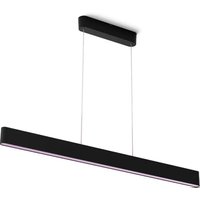
Hue Bluesky - Lighting PHILIPS - Free user manual and instructions
Find the device manual for free Hue Bluesky PHILIPS in PDF.


Pick your language and provide your email: we'll send you a specifically translated version.
| Product Type | Smart LED Wall Light |
| Brand | Philips |
| Model | Hue Bluesky |
| Light Source | Integrated LED (non-replaceable) |
| Brightness | Up to 700 lumens |
| Color Temperature | 1800K - 6500K tunable white |
| Power Consumption | 10W |
| Input Voltage | 100-240V AC, 50/60Hz |
| Wireless Protocol | Zigbee 3.0 |
| Compatibility | Requires Philips Hue Bridge |
| Voice Assistants | Amazon Alexa, Google Assistant, Apple HomeKit |
| App Control | Philips Hue App (iOS/Android) |
| Dimming | Yes, via app and voice |
| Scheduling | Custom routines for wake-up and bedtime |
| Entertainment | Sync with music, movies, games via Hue Sync |
| Installation | Wall-mounted; indoor use only |
| Material | Die-cast aluminium, polycarbonate |
| Lifetime | Up to 25,000 hours |
| Care & Cleaning | Wipe with a soft, dry cloth; do not use liquids |
| Safety | No user-serviceable parts; discontinue if damaged |
| Spare Parts & Repairability | Not available; replace the complete unit |
| Warranty | 2-year limited warranty |
Frequently Asked Questions - Hue Bluesky PHILIPS
Is the Philips Hue Bluesky compatible with the Philips Hue Bridge?
Yes, the Hue Bluesky requires the Philips Hue Bridge to operate. The Bridge enables remote control, automation, and voice commands.
Can I control the Hue Bluesky with my voice?
Absolutely. With a Hue Bridge, you can use Amazon Alexa, Google Assistant, or Apple HomeKit to control the light with simple voice commands.
Does the Bluesky change colors?
No, the Hue Bluesky offers tunable white light from warm to cool white (1800K to 6500K), but it does not produce colored light.
How do I install the Hue Bluesky?
The fixture mounts directly to a standard wall box. Follow the instructions in the manual: connect the wiring, screw the mount, attach the fixture, and then pair it with the Hue Bridge using the app.
Can I set schedules for the light?
Yes, using the Philips Hue app you can create custom schedules, such as waking up with a gradual sunrise or turning off at bedtime.
What is the lifespan of the LED?
The integrated LED is rated for approximately 25,000 hours of use. That’s about 22 years at 3 hours per day.
Is the Hue Bluesky dimmable?
Yes, it is fully dimmable via the app, voice assistants, or the optional Hue dimmer switch.
Can I sync the light with entertainment?
If you use the Hue Sync app with your PC or TV, the light can react to movies, music, and games for an immersive experience.
What should I do if the light stops responding?
First, check if the wall switch is on. Then try resetting the light by turning the power off and on three times. If it still fails, pair it again with the Bridge using the app.
Does the Hue Bluesky work without the Hue Bridge?
No, a Bridge is required for all smart functions, including app control, scheduling, and voice commands. Without it, the light only switches on/off with a standard wall switch.
User questions about Hue Bluesky PHILIPS
0 question about this device. Answer the ones you know or ask your own.
Ask a new question about this device
No questions yet. Be the first to ask one.
Download the instructions for your Lighting in PDF format for free! Find your manual Hue Bluesky - PHILIPS and take your electronic device back in hand. On this page are published all the documents necessary for the use of your device. Hue Bluesky by PHILIPS.
USER MANUAL Hue Bluesky PHILIPS

Manual assistant
Powered by Anthropic
Waiting for your message
Product information
Brand : PHILIPS
Model : Hue Bluesky
Category : Lighting