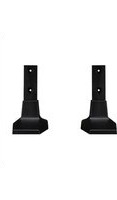
LG ST-432T - Photo accessory

ST-432T - Photo accessory LG - Free user manual and instructions

Find the device manual for free ST-432T LG in PDF.

📄 2 pages English EN Download 💬 AI Question 10 questions ⚙️ Specs
Notice LG ST-432T - page 1
Pick your language and provide your email: we'll send you a specifically translated version.
Product Type Tripod
Brand LG
Model ST-432T
Material Aluminium alloy
Folded Length 50 cm
Maximum Height 150 cm
Minimum Height 50 cm
Number of Leg Sections 4
Leg Lock Type Flip locks
Maximum Load Capacity 3 kg
Head Type 3-way panhead
Bubble Level Yes
Smartphone Mount Included
Remote Control Bluetooth remote shutter
Remote Power Source 2x AAA batteries
Weight 1.2 kg
Compatibility Cameras and smartphones
Included Components Tripod, smartphone mount, Bluetooth remote, carrying bag
Cleaning and Maintenance Wipe with dry cloth, keep away from moisture
Safety Warning Do not exceed maximum load; ensure all leg locks are secure
Spare Parts and Repairability Standard tripod screws and parts available online

Frequently Asked Questions - ST-432T LG

How do I attach my camera to the ST-432T tripod?
To attach your camera, first ensure the tripod is on a stable surface. Remove the quick-release plate from the panhead, screw it into your camera's bottom socket, then slide the plate back into the head until it clicks securely. Make sure the plate is locked before releasing the camera.
How do I connect the Bluetooth remote to my phone?
Turn on Bluetooth on your phone and search for new devices. Activate the remote by pressing its shutter button once; it should appear as a new device. Select it to pair. Once connected, the remote shutter button can be used to capture photos.
What is the maximum load capacity of this tripod?
The LG ST-432T tripod is designed to hold up to 3 kilograms. Do not exceed this weight, as it may cause instability and damage to the tripod or your equipment.
Can I use the LG ST-432T with a smartphone?
Yes, the tripod includes a universal smartphone mount that fits most phones. Simply attach the mount to the tripod head, place your phone in the mount, and adjust the tension until it is held firmly.
How do I adjust the height of the tripod?
To adjust the height, unlock the flip locks on each leg section. Extend or retract the sections to your desired height, then close all locks tightly. Always extend the thicker (upper) sections first for maximum stability.
Does the tripod come with a bubble level for precise alignment?
Yes, the ST-432T features an integrated bubble level on the panhead. Ensure the bubble is centered within the circle to achieve a perfectly level shot.
How do I clean and maintain my LG ST-432T tripod?
Clean the tripod with a soft, dry cloth to remove dust and dirt. Avoid using water or harsh chemicals. Occasionally lubricate the moving parts with a light silicone oil to keep the joints smooth. Store in a dry place.
Is the Bluetooth remote included in the package?
Yes, the package includes a Bluetooth remote shutter that allows you to trigger the camera wirelessly, perfect for selfies and long exposure shots.
What types of cameras are compatible with this tripod?
The tripod is compatible with DSLR cameras, mirrorless cameras, and point-and-shoot cameras that have a standard 1/4-inch tripod socket. It also works with smartphones when using the included mount.
How can I replace the batteries in the remote?
The Bluetooth remote requires 2 AAA batteries. Slide off the battery cover on the back of the remote, remove the old batteries, and insert new ones respecting polarity. Replace the cover securely before use.

User questions about ST-432T LG

0 question about this device. Answer the ones you know or ask your own.

Ask a new question about this device

Your email remains private: it is only used to notify you if someone answers your question.

No questions yet. Be the first to ask one.

Download the instructions for your Photo accessory in PDF format for free! Find your manual ST-432T - LG and take your electronic device back in hand. On this page are published all the documents necessary for the use of your device. ST-432T by LG.

USER MANUAL ST-432T LG

ENG After taking out the accessories from the box, please refer to the Owner's Manual for the appropriate method to connect.

First, check if the following parts are all present.

*IncludedSpringWasher

스프링 와셔 포함

2

Diagram showing mechanical assembly with rotating components and force arrows, no text or symbols present

ST-432T / ST-492T / ST-652T

1

Simple line drawing of a rectangular frame with a cutout and mounting holes (no text or symbols)

2

Diagram showing mechanical components with arrows indicating motion, no text or symbols present

3

Diagram of a mechanical assembly with rotating components and directional arrows indicating motion (no text or symbols)

Manual assistant
Powered by Anthropic
Waiting for your message
Product information

Brand : LG

Model : ST-432T

Category : Photo accessory