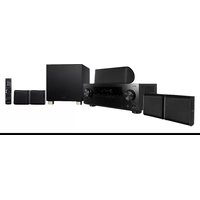
HTZ-434DVD - Home Theater System PIONEER - Free user manual and instructions
Find the device manual for free HTZ-434DVD PIONEER in PDF.


Pick your language and provide your email: we'll send you a specifically translated version.
| Product Type | Home Theater System with DVD Player |
| Brand | Pioneer |
| Model | HTZ-434DVD |
| Color | Black |
| Disc Playback | DVD, DVD-R/RW, CD, CD-R/RW, MP3, WMA |
| Audio Channels | 5.1 Surround Sound |
| Total Output Power | 600 Watts (RMS) |
| Surround Decoders | Dolby Digital, DTS, Dolby Pro Logic II |
| Tuner | FM/AM with 30 Presets |
| Main Unit Dimensions (W x H x D) | 420 mm x 65 mm x 360 mm |
| Main Unit Weight | 3.6 kg |
| Speaker System | 5 Speakers (Front, Center, Surround) + Subwoofer |
| Subwoofer Type | Passive, 8-inch Cone |
| Audio Inputs | 2 x Audio RCA, 1 x Optical Digital |
| Video Outputs | Composite Video, S-Video, Component Video |
| Power Consumption | 180 Watts |
| Power Supply | AC 120V, 60Hz |
| Remote Control | Included, uses 2 x AAA batteries |
| Maintenance | Clean with dry soft cloth; avoid volatile liquids |
| Safety | Keep away from water and humidity; do not open the casing |
| Repairability | Contact Pioneer authorized service center for spare parts |
| Package Contents | Receiver, 5 speakers, subwoofer, remote, manual |
Frequently Asked Questions - HTZ-434DVD PIONEER
How do I connect the HTZ-434DVD to my TV?
Use the component video output for best picture quality, or the standard composite video red/white/yellow cable. Connect the audio outputs to the TV's audio input or use the HDMI if available. Refer to the manual's connection diagram for specific guidance.
Can I play MP3 discs on this system?
Yes, the HTZ-434DVD supports MP3 and WMA files burned on CD-R/RW discs. Ensure the files are finalized and placed in a compatible folder structure.
What should I do if there is no sound coming from the speakers?
Check the speaker wire connections to make sure they are secure and match polarity (+/-). Also verify that the input source is correctly selected and the volume is not muted. Try the test tone function to check each channel.
How do I set up the surround sound for a movie?
Press the Surround button on the remote to cycle through modes like Dolby Digital and DTS. Ensure your DVD is recorded with 5.1 audio and select the corresponding audio track in the disc menu.
The remote control doesn't work. What can I do?
Replace the batteries with fresh AAA batteries. Make sure nothing is blocking the sensor on the main unit. Check that the remote is in the correct mode (DVD or tuner).
Can I use the system to listen to the radio?
Yes, press the FM/AM button on the remote. You can auto-tune by holding the Search button and manually store your favorite stations using the Memory function.
How do I clean the DVD lens?
Use a lens cleaning disc specifically designed for DVD players. Do not use cloths or liquids directly on the lens, as this can damage the player. Cleaning discs are available at most electronics stores.
Is it possible to connect additional speakers?
No, the system is designed to work with the included 5.1 speakers only. The receiver's amplifier is optimized for the specified impedance and power rating of the original speakers. Connecting other speakers may cause damage.
Why does the DVD player skip or freeze during playback?
Check the disc for fingerprints or scratches. Clean the disc with a microfiber cloth from the center to the edge. If the problem persists, try a different disc to verify if it's a player issue or a disc issue.
How do I reset the system to factory settings?
With the unit in standby mode, press and hold the STANDBY button on the main unit for 10 seconds. Alternatively, disconnect the power cord for 30 seconds and reconnect. This will clear memory presets and return to default settings.
User questions about HTZ-434DVD PIONEER
0 question about this device. Answer the ones you know or ask your own.
Ask a new question about this device
No questions yet. Be the first to ask one.
Download the instructions for your Home Theater System in PDF format for free! Find your manual HTZ-434DVD - PIONEER and take your electronic device back in hand. On this page are published all the documents necessary for the use of your device. HTZ-434DVD by PIONEER.
USER MANUAL HTZ-434DVD PIONEER

Manual assistant
Powered by Anthropic
Waiting for your message
Product information
Brand : PIONEER
Model : HTZ-434DVD
Category : Home Theater System