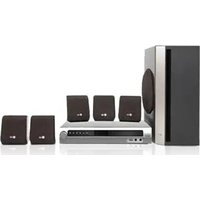
DK7921N - Karaoke system LG - Free user manual and instructions
Find the device manual for free DK7921N LG in PDF.
Pick your language and provide your email: we'll send you a specifically translated version.
| Product Type | Karaoke System |
| Brand | LG |
| Model | DK7921N |
| Color | Black |
| Power Supply | AC 110-240V, 50/60Hz |
| Power Consumption | 30W (typical) |
| Total Output Power | 2 x 15W RMS |
| Disc Playback | DVD, DVD-R, CD, CD-R |
| Karaoke Functions | Vocal reduction, echo control, mic volume adjustment |
| Microphone Inputs | 2 x 6.3mm jack |
| Connectivity | USB 2.0 port, component video output, composite video output, audio line in/out |
| Media Support | MP3, WMA, MPEG-4, JPEG |
| Tuner | FM/AM radio |
| Dimensions (W x H x D) | 430 mm x 55 mm x 260 mm |
| Weight | 2.5 kg |
| Remote Control | Included |
| Care & Cleaning | Wipe exterior with a soft dry cloth; clean disc lens with a lens cleaner |
| Safety | Do not expose to moisture or extreme heat; ensure adequate ventilation |
| Spare Parts | Drive assembly, power supply board, control board, remote control |
Frequently Asked Questions - DK7921N LG
How do I set up the DK7921N karaoke system?
Connect the system to your TV using the supplied audio/video cables. Plug in the power cord, insert a karaoke disc, and press PLAY. For microphone use, connect your mics to the front panel jacks.
How can I adjust the echo effect for my voice?
Use the ECHO control on the front panel or remote control. Increase the level for more reverb, decrease for a dry sound.
Can I play music from a USB flash drive?
Yes, insert a USB drive with MP3 or WMA files into the USB port. Use the remote to select USB mode and browse your files.
How do I connect the system to my TV?
Use the composite video (yellow) and audio (white/red) cables to the corresponding inputs on your TV. For better quality, use the component video output if available.
What should I do if the disc does not play smoothly?
Clean the disc with a soft cloth and ensure it is not scratched. Also check that the disc is placed correctly with the label facing up. If the issue persists, clean the lens with a suitable lens cleaner.
Is it possible to reduce the original singer's voice on a DVD?
Yes, press the VOCAL REDUCTION button on the remote. This works best with stereo tracks that have centered vocals.
How do I perform a factory reset?
Turn off the unit, then press and hold the STOP button on the front panel for 5 seconds until the display shows 'RESET'. Release the button, and the system will restore default settings.
Can I use any microphone with this system?
Most dynamic microphones with a 6.3mm jack will work. Ensure the mic has an impedance between 200 and 600 ohms for optimal performance.
How should I clean and maintain the unit?
Unplug the unit before cleaning. Wipe the outer surface with a soft, dry cloth. For the disc tray and lens, use compressed air or a recommended lens cleaner. Avoid using solvents or water.
What are the spare parts available for the DK7921N?
Commonly available parts include the laser pickup, loading motor, power supply module, and remote control. Contact LG support or authorized repair centers for availability.
User questions about DK7921N LG
0 question about this device. Answer the ones you know or ask your own.
Ask a new question about this device
No questions yet. Be the first to ask one.
Download the instructions for your Karaoke system in PDF format for free! Find your manual DK7921N - LG and take your electronic device back in hand. On this page are published all the documents necessary for the use of your device. DK7921N by LG.
USER MANUAL DK7921N LG
CLASS 1 LASER PRODUCT KLASSE 1 LASER PRODUKT LUOKAN 1 LASER LAITE KLASS 1 LASER APPARAT CLASSE 1 PRODUIT LASER
小心:
本數位影音播放機使用激光系統。
![]() | DVD(8cm/12cm光碟) |
![]() | 影音光碟 (VCD)(8cm/12cm光碟) |
![]() | 音樂光碟 (Audio CD)(8cm/12cm光碟) |
連接至選擇設備
提示