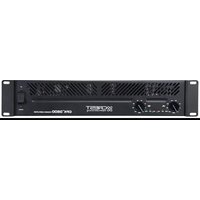
Versarray Mk III - Audio CREST AUDIO - Free user manual and instructions
Find the device manual for free Versarray Mk III CREST AUDIO in PDF.


Pick your language and provide your email: we'll send you a specifically translated version.
| Brand | Crest Audio |
| Model | Versarray Mk III |
| Category | Professional Audio Loudspeaker |
| Product Type | Passive 2-way line array loudspeaker |
| Frequency Response | 60 Hz – 20 kHz (±3 dB) |
| Power Handling (Continuous) | 400 W |
| Power Handling (Program) | 800 W |
| Power Handling (Peak) | 1600 W |
| Impedance | 8 ohms |
| Sensitivity | 98 dB (1W/1m) |
| Maximum SPL | 124 dB continuous, 130 dB peak |
| Drivers | 1 x 12" neodymium woofer, 1 x 1.4" compression driver |
| Dispersion | 100° horizontal x 15° vertical |
| Housing Material | Multi-ply birch plywood with durable black polyurea coating |
| Grille | Perforated steel with acoustic foam |
| Rigging | Integrated rigging hardware for line array configuration |
| Connectors | 2 x SpeakON NL4 |
| Dimensions (H x W x D) | 553 mm x 360 mm x 570 mm (21.8" x 14.2" x 22.4") |
| Weight | 27 kg (59.5 lbs) |
| Recommended Amplifier | 800-1600 W per channel at 8 ohms |
| Mounting | Array suspension with dedicated flyware |
| Usage | Live sound reinforcement, fixed installations, mobile PA |
| Maintenance | Wipe cabinet with dry cloth; clean grille with vacuum |
| Safety | Use rated flyware and safety cables; suspend only from certified rigging points |
| Serviceability | Replaceable driver units; access from rear panel |
Frequently Asked Questions - Versarray Mk III CREST AUDIO
How do I configure the Versarray Mk III for a live sound event?
Use the integrated rigging hardware to fly the array in vertical columns. Connect the SpeakON NL4 connectors to your amplifier, ensuring proper polarity. Set the crossover (if using a controller) to the recommended frequencies, typically around 1.2 kHz. Always check the array inclination to cover the audience area evenly.
What amplifier power is recommended for the Versarray Mk III?
Crest Audio recommends an amplifier delivering between 800 W and 1600 W per channel at 8 ohms. This headroom ensures clean transient reproduction without clipping. Match the gain settings and always engage limiters to protect the drivers.
Can the Versarray Mk III be used outdoors?
Yes, but it is not weatherproof. Use a weather-resistant cover or place it under a canopy when exposed to rain or humidity. Avoid direct moisture on the drivers and connectors. For permanent outdoor installations, consider a dedicated weatherized enclosure.
How should I clean and maintain the loudspeaker?
Use a soft, dry cloth to wipe the cabinet exterior. Vacuum the grille periodically to prevent dust and debris from blocking the acoustic foam. Do not use water or solvents. Inspect the connectors and rigging hardware regularly for corrosion or wear.
How do I connect multiple Versarray Mk III units to create a line array?
Each unit has integrated rigging plates. Link the cabinets by aligning the hardware and securing the pins according to the manual's instructions. Then connect the speakers in parallel using SpeakON NL4 connectors. Verify that the total impedance does not drop below the amplifier's rated minimum (usually 4 ohms).
What is the coverage angle of the Versarray Mk III?
The nominal dispersion is 100° horizontal and 15° vertical. When used in an array, the vertical coverage can be adjusted by varying the splay angles between cabinets. Typical splay settings range from 0° to 7° per enclosure.
Can I use the Versarray Mk III as a floor monitor?
The Versarray Mk III is not primarily designed for wedge monitoring, but it can be placed on its side for stage monitoring. Check the package for optional pole mount adapters. Alternatively, use dedicated monitor wedges for best performance.
What safety precautions should I follow when flying the array?
Always use certified rigging hardware, steel safety cables, and inspect all components before each use. Never exceed the working load limit. Ensure the suspension points are rated for the total weight. Work with a qualified rigger and follow local regulations. Secure the area below the array during setup and operation.
How can I replace a damaged driver?
Loosen the screws on the rear access panel to reach the driver connections. Disconnect the wiring, remove the driver bolts, and carefully lift the driver from the cabinet. Install the replacement driver handling the magnet and frame, reverse the procedure. Verify polarity after reconnection. Use only genuine Crest Audio parts.
Where can I find the complete user manual and specifications?
The complete PDF manual is available for free download on notice-facile.com. It includes detailed rigging instructions, DSP settings, measurements, and a parts list. For additional technical support, contact Crest Audio's official service center.
User questions about Versarray Mk III CREST AUDIO
0 question about this device. Answer the ones you know or ask your own.
Ask a new question about this device
No questions yet. Be the first to ask one.
Download the instructions for your Audio in PDF format for free! Find your manual Versarray Mk III - CREST AUDIO and take your electronic device back in hand. On this page are published all the documents necessary for the use of your device. Versarray Mk III by CREST AUDIO.
USER MANUAL Versarray Mk III CREST AUDIO

Manual assistant
Powered by Anthropic
Waiting for your message
Product information
Brand : CREST AUDIO
Model : Versarray Mk III
Category : Audio