BT6018 - Subwoofer Bazooka - Free user manual and instructions
Find the device manual for free BT6018 Bazooka in PDF.


Pick your language and provide your email: we'll send you a specifically translated version.
| Brand | Bazooka |
| Model | BT6018 |
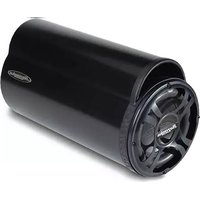
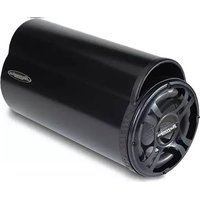
| Product Type | Powered subwoofer (bass tube) |
| Driver Size | 6.5 inches |
| Peak Power Output | 150 watts |
| Amplifier Type | Built-in Class AB |
| Frequency Response | 40 Hz - 150 Hz |
| Impedance | 4 ohms |
| Enclosure Type | Sealed bass tube |
| Inputs | High-level speaker inputs and RCA line inputs |
| Gain Control | Adjustable input level |
| Phase Control | 0° / 180° switch |
| Power Requirements | 12V DC (vehicle electrical system) |
| Remote Turn-On | Via REM terminal on the amplifier |
| Fuse Rating | 10 ampere (depending on model) |
| Dimensions | Approximately 14.5 x 7.5 inches (L x diameter) |
| Weight | Approximately 5.4 kg (12 lbs) |
| Maintenance | Wipe with a dry, soft cloth. Avoid liquids and abrasive solvents. |
| Cleaning | Disconnect power before cleaning. Gently remove dust from the grille with a brush. |
| Safety | No user-serviceable parts inside. Do not expose to moisture or excessive heat. |
| Spare Parts & Repairability | Contact an authorized Bazooka service center for genuine replacement parts. |
| Installation | Designed for in-car installation. Secure firmly to prevent movement. |
| Compatibility | Works with most factory and aftermarket car stereos |
Frequently Asked Questions - BT6018 Bazooka
How do I connect my Bazooka BT6018 subwoofer to my car stereo?
Use the high-level speaker inputs by connecting to your rear speaker wires, or use RCA line inputs if your head unit has preamp outputs. Ensure the remote turn-on wire is connected to the stereo's remote output or ignition source.
What is the ideal placement for the bass tube?
Place the tube in the trunk or cargo area, preferably facing the rear of the vehicle for better bass response. Secure it with straps or brackets to avoid movement while driving.
Can I use the BT6018 in my home theater system?
Yes, with a 12V DC power supply and a line-level converter, you can connect it to a receiver with RCA outputs. However, it is optimized for car audio and may not deliver the same performance as a home subwoofer.
How do I adjust the gain and phase controls?
Start with the gain at minimum and slowly increase until bass blends with your speakers. Set the phase to 0° or 180° to achieve the best bass response in your vehicle, depending on subwoofer placement.
What type of power fuse is required?
Check the inline fuse holder near the battery; typically a 10-amp ATO/ATC fuse is used. Always replace with the same rating to prevent damage.
Does the subwoofer come with a wired remote control?
Most Bazooka BT6018 models include a wired remote level controller that allows you to adjust the bass volume from the front seat.
How can I prevent overheating?
Ensure the built-in amplifier has adequate ventilation around the tube. Do not block the grille or mount it in a confined space. Also, avoid running at maximum volume for extended periods.
What is the recommended power source?
Connect directly to the car battery with a fused power wire (10 AWG or thicker). The ground should be connected to a clean chassis point close to the subwoofer.
Can I connect multiple BT6018 subwoofers?
Yes, you can wire multiple Bazooka tubes in parallel or series as long as the total impedance stays within the amplifier's limits. For best results, use a mono amp or separate channels with identical settings.
How do I troubleshoot no sound from the subwoofer?
Check the power LED, verify the remote turn-on voltage, and test the inputs. If the LED is on but no sound, adjust the gain and phase, or test with a different source. If still no output, consult the manual or contact service.
User questions about BT6018 Bazooka
0 question about this device. Answer the ones you know or ask your own.
Ask a new question about this device
No questions yet. Be the first to ask one.
Download the instructions for your Subwoofer in PDF format for free! Find your manual BT6018 - Bazooka and take your electronic device back in hand. On this page are published all the documents necessary for the use of your device. BT6018 by Bazooka.
USER MANUAL BT6018 Bazooka


Manual assistant
Powered by Anthropic
Waiting for your message
Product information
Brand : Bazooka
Model : BT6018
Category : Subwoofer