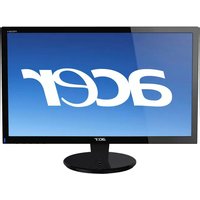
AT4250 - Television ACER - Free user manual and instructions
Find the device manual for free AT4250 ACER in PDF.


Pick your language and provide your email: we'll send you a specifically translated version.
| Product Type | Television |
| Brand | Acer |
| Model | AT4250 |
| Display Size | 42 inches (107 cm) |
| Resolution | 1920 x 1080 (Full HD) |
| Aspect Ratio | 16:9 |
| Contrast Ratio | 1000:1 |
| Response Time | 8 ms |
| Audio Output | 2 x 10 W speakers |
| Power Supply | 100-240 V AC, 50/60 Hz |
| Power Consumption | Approx. 150 W (max) |
| Standby Power | Less than 1 W |
| Connectivity | HDMI, VGA, Component, Composite, USB |
| Audio Input | 3.5 mm stereo jack |
| Dimensions (with stand) | 1000 x 670 x 250 mm |
| Weight (with stand) | 14.5 kg |
| Wall Mount Pattern | VESA 400 x 400 mm |
| Remote Control | Included |
| Cleaning | Wipe with a soft, dry cloth |
| Safety | Place on a stable surface with adequate ventilation |
| Repairability | Spare parts may be sourced from authorized Acer service centers |
| General Information | Full HD LED TV with multiple connection options |
Frequently Asked Questions - AT4250 ACER
How do I connect the TV to a cable or satellite box?
Use an HDMI cable for the best quality. Alternatively, you can use component or composite connections if HDMI is not available.
How do I tune in digital channels?
Press the MENU button, navigate to Channel Setup, and select Auto Tuning. The TV will scan for available channels automatically.
Why is the screen blank or showing no signal?
Check that the TV is turned on and the correct input source is selected. Ensure the external device is powered on and securely connected.
Can I reset the TV to its factory settings?
Yes. Go to MENU > System > Factory Default and confirm. All settings will be restored to the original defaults.
Does this TV support wall mounting?
Yes, the TV is compatible with a VESA 400 x 400 mm wall mount. Be sure to use a certified bracket and follow the installation instructions.
How do I update the firmware?
Check Acer's support website for the latest firmware. If available, download it to a USB drive, insert it into the USB port, and use the Software Update option in the menu.
How should I clean the TV screen?
Turn off the TV, then gently wipe the screen with a soft dry microfiber cloth. Do not use water, cleaning sprays, or abrasive materials.
What audio formats are supported via USB?
The USB media player typically supports popular formats like MP3 and WMA. Refer to the connector labels for playback options.
How can I use an external soundbar or home theater system?
Connect the soundbar to the TV using an optical cable or the 3.5 mm audio output. Then select the appropriate audio output settings in the TV menu.
How do I enable subtitles?
Press the SUBTITLE button on the remote control to cycle through subtitle options. For digital broadcasts, you may need to enable subtitles in the preset language settings.
User questions about AT4250 ACER
0 question about this device. Answer the ones you know or ask your own.
Ask a new question about this device
No questions yet. Be the first to ask one.
Download the instructions for your Television in PDF format for free! Find your manual AT4250 - ACER and take your electronic device back in hand. On this page are published all the documents necessary for the use of your device. AT4250 by ACER.
USER MANUAL AT4250 ACER


Manual assistant
Powered by Anthropic
Waiting for your message
Product information
Brand : ACER
Model : AT4250
Category : Television