MegaDisck Black - External hard drive Fantom Drives - Free user manual and instructions
Find the device manual for free MegaDisck Black Fantom Drives in PDF.


Pick your language and provide your email: we'll send you a specifically translated version.
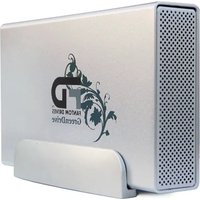
| Product Type | External Hard Drive |
| Brand | Fantom Drives |
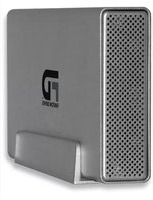
| Model | MegaDisck Black |
| Capacity | 2TB |
| Interface | USB 2.0 |
| Data Transfer Rate | Up to 480 Mbps |
| Dimensions | 7.1 x 4.7 x 1.4 inches (180 x 120 x 35 mm) |
| Weight | 3.3 lbs (1.5 kg) |
| Power Source | External AC adapter (100-240V) |
| Main Functions | Storage and backup of digital data, plug-and-play compatibility |
| Compatibility | Windows, macOS, Linux |
| Operating Temperature | 5°C to 35°C |
| Storage Temperature | -20°C to 60°C |
| LED Indicator | Power and activity status |
| Enclosure Material | Aluminum |
| Form Factor | 3.5-inch hard drive |
| Maintenance | Keep dry, avoid dust, use soft cloth |
| Cleaning | Use dry soft cloth periodically |
| Safety | Avoid impacts, do not disconnect during data transfer |
| Spare Parts and Repairability | No user-serviceable parts; contact support for repairs |
| Package Contents | External hard drive, USB cable, AC adapter, user manual |
| Warranty | Limited 1-year warranty |
Frequently Asked Questions - MegaDisck Black Fantom Drives
How do I connect the MegaDisck Black to my computer?
Connect the external hard drive to your computer using the supplied USB cable. Plug the AC adapter into the drive and a wall outlet. The drive should appear as a new storage device in your operating system.
Can I use the MegaDisck Black with both PC and Mac?
Yes, the drive is compatible with Windows, macOS, and Linux. However, if the drive is pre-formatted with a file system like NTFS, macOS can read but not write by default. You may need to reformat it or use third-party software.
What is the data transfer speed of this drive?
The drive uses USB 2.0 connection, offering data transfer speeds up to 480 Mbps. Actual speed may vary depending on the host system and file sizes.
How do I safely eject the MegaDisck Black from my computer?
Before disconnecting, always use the safely remove hardware option in your operating system. This ensures all write operations are complete and prevents data corruption. On Windows, click the icon in the taskbar; on macOS, drag the drive to the Trash.
Can I format the drive to use with my Mac?
Yes, you can reformat the drive. For Mac, choose APFS or Mac OS Extended (Journaled) format. Note that formatting will erase all data, so backup any important files first.
What are the power requirements for the MegaDisck Black?
The drive requires an external AC adapter (100-240V) because it uses a 3.5-inch hard drive which needs more power than a USB port alone can provide. Always use the included adapter.
Is the drive hot-swappable?
Yes, the drive supports hot-swapping on most operating systems. You can connect or disconnect it while the computer is running, but always use the safe eject procedure.
What should I do if the computer does not recognize the drive?
First, check the USB cable and power connection. Try a different USB port or cable. If it still fails, open Disk Management on Windows or Disk Utility on macOS to see if the drive appears as an uninitialized disk. Reinstalling drivers may also help.
Can I use the MegaDisck Black for gaming console storage?
Yes, the drive can be used with PlayStation or Xbox consoles that support external storage. However, formatting requirements may differ per console, so check your console's documentation.
How can I check the health of the drive?
You can use SMART monitoring tools such as CrystalDiskInfo on Windows or Smartmontools on macOS/Linux. These tools report drive health indicators and temperatures.
User questions about MegaDisck Black Fantom Drives
0 question about this device. Answer the ones you know or ask your own.
Ask a new question about this device
No questions yet. Be the first to ask one.
Download the instructions for your External hard drive in PDF format for free! Find your manual MegaDisck Black - Fantom Drives and take your electronic device back in hand. On this page are published all the documents necessary for the use of your device. MegaDisck Black by Fantom Drives.
USER MANUAL MegaDisck Black Fantom Drives



Manual assistant
Powered by Anthropic
Waiting for your message
Product information
Brand : Fantom Drives
Model : MegaDisck Black
Category : External hard drive