M5000 - Access Point ENGENIUS - Free user manual and instructions
Find the device manual for free M5000 ENGENIUS in PDF.


Pick your language and provide your email: we'll send you a specifically translated version.
| Product Type | Wireless Access Point |
| Brand | EnGenius |
| Model | M5000 |
| Category | Access Point |
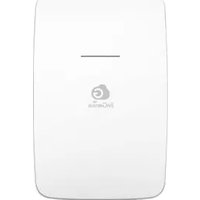
| Form Factor | Wall/Ceiling Mount |
| Dimensions (W x D x H) | 200 x 200 x 50 mm |
| Weight | 500 g |
| Power Supply | PoE IEEE 802.3af |
| Power Consumption | Max 10 W |
| Wireless Standard | IEEE 802.11a/b/g/n/ac |
| Frequency Band | Dual-band 2.4 GHz / 5 GHz |
| Max Data Rate | 1200 Mbps |
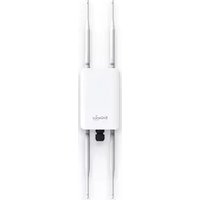
| Antennas | Integrated omni-directional |
| Interfaces | 1x Gigabit Ethernet (PoE) |
| Security | WPA2, WPA3 |
| Management | Web browser / mobile app |
| Main Functions | Multiple SSID (up to 16) |
| Main Functions | Guest network and bandwidth control |
| Main Functions | Mesh and QoS support |
| Maintenance | Clean with a dry cloth; keep ventilation slots clear |
| Safety | Use only certified power adapters; avoid water exposure |
| Spare Parts | No user-replaceable parts; contact professional support |
| Repairability | Do not disassemble; refer to the user manual |
| Manual Information | English PDF manual, 76 pages |
Frequently Asked Questions - M5000 ENGENIUS
How do I reset the EnGenius M5000 to factory settings?
Press and hold the reset button on the device for 10 seconds using a paperclip until the LED blinks. This will restore the access point to its factory default settings.
What is the default IP address and login credentials?
The default IP is 192.168.0.1, with username admin and password admin. For security, change these credentials after the initial login.
Can the EnGenius M5000 be used outdoors?
Yes, the M5000 is designed for both indoor and outdoor use. Its weatherproof housing provides protection against rain and dust, making it suitable for outdoor installations.
How do I configure VLANs on the M5000?
Log into the web interface, go to the Network Settings, and enable VLAN tagging for each SSID. This allows you to segment your network for improved security and management.
Does the M5000 support Power over Ethernet (PoE)?
Yes, the M5000 supports PoE 802.3af, which allows you to power the device using a single Ethernet cable, simplifying installation.
How can I improve wireless coverage with the EnGenius M5000?
Place the access point in a central, elevated location and away from metal obstructions. Adjust the channel width and choose a less congested channel to minimize interference.
What is the maximum number of concurrent users the M5000 can support?
The M5000 can handle up to 200 simultaneous clients, depending on the network traffic and usage patterns.
Is the firmware upgradeable on this access point?
Yes, you can upgrade the firmware by downloading the latest version from the EnGenius support website and uploading it through the web management interface.
How do I set up a guest network on the M5000?
Create a new SSID in the wireless settings and enable guest network isolation to keep visitors separate from your main network.
What should I do if I forget the admin password?
Perform a factory reset by holding the reset button for 10 seconds. This will restore the default password and allow you to reconfigure the device.
User questions about M5000 ENGENIUS
0 question about this device. Answer the ones you know or ask your own.
Ask a new question about this device
No questions yet. Be the first to ask one.
Download the instructions for your Access Point in PDF format for free! Find your manual M5000 - ENGENIUS and take your electronic device back in hand. On this page are published all the documents necessary for the use of your device. M5000 by ENGENIUS.
USER MANUAL M5000 ENGENIUS
Manual assistant
Powered by Anthropic
Waiting for your message
Product information
Brand : ENGENIUS
Model : M5000
Category : Access Point