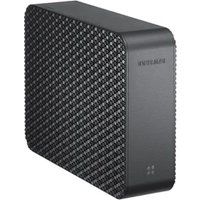
HX-MU032DC - Hard Drive SAMSUNG - Free user manual and instructions
Find the device manual for free HX-MU032DC SAMSUNG in PDF.


Pick your language and provide your email: we'll send you a specifically translated version.
| Product Type | External Hard Drive |
| Brand | Samsung |
| Model | HX-MU032DC |
| Capacity | 320 GB |
| Interface | USB 2.0 |
| Dimensions | 111 x 72 x 14 mm |
| Weight | 175 g |
| Power Supply | USB Powered |
| Storage Type | 2.5-inch Hard Drive |
| Rotational Speed | 5400 RPM |
| Data Transfer Rate | Up to 480 Mbps |
| Compatibility | Windows and macOS |
| Key Functions | Plug-and-play and shock-resistant |
| Cleaning and Care | Wipe with a soft dry cloth |
| Maintenance | Keep away from moisture and dust |
| Safety | Avoid drops and strong impacts |
| Spare Parts | Non-user-serviceable; contact Samsung support |
| Repairability | Authorized service center only |
| General Information | Sleek portable design with energy-saving mode |
| Warranty | 2-year limited warranty |
Frequently Asked Questions - HX-MU032DC SAMSUNG
How do I connect the Samsung HX-MU032DC to my computer?
Connect the included USB cable to the hard drive and an available USB port on your computer. The drive should appear as an external storage device.
Is the Samsung HX-MU032DC compatible with both Windows and Mac?
Yes, it supports Windows and macOS. For Mac, you may need to reformat it to the appropriate file system (exFAT or APFS) if you want to use it across both systems.
Can I use this hard drive with a USB 3.0 port?
Yes, it's backward compatible. It will operate at USB 2.0 speeds.
Why is my external drive not recognized?
Make sure the USB cable is properly connected. Try a different USB port or cable. On Windows, check Disk Management. On Mac, check Disk Utility.
How do I format the HX-MU032DC?
You can format it using the built-in disk management tools of your operating system. Important: formatting will erase all data.
Does this drive require an external power adapter?
No, it is powered via the USB connection, so no external power source is needed.
What should I do if the drive is making unusual noises?
Back up your data immediately. Unusual clicking or grinding sounds may indicate a hardware failure. Contact Samsung support for further assistance.
Can I use this drive for gaming?
Yes, you can store games on it, but load times will depend on the USB 2.0 speed. For a better experience, a USB 3.0 drive is recommended.
How do I safely eject the drive to prevent data loss?
Use the "Safely Remove Hardware" feature in Windows or drag the drive icon to the Trash on Mac before unplugging.
What is the warranty period for this device?
The Samsung HX-MU032DC typically comes with a 2-year limited warranty. Please check with your retailer for specific warranty terms.
User questions about HX-MU032DC SAMSUNG
0 question about this device. Answer the ones you know or ask your own.
Ask a new question about this device
No questions yet. Be the first to ask one.
Download the instructions for your Hard Drive in PDF format for free! Find your manual HX-MU032DC - SAMSUNG and take your electronic device back in hand. On this page are published all the documents necessary for the use of your device. HX-MU032DC by SAMSUNG.
USER MANUAL HX-MU032DC SAMSUNG

Manual assistant
Powered by Anthropic
Waiting for your message
Product information
Brand : SAMSUNG
Model : HX-MU032DC
Category : Hard Drive