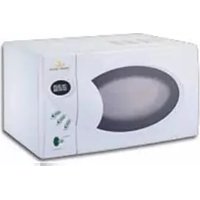
BDMOW010 - Microwave BLACK & DECKER - Free user manual and instructions
Find the device manual for free BDMOW010 BLACK & DECKER in PDF.


Pick your language and provide your email: we'll send you a specifically translated version.
| Product Type | Countertop Microwave Oven |
| Brand | Black & Decker |
| Model | BDMOW010 |
| Capacity | 0.7 cubic feet |
| Power Output | 700 watts |
| Input Voltage | 120 V / 60 Hz |
| Power Consumption | 1200 W |
| Product Dimensions | 17.3 x 10.2 x 13.0 inches (W x H x D) |
| Inner Cavity Dimensions | 12.0 x 8.0 x 11.0 inches (approx.) |
| Weight | 23.1 lbs |
| Control Type | Digital with LED display |
| Turntable | 9.45-inch glass turntable |
| Power Levels | 10 |
| Preset Programs | 6 auto cook menus |
| Defrost Function | By weight or time |
| Timer | 99 minutes 99 seconds |
| Door Material | Stainless steel |
| Interior Finish | Easy-clean enamel |
| Safety Features | Child safety lock, door interlock |
| Maintenance | Wipe with a damp cloth; avoid abrasive cleaners |
| Spare Parts | Turntable, roller ring, coupling available |
| Repairability | Certified service centers; user-replaceable fuse |
| Warranty | 1-year limited warranty |
| Included Accessories | Glass turntable, turntable roller ring |
Frequently Asked Questions - BDMOW010 BLACK & DECKER
How do I set the clock on my Black & Decker BDMOW010 microwave?
To set the clock, press the Clock button, enter the current time using the numeric keypad, then press Start to confirm.
Can I use metal containers in the microwave?
No, do not use metal containers or aluminum foil in the microwave, as they can cause arcing and damage the oven. Use microwave-safe glass, ceramic, or plastic containers.
Why does my microwave spark inside?
Sparking is often caused by metal objects or metallic trim on dishes. Remove any metal items and ensure the interior is clean. If sparks persist, unplug the oven and contact a certified technician.
How do I clean the interior?
Clean the interior after each use with a soft damp cloth and mild soap. Avoid abrasive cleaners. For tough stains, heat a bowl of water with lemon juice for a few minutes, then wipe clean.
How do I defrost food?
Use the Defrost button and choose defrost by time or weight. Enter the food weight or defrosting time and press Start. Turn food halfway through for even defrosting.
What should I do if the turntable doesn't rotate?
Check that the glass turntable and the turntable roller ring are correctly positioned on the coupling. Remove any obstructions. If it still doesn't rotate, the drive motor may need replacement by a qualified service technician.
What power levels are available?
This model offers 10 power levels. Press the Power Level button and select a number from 1 to 10 to adjust cooking intensity. Lower levels are ideal for delicate foods.
How do I enable the child safety lock?
To activate the child safety lock, press and hold the Stop/Clear button for about 3 seconds until you hear a beep. The display will show a lock icon. Repeat to unlock.
Can I repair the microwave myself?
To avoid electric shock and microwave leakage, do not attempt to repair internal components yourself. Contact Black & Decker authorized service centers for repairs. Only user-replaceable parts like the turntable and fuse may be replaced safely.
Where can I find spare parts?
You can order genuine spare parts such as the glass turntable, roller ring, and coupling from Black & Decker approved suppliers or authorized online parts stores. Always use genuine parts for safety and performance.
User questions about BDMOW010 BLACK & DECKER
0 question about this device. Answer the ones you know or ask your own.
Ask a new question about this device
No questions yet. Be the first to ask one.
Download the instructions for your Microwave in PDF format for free! Find your manual BDMOW010 - BLACK & DECKER and take your electronic device back in hand. On this page are published all the documents necessary for the use of your device. BDMOW010 by BLACK & DECKER.
USER MANUAL BDMOW010 BLACK & DECKER

Manual assistant
Powered by Anthropic
Waiting for your message
Product information
Brand : BLACK & DECKER
Model : BDMOW010
Category : Microwave