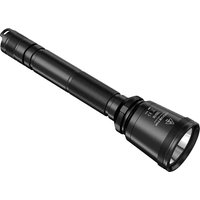
LR30 - Flashlight Nitecore - Free user manual and instructions
Find the device manual for free LR30 Nitecore in PDF.


Pick your language and provide your email: we'll send you a specifically translated version.
| Product Type | Flashlight |
| Brand | Nitecore |
| Model | LR30 |
| Light Source | High-performance LED |
| Maximum Output | 500 lumens |
| Beam Distance | 110 meters |
| Peak Beam Intensity | 2500 cd |
| Impact Resistance | 1 meter drop resistance |
| Waterproof Rating | IPX8 submersible to 2 meters |
| Material | Aerospace-grade aluminum alloy |
| Dimensions | 75.5 mm length x 29.5 mm head diameter |
| Weight | 78 grams including battery |
| Power Source | Built-in rechargeable lithium-ion battery |
| Charging Port | USB-C charging port |
| Charging Time | Approximately 2 hours |
| Modes | Turbo, High, Mid, Low, SOS, Beacon |
| User Interface | Side tail switch with mode memory |
| Included Accessories | USB-C cable, lanyard, spare O-ring |
| Maintenance | Clean contacts with alcohol, lubricate O-rings gently |
| Repair Parts | Available through Nitecore service centers |
Frequently Asked Questions - LR30 Nitecore
How do I turn the Nitecore LR30 on and off?
Press the side tail switch once to turn the flashlight on or off. The switch provides a tactile response and is designed for easy one-handed operation.
How do I charge the built-in battery?
Open the rubber cover on the USB-C port, connect the included USB-C cable to a power source, and plug it into the flashlight. The indicator will show charging status, and the light turns off when fully charged.
What does the battery indicator show?
When the flashlight is turned on or while charging, the side switch glows to indicate battery level: green for ≥50%, blue for 20–50%, and red for <20%.
Is the Nitecore LR30 waterproof?
Yes, the LR30 has an IPX8 waterproof rating, meaning it can be submerged in up to 2 meters of water for 30 minutes without damage. It is suitable for rainy conditions and outdoor emergencies.
How many brightness modes are available and how do I access them?
The LR30 offers six modes: Turbo, High, Mid, Low, SOS, and Beacon. Press and hold the side switch to cycle through brightness levels. Double-click for Turbo, and triple-click for SOS.
Can I use the flashlight while it is charging?
Yes, the LR30 supports pass-through charging, allowing you to use the light as a power bank or while plugged in. Note that the brightness may be limited to protect the battery.
What maintenance is recommended for the LR30?
Periodically clean the contacts with a cotton swab and isopropyl alcohol, and apply a thin layer of silicone grease to the O-rings to preserve the waterproof seal. Do not disassemble the light unnecessarily.
How should I store the flashlight for long periods?
For storage, charge the battery to about 50%, turn the flashlight off, and keep it in a dry, cool place. Avoid leaving it fully discharged, as this can damage the lithium-ion battery.
Why does the flashlight dim or shut off automatically?
The LR30 features temperature regulation and low-voltage protection. If the light gets too hot or the battery voltage drops below a safe threshold, the output is automatically reduced or cut off to protect the device.
Is the Nitecore LR30 suitable for outdoor activities?
Absolutely. Its compact size, impact resistance, IPX8 waterproofing, and multiple modes make it ideal for camping, hiking, night walking, and emergency use. The included lanyard provides easy carrying.
User questions about LR30 Nitecore
0 question about this device. Answer the ones you know or ask your own.
Ask a new question about this device
No questions yet. Be the first to ask one.
Download the instructions for your Flashlight in PDF format for free! Find your manual LR30 - Nitecore and take your electronic device back in hand. On this page are published all the documents necessary for the use of your device. LR30 by Nitecore.
USER MANUAL LR30 Nitecore


Manual assistant
Powered by Anthropic
Waiting for your message
Product information
Brand : Nitecore
Model : LR30
Category : Flashlight