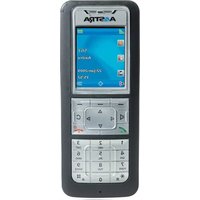
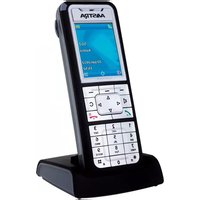
A6735-0131-1055 - Telephone AASTRA - Free user manual and instructions
Find the device manual for free A6735-0131-1055 AASTRA in PDF.


Pick your language and provide your email: we'll send you a specifically translated version.
| Product Type | Desk Telephone |
| Brand | Aastra |
| Model | A6735-0131-1055 |
| Display | High-resolution LCD with backlight |
| Keypad | Alphanumeric with dedicated navigation keys |
| Network Interface | Dual 10/100/1000 Mbps Ethernet ports |
| Power Supply | Power over Ethernet (PoE) 802.3af or AC adapter |
| Audio Features | Speakerphone with echo cancellation and wideband audio |
| Call Management | Hold, transfer, conference, redial, and speed dial |
| Protocol Support | SIP 2.0 (RFC 3261) for VoIP communication |
| Codec Support | G.711, G.729, G.722 |
| Security Features | SRTP encryption and HTTPS for secure communication |
| Operating Temperature | 0°C to 40°C (32°F to 104°F) |
| Dimensions (W x D x H) | approximately 250 x 200 x 100 mm |
| Weight | approximately 900 g |
| Mounting | Desktop placement or wall mount compatible |
| Language Support | Multi-language user interface |
| Care and Cleaning | Wipe with a soft, dry cloth |
| Safety | Use only certified power adapters to avoid damage |
| Spare Parts and Repairability | Replacement parts available from manufacturer |
Frequently Asked Questions - A6735-0131-1055 AASTRA
How do I connect the Aastra A6735-0131-1055 telephone to my network?
Connect the phone to your network using the Ethernet cable into the LAN port. The phone will automatically obtain an IP address via DHCP, unless you configure a static IP in the network settings.
Can I use this phone with my existing VoIP service provider?
Yes, the A6735-0131-1055 supports the SIP 2.0 protocol, which is compatible with most VoIP service providers. You will need to enter your SIP credentials (username, password, and server) in the phone's configuration menu.
How do I adjust the volume during a call?
You can adjust the handset or speakerphone volume during a call by pressing the volume up/down buttons located on the side or front of the phone. The setting will be saved for future calls.
Is the A6735-0131-1055 compatible with Power over Ethernet (PoE)?
Yes, the phone supports IEEE 802.3af Power over Ethernet. Simply connect an Ethernet cable from a PoE switch or injector, and the phone will receive both data and power without a separate power adapter.
How can I set up speed dial keys?
To configure speed dial, press the Menu key, navigate to Speed Dial or Feature Keys, select an unused key, and enter the phone number and optional name. Once saved, you can press that key to call the assigned number.
What should I do if the phone shows 'No Service' or 'No Network'?
First, check that the Ethernet cable is securely connected to both the phone and the network. Verify that your network has an active DHCP server or set a static IP. If the issue persists, restart the phone or contact your network administrator.
Can I update the firmware on this telephone?
Yes, the A6735-0131-1055 can be upgraded via the phone's web interface or through a TFTP/HTTP server. Check the manufacturer's website for the latest firmware and follow the instructions in the manual to perform the update.
How do I clean the phone safely?
Before cleaning, disconnect the power. Use a soft, dry, lint-free cloth to gently wipe the surfaces. Do not use liquid cleaners, sprays, or abrasive materials, as they may damage the LCD display or keypad.
What is the operating temperature range for this device?
The recommended operating temperature is 0°C to 40°C (32°F to 104°F). Avoid placing the phone in direct sunlight or near heat sources to ensure reliable performance and longevity.
Are spare parts available for the A6735-0131-1055?
Yes, spare parts such as handsets, coil cords, and power adapters can be obtained from Aastra or authorized distributors. Refer to the product manual or contact support for the correct part numbers and ordering information.
User questions about A6735-0131-1055 AASTRA
0 question about this device. Answer the ones you know or ask your own.
Ask a new question about this device
No questions yet. Be the first to ask one.
Download the instructions for your Telephone in PDF format for free! Find your manual A6735-0131-1055 - AASTRA and take your electronic device back in hand. On this page are published all the documents necessary for the use of your device. A6735-0131-1055 by AASTRA.
USER MANUAL A6735-0131-1055 AASTRA



Manual assistant
Powered by Anthropic
Waiting for your message
Product information
Brand : AASTRA
Model : A6735-0131-1055
Category : Telephone