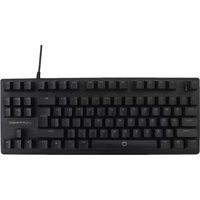
Doubletap V-930150 - Uncategorized Vortred - Free user manual and instructions
Find the device manual for free Doubletap V-930150 Vortred in PDF.


Pick your language and provide your email: we'll send you a specifically translated version.
| Product Type | Wireless Presentation Remote |
| Brand | Vortred |
| Model | Doubletap V-930150 |
| Dimensions | 120 x 30 x 15 mm |
| Weight | 45 g |
| Material | ABS plastic |
| Color | Black |
| Power Source | 1 x AAA battery |
| Battery Life | Up to 12 months |
| Connectivity | 2.4 GHz wireless via USB receiver |
| Wireless Range | Up to 10 m |
| Compatibility | Windows, macOS, Linux, Android devices with USB port |
| Button Layout | Left click, right click, double-tap zone, presentation controls |
| Double-Tap Function | Customizable double-click gesture for quick actions |
| Presentation Controls | Page up/down, full-screen toggle, laser pointer button |
| Plug and Play | No driver installation required |
| Operating Temperature | 0°C to 40°C |
| Storage Temperature | -20°C to 60°C |
| Certifications | CE, FCC, RoHS |
| Package Contents | Doubletap V-930150, USB receiver, AAA battery, user manual |
| Warranty | 1-year limited warranty |
Frequently Asked Questions - Doubletap V-930150 Vortred
How do I pair the Doubletap V-930150 with my computer?
Insert the USB receiver into an available USB port. The remote will automatically connect without needing any drivers or pairing steps.
How do I replace the battery?
Locate the battery compartment on the back of the remote. Slide it open, remove the old battery, and insert a new AAA battery ensuring correct polarity.
Does the Doubletap V-930150 work with Mac?
Yes, simply plug the USB receiver into a USB port on your Mac. It works with macOS without requiring additional drivers.
What is the double-tap function and how do I customize it?
The double-tap function lets you perform a secondary action by quickly double-tapping the surface. It can be customized using the included software or your operating system's mouse settings, depending on compatibility.
How do I clean the device?
Use a soft, dry cloth to wipe the exterior. Do not use water or cleaning solutions, as they may damage the electronics.
What is the wireless range?
The remote operates within a wireless range of up to 10 meters in open space, providing reliable control during presentations.
Is the USB receiver stored inside the device?
Yes, the USB receiver can be stored in the provided compartment on the remote, making it convenient to carry and preventing loss.
Can I use this remote with Android devices?
Yes, the Doubletap V-930150 works with Android devices that support USB OTG. Simply connect the USB receiver via an OTG cable.
How do I reset the device if it stops working?
Remove the battery, wait 10 seconds, then reinsert it. The remote should reconnect automatically. If the issue persists, try a different USB port.
Does it have a laser pointer?
Yes, the remote includes a dedicated laser pointer button for highlighting points during presentations.
User questions about Doubletap V-930150 Vortred
0 question about this device. Answer the ones you know or ask your own.
Ask a new question about this device
No questions yet. Be the first to ask one.
Download the instructions for your Uncategorized in PDF format for free! Find your manual Doubletap V-930150 - Vortred and take your electronic device back in hand. On this page are published all the documents necessary for the use of your device. Doubletap V-930150 by Vortred.
USER MANUAL Doubletap V-930150 Vortred


Manual assistant
Powered by Anthropic
Waiting for your message
Product information
Brand : Vortred
Model : Doubletap V-930150
Category : Uncategorized