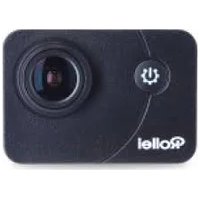
Actioncam 415 - Video camera ROLLEI - Free user manual and instructions
Find the device manual for free Actioncam 415 ROLLEI in PDF.


Pick your language and provide your email: we'll send you a specifically translated version.
| Product Type | Action Camera |
| Brand | Rollei |
| Model | Actioncam 415 |
| Dimensions (approx.) | 65 x 45 x 30 mm |
| Weight (approx.) | 85 g |
| Power Source | Rechargeable Li-ion battery, 3.7V |
| Battery Capacity (approx.) | 1000 mAh |
| Video Resolution | Full HD 1080p at 30fps |
| Photo Resolution | 12 megapixels (interpolated) |
| Lens Aperture | F/2.0 |
| Field of View (approx.) | 120 degrees wide angle |
| Storage | MicroSD card up to 32GB (not included) |
| Connectivity | Wi-Fi, USB 2.0, HDMI mini |
| Waterproof Rating (with housing) | IPX8, up to 30 meters |
| Image Stabilization | Electronic stabilization |
| Main Functions | Video recording, time-lapse, burst photo, loop recording |
| Care and Cleaning | Wipe with soft dry cloth; avoid solvents; dry after wet use |
| Safety Precautions | Keep away from children; do not disassemble; avoid extreme temperatures |
| Spare Parts and Repairability | Battery and waterproof housing available; contact Rollei service |
| General Information | User manual available in PDF; firmware update via Wi-Fi |
Frequently Asked Questions - Actioncam 415 ROLLEI
How do I turn on the Rollei Actioncam 415?
Press and hold the power button located on the top of the camera for about 2 seconds until the LED indicator lights up.
How to insert the microSD card?
Open the side cover, insert the microSD card with gold contacts facing down until it clicks. To remove, push the card inward to release it.
Can I use the camera underwater without a housing?
No, the camera itself is not waterproof. You must use the included waterproof housing for underwater use up to 30 meters.
How to charge the battery?
Connect the included USB cable to the camera's micro USB port and a 5V USB power adapter. The LED turns red while charging and off when fully charged.
What video resolution does the Actioncam 415 support?
It supports Full HD 1080p at 30 frames per second and also lower resolutions like 720p.
How to connect to Wi-Fi?
Go to the camera menu, enable Wi-Fi, then connect your smartphone to the camera's network (password shown on screen). Use the Rollei Action Cam app to control the camera.
The footage is shaky. How to stabilize?
Enable electronic image stabilization in the settings menu. For best results, mount the camera on a stable surface or use a gimbal.
How to take a time-lapse video?
Select Time-lapse mode in the menu, choose an interval (e.g., 1 second), and start recording. The camera will create a compressed video.
What should I do if the camera freezes?
Remove and reinsert the battery to reboot the camera. If the issue persists, try formatting the microSD card or resetting to factory defaults.
How to clean the camera lens?
Use a soft microfiber cloth gently on the lens. For stubborn dirt, slightly dampen the cloth with water. Do not use alcohol or harsh chemicals.
User questions about Actioncam 415 ROLLEI
0 question about this device. Answer the ones you know or ask your own.
Ask a new question about this device
No questions yet. Be the first to ask one.
Download the instructions for your Video camera in PDF format for free! Find your manual Actioncam 415 - ROLLEI and take your electronic device back in hand. On this page are published all the documents necessary for the use of your device. Actioncam 415 by ROLLEI.
USER MANUAL Actioncam 415 ROLLEI

Manual assistant
Powered by Anthropic
Waiting for your message
Product information
Brand : ROLLEI
Model : Actioncam 415
Category : Video camera