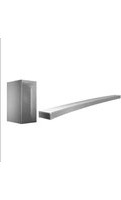
FFH-586A - Hi-Fi System LG - Free user manual and instructions
Find the device manual for free FFH-586A LG in PDF.


Pick your language and provide your email: we'll send you a specifically translated version.
| Product Type | Hi-Fi Stereo System |
| Model | FFH-586A |
| Brand | LG |
| Dimensions (Main Unit) | 300 x 220 x 110 mm (approx.) |
| Weight (Main Unit) | 3.5 kg (approx.) |
| Power Supply | AC 110-240V, 50/60Hz |
| Power Consumption | 40W |
| CD Player | Compatible with CD, CD-R, CD-RW |
| FM Tuner | FM stereo, preset stations: 30 |
| AM Tuner | AM (MW) tuner |
| USB Port | USB 2.0 for MP3/WMA playback |
| Bluetooth | Bluetooth 4.0, A2DP, AVRCP |
| Auxiliary Input | 3.5mm stereo input |
| Headphone Output | 3.5mm jack |
| Equalizer | Preset EQ modes (Pop, Rock, Classic, Jazz, Flat) |
| Clock/Timer | Built-in clock with sleep and alarm timer |
| Remote Control | IR remote included |
| Speaker Output Power | 2 x 10W RMS |
| Frequency Response | 20Hz - 20kHz |
| Safety | Do not expose to moisture; unplug during storms |
| Care & Cleaning | Clean with soft, dry cloth; avoid solvents |
| Spare Parts | Contact LG support; not user-serviceable |
Frequently Asked Questions - FFH-586A LG
How do I pair my phone via Bluetooth?
Press the Bluetooth button on the unit or remote. Activate Bluetooth on your phone and select LG FFH-586A from the list. Confirm pairing if prompted.
Why is the CD not playing?
Ensure the CD is inserted with the label facing up. Check if the disc is scratched or dirty. Clean with a soft cloth. Also confirm the unit is in CD mode and the disc is compatible (CD, CD-R, CD-RW).
How to set the alarm timer?
Press Timer on the remote. Use the +/– buttons to set the hour, then press Select. Repeat for minutes. Choose the source (CD, FM, etc.) and adjust volume. Press Power to confirm.
Can I connect external speakers?
This unit typically comes with dedicated speakers. Do not connect other speakers as impedance may not match. Use only the supplied speakers.
What should I do if there is no sound?
Check if the unit is not muted. Increase volume. Verify the correct input source is selected. Ensure speaker wires are properly connected and not damaged.
How to improve FM radio reception?
Extend the FM antenna fully. Adjust its position or try moving the unit away from electronic devices. In weak signal areas, consider an external antenna.
The remote control doesn't work. What now?
Check if batteries are inserted correctly or replace them. Point the remote directly at the sensor on the unit. Remove any obstacles between remote and sensor.
How do I reset the system to factory settings?
Press and hold the Power button for about 5 seconds until 'RESET' appears on the display. Alternatively, unplug the unit for 30 seconds and plug back in.
Can I play music from a USB drive?
Yes, insert a USB drive into the USB port. Use the USB source button to select it. Compatible formats: MP3, WMA. Ensure the drive is formatted as FAT32.
How to clean the unit?
Unplug the unit before cleaning. Use a soft, dry cloth to wipe the exterior. Do not use any liquids, aerosol cleaners, or abrasive pads.
User questions about FFH-586A LG
0 question about this device. Answer the ones you know or ask your own.
Ask a new question about this device
No questions yet. Be the first to ask one.
Download the instructions for your Hi-Fi System in PDF format for free! Find your manual FFH-586A - LG and take your electronic device back in hand. On this page are published all the documents necessary for the use of your device. FFH-586A by LG.
USER MANUAL FFH-586A LG

Manual assistant
Powered by Anthropic
Waiting for your message
Product information
Brand : LG
Model : FFH-586A
Category : Hi-Fi System