Lumix DMC-ZS45K - Camera PANASONIC - Free user manual and instructions
Find the device manual for free Lumix DMC-ZS45K PANASONIC in PDF.


Pick your language and provide your email: we'll send you a specifically translated version.
| Product Type | Digital Camera |
| Brand | Panasonic |
| Model | Lumix DMC-ZS45K |
| Dimensions (Approx.) | 108 x 62 x 33 mm |
| Weight (Approx.) | 249 g (with battery and memory card) |
| Power Supply | Rechargeable Lithium-Ion Battery (3.6V, 895mAh) |
| Sensor Resolution | 20.1 Megapixels (1/2.3-inch High Sensitivity MOS Sensor) |
| Optical Zoom | 20x (25-500mm equivalent in 35mm film) |
| Display | 3.0-inch TFT LCD, approx. 460K dots |
| Video Recording | Full HD 1920x1080 at 60p/50p (AVCHD/MP4) |
| Image Stabilization | Optical (POWER O.I.S.) |
| Wireless Connectivity | Wi-Fi (IEEE802.11b/g/n) with NFC |
| Storage Media | SD/SDHC/SDXC Memory Card (approx. 70MB built-in memory) |
| Shutter Speed Range | 4 - 1/2000 sec (up to 30 sec in Starry Sky mode) |
| ISO Sensitivity | Auto / 100 / 200 / 400 / 800 / 1600 / 3200 |
| Focus Modes | AF (Auto Focus) / Macro / Quick AF |
| Maintenance and Cleaning | Clean lens with soft, dry cloth; avoid solvents; store in dry place |
| Safety Precautions | Do not expose to water or extreme temperatures; keep away from children |
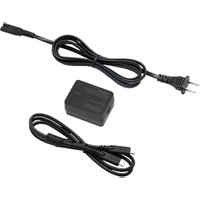
| Spare Parts and Repairability | Replacement battery and charger available; contact Panasonic service |
| General Information | Travel zoom compact camera with Wi-Fi, 20x zoom, and Full HD video |
Frequently Asked Questions - Lumix DMC-ZS45K PANASONIC
How do I charge the battery?
Use the supplied USB cable and charger. Connect the USB cable to the camera and to a computer or USB power adapter. The charging indicator turns red while charging and green when fully charged.
What memory card can I use?
This camera supports SD, SDHC, and SDXC memory cards. For video recording, a Class 10 or higher card is recommended.
How do I transfer photos to my computer?
Connect the camera to your computer via the supplied USB cable, or remove the memory card and use a card reader. Alternatively, use the Wi-Fi function and the Panasonic Image App.
Is the camera waterproof?
No, the Panasonic Lumix DMC-ZS45K is not waterproof. Avoid exposure to rain or moisture. Use a waterproof case if needed.
How do I reset the camera to factory settings?
Go to the Setup menu (wrench icon) and select Reset. Confirm by pressing Yes. All settings will return to default.
What is the zoom range?
The camera has a 20x optical zoom, equivalent to 25-500mm in 35mm format. Combined with Intelligent Zoom, it can extend up to 40x.
Can I record 4K video?
No, this model records Full HD 1080p video at up to 60 frames per second. It does not support 4K video recording.
How long does the battery last?
Battery life is approximately 350 shots per charge under normal conditions (based on CIPA standard). Actual use may vary.
Does it have image stabilization?
Yes, it features Power O.I.S. (Optical Image Stabilizer) to reduce blur from camera shake, especially useful at full zoom.
How do I set the self-timer?
Press the Drive Mode button (clock icon) on the back. Select Self-timer and choose 2 or 10 seconds. Press shutter to activate.
User questions about Lumix DMC-ZS45K PANASONIC
0 question about this device. Answer the ones you know or ask your own.
Ask a new question about this device
No questions yet. Be the first to ask one.
Download the instructions for your Camera in PDF format for free! Find your manual Lumix DMC-ZS45K - PANASONIC and take your electronic device back in hand. On this page are published all the documents necessary for the use of your device. Lumix DMC-ZS45K by PANASONIC.
USER MANUAL Lumix DMC-ZS45K PANASONIC
Manual assistant
Powered by Anthropic
Waiting for your message
Product information
Brand : PANASONIC
Model : Lumix DMC-ZS45K
Category : Camera