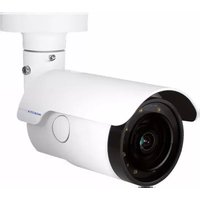
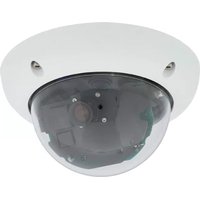
MX-D25M-SEC-D38 - Security Camera Mobotix - Free user manual and instructions
Find the device manual for free MX-D25M-SEC-D38 Mobotix in PDF.


Pick your language and provide your email: we'll send you a specifically translated version.
| Product Type | Security Camera |
| Brand | Mobotix |
| Model | MX-D25M-SEC-D38 |
| Dimensions (W x H x D) | 140 mm x 80 mm x 80 mm |
| Weight | 0.8 kg |
| Power Supply | Power over Ethernet (PoE) IEEE 802.3af |
| Image Sensor | 6 Megapixel CMOS |
| Maximum Resolution | 3072 x 2048 pixels |
| Lens Type | Varifocal, 2.8 - 12 mm |
| Night Vision | Yes, IR LEDs up to 30 m |
| Weather Resistance | IP66, Vandal-resistant |
| Operating Temperature | -30 °C to 50 °C |
| Storage | microSD card slot (up to 256 GB) |
| Connectivity | Ethernet 10/100, PoE |
| Audio | Built-in microphone and speaker |
| Motion Detection | Yes, configurable zones |
| Tamper Alarm | Yes |
| ONVIF Compliance | ONVIF Profile S |
| Warranty | 2 years |
| Maintenance | Clean lens with soft, dry cloth. Avoid solvents. |
| Included Accessories | Mounting bracket, screws, network cable |
Frequently Asked Questions - MX-D25M-SEC-D38 Mobotix
How do I reset the Mobotix MX-D25M-SEC-D38 to factory defaults?
Press and hold the reset button (located near the network port) for 10 seconds using a paperclip. The camera will reboot with factory settings.
What is the optimal mounting height for this camera?
For best coverage, mount the camera at a height of 2.5 to 3 meters (8-10 feet). Adjust the angle to avoid blind spots.
Can I use a standard PoE switch with this camera?
Yes, the camera supports IEEE 802.3af PoE, so it works with any standard PoE switch or injector.
How do I access the camera's web interface?
Connect the camera to your network, use the Mobotix IP Finder tool to discover its IP address, then enter that IP in a web browser (default credentials: admin/meinsm).
Does the camera support ONVIF?
Yes, the camera is ONVIF Profile S compliant, allowing integration with third-party VMS systems.
What should I do if the camera stops responding?
Check the PoE connection and LED indicators. If the power LED is off, verify the network cable and PoE source. If still unresponsive, perform a factory reset.
Can I record video to a network video recorder (NVR)?
Absolutely. The camera supports RTSP and ONVIF streams, compatible with most NVRs. Configure the stream settings in the camera's web interface.
What is the maximum microSD card capacity supported?
The camera supports microSD cards up to 256 GB (FAT32 formatted). Insert the card into the slot under the cover.
How do I clean the camera lens?
Use a soft, lint-free microfiber cloth slightly dampened with water. Do not use alcohol or abrasive cleaners to avoid damaging the lens coating.
Is the camera suitable for outdoor use in heavy rain?
Yes, the camera has an IP66 rating, meaning it is dust-tight and protected against powerful water jets. Ensure the cable connections are properly sealed.
User questions about MX-D25M-SEC-D38 Mobotix
0 question about this device. Answer the ones you know or ask your own.
Ask a new question about this device
No questions yet. Be the first to ask one.
Download the instructions for your Security Camera in PDF format for free! Find your manual MX-D25M-SEC-D38 - Mobotix and take your electronic device back in hand. On this page are published all the documents necessary for the use of your device. MX-D25M-SEC-D38 by Mobotix.
USER MANUAL MX-D25M-SEC-D38 Mobotix
Manual assistant
Powered by Anthropic
Waiting for your message
Product information
Brand : Mobotix
Model : MX-D25M-SEC-D38
Category : Security Camera