EL5363 - Uncategorized Icron - Free user manual and instructions
Find the device manual for free EL5363 Icron in PDF.


Pick your language and provide your email: we'll send you a specifically translated version.
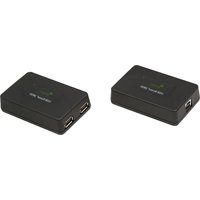
| Type | USB 3.0 Extender |
| Model | EL5363 |
| Brand | Icron |
| Dimensions (L x W x H) | 4.5 x 2.8 x 1.2 inches |
| Weight | 3.2 ounces |
| Power Supply | 5V DC via USB or included adapter |
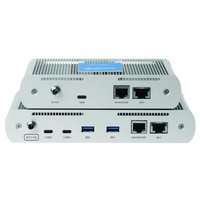
| Connectivity | USB 3.0 Type-A, RJ45 |
| Max Extension Distance | 100 meters (328 feet) |
| Data Transfer Rate | Up to 5 Gbps |
| Operating Temperature | 32°F to 104°F (0°C to 40°C) |
| Supported Devices | Webcams, storage drives, printers, HID devices |
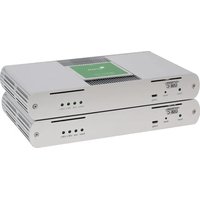
| LED Indicators | Power, Link, Activity |
| Compliance | CE, FCC, RoHS |
| Installation | Plug-and-play, no drivers required |
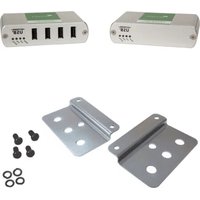
| Package Contents | Transmitter, receiver, power adapters, USB cable, Quick Start Guide |
| Warranty | 1 year limited warranty |
| Maintenance | Keep vents clean; avoid moisture; disconnect during storms |
Frequently Asked Questions - EL5363 Icron
What is the maximum distance the Icron EL5363 can extend USB signals?
The Icron EL5363 can extend USB 3.0 signals up to 100 meters (328 feet) over Cat5e/6 cable.
Does the EL5363 require any drivers or software?
No, the EL5363 is plug-and-play and works with the standard USB drivers included in your operating system.
What types of USB devices are compatible with the EL5363?
The extender supports most USB 3.0 devices such as webcams, external hard drives, printers, and keyboards. It is also backward compatible with USB 2.0/1.1 devices.
Can I use the EL5363 with a USB camera for surveillance?
Yes, the EL5363 works well with USB cameras, providing stable data transfer over long distances, making it suitable for surveillance or video conferencing setups.
Does the EL5363 require power at both ends?
The extender includes power adapters for both the transmitter and receiver units. They require 5V DC power supplied via the included adapters or USB ports.
What cable type is recommended for the EL5363?
For best performance, use Cat6 or Cat5e solid-core Ethernet cable with RJ45 connectors.
How do I reset the EL5363 if it stops working?
Unplug both units from power, wait 10 seconds, then reconnect. Ensure all cable connections are secure. If issues persist, check the LEDs for link status.
Is the EL5363 compatible with USB 3.0 hubs?
Yes, you can connect a USB 3.0 hub to the receiver side to expand the number of USB ports available at the remote location.
What do the LED indicators on the EL5363 mean?
The Power LED lights when powered, Link LED indicates a connection between transmitter and receiver, and Activity LED flashes during data transfer.
Can I daisy-chain multiple EL5363 extenders?
Daisy-chaining is not officially supported. For longer distances, use a single extender pair with appropriate cable length or a switched network solution.
User questions about EL5363 Icron
0 question about this device. Answer the ones you know or ask your own.
Ask a new question about this device
No questions yet. Be the first to ask one.
Download the instructions for your Uncategorized in PDF format for free! Find your manual EL5363 - Icron and take your electronic device back in hand. On this page are published all the documents necessary for the use of your device. EL5363 by Icron.
USER MANUAL EL5363 Icron

Manual assistant
Powered by Anthropic
Waiting for your message
Product information
Brand : Icron
Model : EL5363
Category : Uncategorized