SBC56GBICSSADA - Beer dispenser Summit - Free user manual and instructions
Find the device manual for free SBC56GBICSSADA Summit in PDF.


Pick your language and provide your email: we'll send you a specifically translated version.
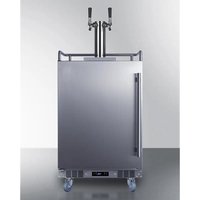
| Product Type | Beer Dispenser |
| Brand | Summit |
| Model | SBC56GBICSSADA |
| Dimensions (W x D x H) | 16.5 x 14 x 14 inches |
| Weight | 30 lbs |
| Power Supply | 120V, 60Hz |
| Cooling System | Compressor-based forced air |
| Capacity | 5 gallons (standard keg) |
| Temperature Range | 34°F to 40°F (1°C to 4°C) |
| Temperature Control | Digital thermostat with LED display |
| Tap System | Single stainless steel faucet with handle |
| Drip Tray | Removable, dishwasher-safe |
| CO2 Compatibility | Standard 5 lb CO2 tank (not included) |
| Pressure Adjustment | Regulator with gauge (included) |
| Installation | Freestanding, no built-in required |
| Cleaning & Maintenance | Regular line flushing with cleaning solution; sanitize every 3 months |
| Safety | Ventilation required; do not block air vents |
| Spare Parts Available | CO2 regulator, tap handle, drip tray, faucet washer kit |
| Warranty | 1 year limited warranty |
Frequently Asked Questions - SBC56GBICSSADA Summit
How do I set up the Summit SBC56GBICSSADA beer dispenser?
Place the dispenser on a level surface. Insert a full keg, connect the CO2 tank, set the regulator to 10-12 PSI, and plug in the unit. Allow 24 hours for the beer to cool before serving.
What type of keg does this dispenser use?
It accepts standard 5-gallon (half-barrel) kegs with a D-system coupler. Cornelius (soda) kegs may require an adapter.
How do I clean the beer lines?
Disconnect the keg and flush the lines with a mixture of beer line cleaner and warm water. Rinse thoroughly with water. Sanitize with a no-rinse sanitizer before reconnecting a new keg.
The beer is foamy. What should I check?
Check the CO2 pressure (should be 10-12 PSI), ensure the beer is cold (34-40°F), and verify the lines are not kinked. Also, make sure the glass is tilted when pouring.
How do I change the temperature setting?
Press the up/down arrows on the digital control panel to adjust. The desired temperature range is 34-40°F (1-4°C). The display shows the actual temperature.
Does the dispenser require a CO2 tank?
Yes, a CO2 tank is required to dispense beer. A standard 5 lb tank (not included) is recommended. The regulator attaches to the tank and adjusts the flow.
How often should I replace the CO2 tank?
A 5 lb CO2 tank typically lasts for 4-6 full kegs, depending on usage. Refill or replace when the pressure drops below 500 PSI.
Can I dispense other beverages besides beer?
Yes, you can dispense carbonated water, soft drinks, or cider if you have the appropriate keg and coupler. Clean the system thoroughly between different beverages.
What safety precautions should I follow?
Place the dispenser in a well-ventilated area away from heat sources. Do not block the air vents. Use only approved CO2 tanks and regulators. Unplug before cleaning.
Where can I find replacement parts?
Replacement parts such as faucet handles, drip trays, and CO2 regulators are available from Summit authorized dealers or online retailers. Use genuine Summit parts for best performance.
User questions about SBC56GBICSSADA Summit
0 question about this device. Answer the ones you know or ask your own.
Ask a new question about this device
No questions yet. Be the first to ask one.
Download the instructions for your Beer dispenser in PDF format for free! Find your manual SBC56GBICSSADA - Summit and take your electronic device back in hand. On this page are published all the documents necessary for the use of your device. SBC56GBICSSADA by Summit.
USER MANUAL SBC56GBICSSADA Summit
Manual assistant
Powered by Anthropic
Waiting for your message
Product information
Brand : Summit
Model : SBC56GBICSSADA
Category : Beer dispenser