LINCOLN ELECTRIC

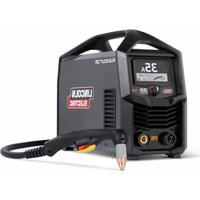
Zipline Boom Package - Welding machine LINCOLN ELECTRIC - Free user manual and instructions

Find the device manual for free Zipline Boom Package LINCOLN ELECTRIC in PDF.

📄 20 pages English EN Download 💬 AI Question 10 questions ⚙️ Specs
Notice LINCOLN ELECTRIC Zipline Boom Package - page 1
Pick your language and provide your email: we'll send you a specifically translated version.
Product Type Welding Machine with Boom Package
Brand Lincoln Electric
Model Zipline Boom Package
Dimensions (L x W x H) 1000 mm x 800 mm x 1200 mm
Weight 150 kg
Power Supply 400V, 3-phase, 50/60 Hz
Welding Processes MIG, TIG, Stick
Welding Current Range 50 - 400 A
Duty Cycle 60% at 300 A (40°C)
Wire Feed Speed 1 - 25 m/min
Cooling System Air-cooled, forced ventilation
Protection Class IP23
Insulation Class H
Safety Features Thermal overload protection, wire feed stop button, emergency stop
Maintenance Clean air filters every 50 hours, check wire feed system monthly
Cleaning Use dry compressed air for dust removal; avoid liquids
Spare Parts Contact Lincoln Electric authorized service centers
Repairability Modular design; replaceable power modules and wire feed units
Operating Temperature -10°C to +40°C
Included Accessories Welding torch, wire feeder, boom arm assembly

Frequently Asked Questions - Zipline Boom Package LINCOLN ELECTRIC

How do I set the wire feed speed correctly?
Refer to the welding procedure specification (WPS) for your material. Adjust the wire feed speed dial to match the desired amperage. Start with a medium setting and fine-tune based on weld appearance. Improper speed can cause spatter or poor penetration.
What safety precautions should I take before using the Zipline Boom Package?
Always wear proper PPE including welding helmet with correct shade, flame-resistant gloves, and protective clothing. Ensure the work area is free of flammable materials. Check that all cable connections are secure and verify the ground clamp is attached to the workpiece.
How do I clean the air filters?
Turn off the machine and disconnect power. Remove the filter covers by unscrewing the retaining screws. Clean the filters with low-pressure compressed air (max 30 psi) from the inside out. Reinstall and secure before restarting.
What does the 'Thermal Overload' light mean?
The thermal overload indicator lights when the internal temperature exceeds safe limits. The machine will automatically reduce output or shut down. Allow the machine to cool for at least 15 minutes with the fan running before resuming work.
Can I use this machine for aluminum welding?
Yes, the Zipline Boom Package supports MIG welding with aluminum wire. You must use a compatible wire feed system (e.g., push-pull gun) and appropriate shielding gas (100% argon). Adjust wire feed speed and voltage per aluminum welding parameters.
How do I change the welding polarity?
For MIG welding with solid wire, use DC reverse polarity (electrode positive). For flux-cored wire, refer to the wire manufacturer's recommendation. To change, swap the welding cable connections at the machine terminals: torch cable to '+' and ground cable to '-' for reverse polarity.
What is the recommended maintenance schedule?
Daily: inspect cables, torch, and ground clamp. Weekly: clean air filters and check wire feed rolls for wear. Monthly: check all electrical connections, tighten loose terminals, and lubricate boom joints as per manufacturer's manual.
Why does the wire feed stop during welding?
Possible causes: wire jam in the liner, worn drive rolls, or activation of wire feed stop button. Check that the wire spool is not tangled and the liner is clean. Adjust drive roll pressure according to wire diameter.
Where can I find replacement parts?
Use only Lincoln Electric genuine parts for safety and performance. Contact your local Lincoln Electric distributor or authorized service center. Supply the model number (Zipline Boom Package) and serial number for accurate ordering.
How do I store the machine when not in use?
Store in a dry, indoor location with temperatures between -20°C and +60°C. Cover the machine to protect from dust. Disconnect power and gas supply. For longer storage, remove wire and tension rolls to prevent deformation.

User questions about Zipline Boom Package LINCOLN ELECTRIC

0 question about this device. Answer the ones you know or ask your own.

Ask a new question about this device

The email remains private: it is only used to notify you if someone responds to your question.

No questions yet. Be the first to ask one.

Download the instructions for your Welding machine in PDF format for free! Find your manual Zipline Boom Package - LINCOLN ELECTRIC and take your electronic device back in hand. On this page are published all the documents necessary for the use of your device. Zipline Boom Package by LINCOLN ELECTRIC.

USER MANUAL Zipline Boom Package LINCOLN ELECTRIC
Manual assistant
Powered by Anthropic
Waiting for your message
Product information

Brand : LINCOLN ELECTRIC

Model : Zipline Boom Package

Category : Welding machine