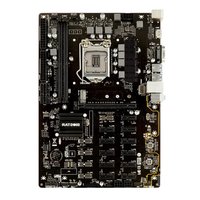
GM5 - Motherboard BIOSTAR - Free user manual and instructions
Find the device manual for free GM5 BIOSTAR in PDF.


Pick your language and provide your email: we'll send you a specifically translated version.
| Product Type | Motherboard |
| Brand | Biostar |
| Model | GM5 |
| Form Factor | Micro ATX |
| Dimensions (W x L) | 244 mm x 244 mm |
| Weight | 0.5 kg |
| CPU Socket | Socket 7 |
| Supported CPUs | AMD K6-2, K6-III, Intel Pentium MMX, Cyrix MII |
| Memory Type | 168-pin SDRAM DIMM |
| Maximum Memory | 512 MB |
| Memory Slots | 2 |
| Expansion Slots | 3 x PCI, 2 x ISA |
| I/O Ports | 2 x USB 1.1, 1 x LPT, 1 x COM, PS/2 keyboard & mouse, VGA (integrated) |
| Integrated Graphics | SiS 530 or similar |
| Power Connector | ATX 20-pin |
| BIOS | Award BIOS |
| Maintenance & Cleaning | Use compressed air to remove dust; avoid liquid cleaners |
| Safety Precautions | Disconnect power before installation; use anti-static wrist strap |
| Spare Parts & Repairability | Not user-serviceable; seek professional repair |
Frequently Asked Questions - GM5 BIOSTAR
What CPU can I use with the Biostar GM5?
The Biostar GM5 supports Socket 7 CPUs such as AMD K6-2, K6-III, Intel Pentium MMX, and Cyrix MII.
How much RAM can the GM5 support?
The motherboard supports up to 512 MB of SDRAM using two 168-pin DIMM slots.
Does the GM5 have integrated graphics?
Yes, it typically features integrated SiS 530 graphics with VGA output.
What form factor is the Biostar GM5?
It is a Micro ATX motherboard with dimensions of 244 mm x 244 mm.
How do I install the motherboard safely?
Disconnect power, use an anti-static wrist strap, and handle the board by edges to avoid static damage.
What operating systems are compatible?
Older operating systems like Windows 98, ME, 2000, and Linux are compatible.
Can I use USB devices on the GM5?
Yes, it has 2 USB 1.1 ports for keyboards, mice, or other low-speed peripherals.
What is the power connector type?
It uses a standard ATX 20-pin power connector.
How to clean the motherboard?
Use compressed air to gently remove dust. Avoid water or solvents. Ensure it is dry before powering on.
Is the GM5 still usable today?
It is suitable for retro computing, but for modern tasks it lacks speed and connectivity.
User questions about GM5 BIOSTAR
0 question about this device. Answer the ones you know or ask your own.
Ask a new question about this device
No questions yet. Be the first to ask one.
Download the instructions for your Motherboard in PDF format for free! Find your manual GM5 - BIOSTAR and take your electronic device back in hand. On this page are published all the documents necessary for the use of your device. GM5 by BIOSTAR.
USER MANUAL GM5 BIOSTAR


Manual assistant
Powered by Anthropic
Waiting for your message
Product information
Brand : BIOSTAR
Model : GM5
Category : Motherboard