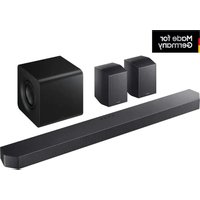
MAX-DC20800 - Hi-Fi System SAMSUNG - Free user manual and instructions
Find the device manual for free MAX-DC20800 SAMSUNG in PDF.


Pick your language and provide your email: we'll send you a specifically translated version.
| Product Type | Hi-Fi System |
| Brand | Samsung |
| Model | MAX-DC20800 |
| Dimensions (Main Unit) | Approx. 280 x 300 x 350 mm (WxHxD) |
| Weight (Main Unit) | Approx. 5.5 kg |
| Power Supply | AC 110-240V, 50/60Hz |
| Power Consumption | 50 W (typical) |
| Speaker Type | 2-way bass reflex |
| Speaker Impedance | 4 ohms |
| Total Output Power | 200 W (RMS) |
| Disc Playback | CD, CD-R/RW, MP3 CD |
| Radio Tuner | FM/MW with RDS |
| USB Playback | Yes, USB 2.0 (MP3, WMA) |
| Bluetooth | Yes, version 4.2 |
| Audio Inputs | AUX (3.5mm), Optical (Toslink) |
| Headphone Jack | Yes, 3.5mm |
| Display | LCD with white backlight |
| Remote Control | Yes, included |
| Standby Power Consumption | < 1 W |
| Cleaning | Wipe with dry soft cloth; avoid liquids |
| Safety | Do not expose to moisture; unplug during storms |
Frequently Asked Questions - MAX-DC20800 SAMSUNG
How do I pair a Bluetooth device with the Samsung MAX-DC20800?
Press the FUNCTION button on the remote or main unit until BT appears. Ensure your device's Bluetooth is on and select Samsung MAX-DC20800 from the list. If prompted, enter 0000 as PIN.
Why is there no sound from the system?
Check that the speakers are properly connected to the terminals. Verify the volume is not muted or set to zero. Ensure the correct input source is selected (e.g., CD, BT, AUX).
Can I play music from a USB drive?
Yes, insert a USB drive containing MP3 or WMA files into the USB port. Press FUNCTION to select USB mode and use navigation buttons to play tracks.
How do I reset the system to factory settings?
Press and hold the STOP button on the main unit for about 5 seconds until RESET appears on the display. This will clear all saved settings.
What types of discs are supported?
The system supports CD-Audio, CD-R/RW in audio format, and MP3 CDs (ISO 9660 format). Do not use irregularly shaped discs.
How do I set the FM radio presets?
Tune to a desired station using TUNING +/-. Then press PROGRAM (or MEMORY) on the remote, select a preset number using numeric keys, and press PROGRAM again to store.
The remote control is not working. What should I do?
Replace the batteries (AAA type) with fresh ones. Ensure the sensor on the main unit is not obstructed. Point the remote directly at the sensor within 7 meters.
How do I clean the system?
Unplug the system. Wipe the cabinet with a soft, dry cloth. For stubborn dirt, use a damp cloth with mild detergent, then dry thoroughly. Never use alcohol or abrasive cleaners.
Can I play music from my smartphone via AUX?
Yes, connect your smartphone to the AUX IN (3.5mm) jack on the front panel using a standard audio cable. Press FUNCTION to select AUX mode.
What should I do if the system displays 'NO DISC'?
Ensure a compatible disc is inserted with the label facing up. Clean the disc with a soft cloth from center to edge. Try another disc to rule out disc damage.
User questions about MAX-DC20800 SAMSUNG
0 question about this device. Answer the ones you know or ask your own.
Ask a new question about this device
No questions yet. Be the first to ask one.
Download the instructions for your Hi-Fi System in PDF format for free! Find your manual MAX-DC20800 - SAMSUNG and take your electronic device back in hand. On this page are published all the documents necessary for the use of your device. MAX-DC20800 by SAMSUNG.
USER MANUAL MAX-DC20800 SAMSUNG
Manual assistant
Powered by Anthropic
Waiting for your message
Product information
Brand : SAMSUNG
Model : MAX-DC20800
Category : Hi-Fi System