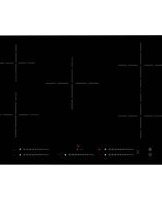
C7061G - Cooker Caple - Free user manual and instructions
Find the device manual for free C7061G Caple in PDF.


Pick your language and provide your email: we'll send you a specifically translated version.
| Product Type | Gas Cooker (Freestanding) |
| Brand | Caple |
| Model | C7061G |
| Width | 600 mm |
| Depth | 600 mm |
| Height | 850-900 mm (adjustable) |
| Weight | Approx. 50 kg |
| Energy Source | Gas (burners) and Electric (oven) |
| Gas Type | Natural Gas (convertible to LPG) |
| Number of Gas Burners | 4 |
| Oven Type | Electric Fan Oven |
| Oven Capacity | 65 L |
| Grill | Yes, integrated |
| Ignition | Automatic electronic ignition |
| Safety Features | Flame failure device on all burners, child lock |
| Cleaning | Enamel interior, easy-clean hob |
| Control Type | Rotary knobs |
| Display | LED timer |
| Energy Class (Oven) | A |
| Color | Stainless Steel |
| Warranty | 2 years |
| Spare Parts Availability | Yes, through Caple service |
Frequently Asked Questions - C7061G Caple
How do I ignite the gas burners?
Press and turn the corresponding knob to the high flame position while holding down. The automatic electronic ignition will spark. Once lit, keep the knob pressed for a few seconds to engage the flame failure device.
What should I do if the oven is not heating?
Check that the oven is properly connected to the power supply and that the thermostat is set. If it still does not heat, the heating element or thermostat may be faulty. Contact Caple service for repair.
How do I clean the hob?
Clean the hob with warm soapy water and a soft cloth. For stubborn stains, use a non-abrasive cleaner. Avoid using steel wool or harsh chemicals to prevent damage to the enamel finish.
Can I use it with LPG?
Yes, the cooker can be converted to LPG. A conversion kit is required, and it should be installed by a qualified technician. The injector nozzles need to be replaced.
How do I set the oven timer?
Press the timer button, then use the +/- buttons to set the desired cooking time. The oven will automatically turn off when the time elapses. Confirm by pressing the timer button again.
Why is the flame yellow?
A yellow flame indicates incomplete combustion. This can be due to a blocked burner or incorrect air mixture. Check that the burner caps are clean and properly placed. If persistent, adjust the air shutter or contact a technician.
How to replace the oven light bulb?
Disconnect the oven from the power supply. Remove the glass cover by turning it counterclockwise. Replace the bulb with a new 25W/300°C halogen bulb (G9 fitting). Reassemble and reconnect.
What is the energy rating?
The oven is rated energy class A, indicating high energy efficiency. The hob burners are not rated for energy class but are efficient gas burners.
Is there a child lock?
Yes, the cooker is equipped with a child lock function. To activate, press and hold the child lock button for 3 seconds. The display will show a key icon. Repeat to deactivate.
How to install the cooker?
Installation should be done by a qualified professional. Ensure adequate ventilation and that the gas connection complies with local regulations. The cooker must be stabilized using the anti-tilt brackets provided.
User questions about C7061G Caple
0 question about this device. Answer the ones you know or ask your own.
Ask a new question about this device
No questions yet. Be the first to ask one.
Download the instructions for your Cooker in PDF format for free! Find your manual C7061G - Caple and take your electronic device back in hand. On this page are published all the documents necessary for the use of your device. C7061G by Caple.
USER MANUAL C7061G Caple


Manual assistant
Powered by Anthropic
Waiting for your message
Product information
Brand : Caple
Model : C7061G
Category : Cooker