Invisa MPX - Loudspeaker GoldenEar - Free user manual and instructions
Find the device manual for free Invisa MPX GoldenEar in PDF.


Pick your language and provide your email: we'll send you a specifically translated version.
| Product Type | In-wall/In-ceiling Loudspeaker |
| Brand | GoldenEar |
| Model | Invisa MPX |
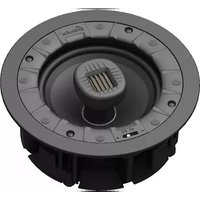
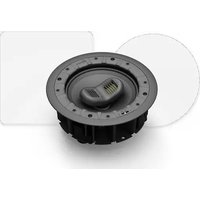
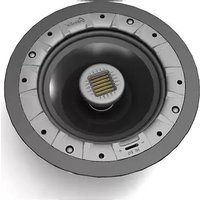
| Driver Configuration | 6.5" Mid/Bass Driver + 3" High-Velocity Folded Ribbon Tweeter |
| Frequency Response | 35 Hz – 35 kHz |
| Sensitivity | 90 dB (2.83 V @ 1 m) |
| Impedance | 8 Ohms (nominal) |
| Power Handling (Recommended Amplifier) | 20 – 250 Watts/channel |
| Cut-Out Dimensions (H × W) | 8.75" × 7.0" (222 mm × 178 mm) |
| Overall Dimensions (H × W × D) | 9.5" × 7.875" × 4.125" (241 mm × 200 mm × 105 mm) |
| Weight | 4.5 lbs (2.04 kg) |
| Mounting Type | Dogleg bracket system (tool-less) |
| Grille | Magnetic, paintable |
| Installation | New construction or retrofit |
| Color | White (paintable) |
| Wiring | Spring-loaded terminals, accepts up to 10 AWG |
| Cleaning and Maintenance | Gently dust with a soft, dry cloth; avoid moisture and solvents |
| Safety Precautions | Turn off amplifier before installation; follow local building codes |
| Spare Parts & Repairability | Contact GoldenEar dealer for replacement drivers or grilles |
Frequently Asked Questions - Invisa MPX GoldenEar
What tools are needed for installing the Invisa MPX?
You will need a drywall saw, wire strippers, screwdriver, and a stud finder. The dogleg brackets require no additional tools.
Can the Invisa MPX be used outdoors?
No, it is designed for indoor use only. Exposure to moisture or extreme temperatures will damage the speaker.
How do I paint the grille to match my wall?
Remove the magnetic grille, spray lightly with thin paint coats, and let dry fully before reattaching. Do not clog the perforations.
What is the recommended amplifier power?
An amplifier with 20–250 watts per channel is ideal. Higher power allows for clean headroom without distortion.
Can I install the Invisa MPX in a ceiling?
Yes, it is suitable for both wall and ceiling installations. Ensure proper support and clearance behind the mounting surface.
Does the speaker come with a template for cutting the hole?
Yes, a cut-out template is included in the box. Use it to trace the exact 8.75" x 7" opening.
What type of speaker wire should I use?
Use 14 AWG or thicker stranded speaker wire for best performance. Strip ⅜ inch of insulation for the spring terminals.
How do I adjust the treble or bass?
The Invisa MPX has no built-in EQ controls. Use your amplifier's tone controls or an external equalizer.
Is the Invisa MPX compatible with Dolby Atmos?
Yes, the Invisa MPX can be used as height channels in a Dolby Atmos setup when mounted in the ceiling.
What is the warranty period?
GoldenEar offers a 5-year limited warranty on the Invisa MPX against defects in materials and workmanship.
User questions about Invisa MPX GoldenEar
0 question about this device. Answer the ones you know or ask your own.
Ask a new question about this device
No questions yet. Be the first to ask one.
Download the instructions for your Loudspeaker in PDF format for free! Find your manual Invisa MPX - GoldenEar and take your electronic device back in hand. On this page are published all the documents necessary for the use of your device. Invisa MPX by GoldenEar.
USER MANUAL Invisa MPX GoldenEar

Manual assistant
Powered by Anthropic
Waiting for your message
Product information
Brand : GoldenEar
Model : Invisa MPX
Category : Loudspeaker