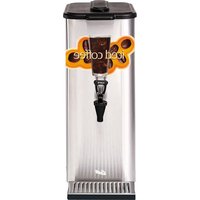
G4TP 4T - Coffee maker Wilbur Curtis - Free user manual and instructions
Find the device manual for free G4TP 4T Wilbur Curtis in PDF.


Pick your language and provide your email: we'll send you a specifically translated version.
| Product Type | Commercial Coffee Brewer |
| Brand | Wilbur Curtis |
| Model | G4TP 4T |
| Dimensions (W x D x H) | 20 x 18 x 25 inches |
| Weight | 40 lbs |
| Power Supply | 120V, 60Hz, 1500W |
| Brewing Capacity | Up to 4 gallons per hour |
| Number of Burners | 4 |
| Water Reservoir | Removable, 2.5 gallon capacity |
| Brew Temperature | 195-205°F (adjustable) |
| Warming Plate Temperature | 180°F (preset) |
| Control Type | Digital with programmable timer |
| Main Functions | Brew, Pause & Serve, Auto Shut-off |
| Maintenance | Daily rinse; weekly decalcification with approved cleaner |
| Cleaning Frequency | Daily: rinse brew basket and carafe; Weekly: deep clean and decalcify |
| Safety Features | Automatic shut-off, boil-dry protection, high-temperature limit switch |
| Spare Parts Availability | Available through authorized distributors (e.g., brew basket, decanter, heating element) |
| Repairability | Serviceable by certified technicians; user-replaceable parts include funnel and carafe |
| Warranty | 1 year parts and labor |
| Certifications | ETL, NSF |
Frequently Asked Questions - G4TP 4T Wilbur Curtis
How do I brew coffee with the G4TP 4T?
Fill the water reservoir, place a filter in the brew basket, add ground coffee (approx. 2 oz per gallon), and press the brew button. The machine will heat water to 200°F and dispense it over the grounds. Use the Pause & Serve feature to pour a cup mid-cycle.
How often should I clean the coffee maker?
Perform a daily rinse of the brew basket and carafe. Weekly decalcification with a commercial descaler is recommended to prevent mineral buildup. Refer to the manual for detailed instructions.
What type of water should I use?
Use filtered or bottled water to reduce scale formation. Avoid distilled or softened water as they can affect extraction and taste.
What does the error code E01 mean?
Error code E01 indicates a temperature sensor failure. Power off the unit, unplug it, wait 5 minutes, then restart. If the error persists, contact Wilbur Curtis support.
Can I use paper filters instead of a permanent filter?
Yes, the G4TP 4T is compatible with standard commercial paper filters (12-14 cup cone shape). Insert the filter before adding grounds.
How do I adjust the brew temperature?
Press and hold the TEMP button until the display flashes. Use the UP/DOWN arrows to set between 195°F and 205°F. Press TEMP again to confirm.
Where can I find replacement parts?
Replacement parts such as brew baskets, decanters, and heating elements are available through authorized Wilbur Curtis distributors. Visit the Wilbur Curtis website or contact customer service for a list.
What is the warranty period for the G4TP 4T?
The machine comes with a 1-year limited warranty covering parts and labor. Proof of purchase is required. Extended warranties may be available.
How do I set the auto shut-off timer?
Press the TIMER button, use the arrows to set the desired shut-off time (1-4 hours), and press ENTER. The machine will automatically turn off the warming plates after the set interval.
The machine is not brewing – what should I check?
First, ensure the water reservoir is filled and the machine is plugged in. Check that the brew basket is properly inserted and the decanter is in place. If the display shows an error code, refer to the manual. Also verify the circuit breaker hasn't tripped.
User questions about G4TP 4T Wilbur Curtis
0 question about this device. Answer the ones you know or ask your own.
Ask a new question about this device
No questions yet. Be the first to ask one.
Download the instructions for your Coffee maker in PDF format for free! Find your manual G4TP 4T - Wilbur Curtis and take your electronic device back in hand. On this page are published all the documents necessary for the use of your device. G4TP 4T by Wilbur Curtis.
USER MANUAL G4TP 4T Wilbur Curtis

Manual assistant
Powered by Anthropic
Waiting for your message
Product information
Brand : Wilbur Curtis
Model : G4TP 4T
Category : Coffee maker