A link plus - Receiver Wet Sounds - Free user manual and instructions
Find the device manual for free A link plus Wet Sounds in PDF.


Pick your language and provide your email: we'll send you a specifically translated version.
| Product Type | Marine Audio Receiver |
| Brand | Wet Sounds |
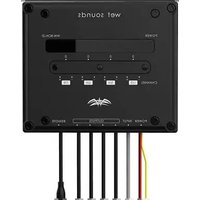
| Model | A Link Plus |
| Dimensions (approx.) | 7.0 x 2.0 x 5.0 inches |
| Weight (approx.) | 1.2 lbs |
| Power Supply | 12V DC (negative ground) |
| Bluetooth | Built-in for wireless audio streaming |
| Radio Tuner | AM/FM with 30 presets |
| USB Input | Front USB port for MP3 playback and charging |
| Auxiliary Input | 3.5mm auxiliary input |
| Weatherproof Rating | IPX6 (splash resistant) |
| Output Power | 4 x 50 watts max power |
| Equalizer | Built-in 3-band EQ |
| Remote Control | Wired remote included |
| Installation | Standard marine DIN mounting |
| Maintenance | Clean with a soft, damp cloth; avoid solvents |
| Safety Features | Reverse polarity protection and fuse |
| Spare Parts | Remote, wiring harness, mounting bracket available |
| Repairability | Serviceable by authorized technicians |
| General Information | Designed for marine environments; corrosion-resistant |
Frequently Asked Questions - A link plus Wet Sounds
What is the waterproof rating of the Wet Sounds A Link Plus receiver?
The receiver is rated IPX6, meaning it is splash resistant and can withstand water jets from any direction. It is not designed for submersion.
How do I pair my phone via Bluetooth?
Enable Bluetooth on your phone, search for devices, and select 'Wet Sounds A Link Plus'. If prompted, enter the PIN 0000. The receiver will confirm pairing.
Can I connect a subwoofer to this receiver?
Yes, the A Link Plus has a dedicated subwoofer RCA output for connecting an external amplifier and subwoofer.
What type of antenna does it use?
It requires a standard motorized or fixed marine AM/FM antenna with a DIN connector. Ensure the antenna is properly grounded for best reception.
How do I reset the receiver to factory settings?
Press and hold the Reset button (located behind the faceplate) for 5 seconds using a paperclip. All settings will be cleared.
Does the receiver support steering wheel controls?
Yes, it is compatible with aftermarket steering wheel control adapters via the wired remote input.
What is the maximum USB drive capacity supported?
The USB port supports drives up to 32GB formatted in FAT32. Larger drives may not be recognized.
How do I clean the receiver?
Use a soft, damp cloth to wipe the front panel. Do not use harsh chemicals or abrasive cleaners, as they may damage the surface.
Is the receiver compatible with a backup camera?
No, the A Link Plus does not have a video input for backup cameras. It is an audio-only receiver.
Where can I find replacement parts like the remote?
Contact Wet Sounds customer support or visit their website for genuine parts. Part numbers are listed in the user manual.
User questions about A link plus Wet Sounds
0 question about this device. Answer the ones you know or ask your own.
Ask a new question about this device
No questions yet. Be the first to ask one.
Download the instructions for your Receiver in PDF format for free! Find your manual A link plus - Wet Sounds and take your electronic device back in hand. On this page are published all the documents necessary for the use of your device. A link plus by Wet Sounds.
USER MANUAL A link plus Wet Sounds


Manual assistant
Powered by Anthropic
Waiting for your message
Product information
Brand : Wet Sounds
Model : A link plus
Category : Receiver