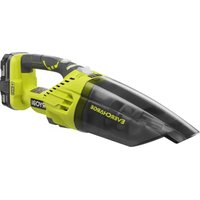
FACWDV1 - Vacuum Cleaner RYOBI - Free user manual and instructions
Find the device manual for free FACWDV1 RYOBI in PDF.


Pick your language and provide your email: we'll send you a specifically translated version.
| Product Type | Vacuum Cleaner |
| Brand | RYOBI |
| Model | FACWDV1 |
| Power Source | Battery (18V One+ compatible) |
| Battery Voltage | 18 V |
| Battery Type | Lithium-ion |
| Run Time | Approx. 20-25 minutes |
| Charge Time | Approx. 2 hours |
| Dust Capacity | 0.5 L |
| Filter Type | Washable foam filter |
| Suction Power | 10-15 kPa |
| Dimensions (L x W x H) | 1100 x 200 x 200 mm |
| Weight (without battery) | 2.5 kg |
| Weight (with battery) | 3.0 kg |
| Hose Length | 1.2 m |
| Accessories Included | Crevice tool, brush tool, floor nozzle |
| Maintenance | Clean filter after each use; empty dust container regularly |
| Safety Features | Overload protection; battery protection circuit |
Frequently Asked Questions - FACWDV1 RYOBI
How do I clean the filter on the RYOBI FACWDV1?
Remove the dust container and take out the foam filter. Rinse the filter under running water and let it air dry completely before reinstalling. Do not use soap or detergents to avoid damaging the filter.
Can I use any 18V RYOBI battery with this vacuum?
Yes, the FACWDV1 is compatible with all 18V RYOBI One+ batteries. For best performance, use a battery with at least 2.0 Ah capacity.
Why is the vacuum not picking up debris properly?
Check if the dust container is full or the filter is clogged. Ensure the battery is fully charged and the nozzle is not blocked. Clean the filter if necessary.
How do I empty the dust container?
Press the release button to detach the dust container from the main body. Hold it over a trash bin and press the bottom latch to open the lid. Tap gently to release all dust.
What is the runtime of the FACWDV1?
With a fully charged 2.0 Ah battery, the vacuum runs approximately 20 minutes in standard mode. Runtime may vary depending on floor type and suction setting.
Can I wash the dust container?
Yes, the dust container can be washed with mild soap and water. Make sure it is completely dry before reassembling to prevent motor damage.
How do I change the battery on the FACWDV1?
Slide the battery release button and pull the battery out. Align a charged battery with the rails and push until it clicks into place.
What does the red indicator light mean?
A solid red light indicates low battery. Flashing red may indicate a fault or overheating. Let the vacuum cool down and recharge the battery.
Can I use this vacuum on hardwood floors?
Yes, the floor nozzle is designed for both carpets and hard floors. For delicate surfaces, ensure the brush roll is clean and not too aggressive.
Where can I find replacement parts?
Replacement filters, batteries, and charger can be purchased from RYOBI authorized dealers or online. Use only genuine parts.
User questions about FACWDV1 RYOBI
0 question about this device. Answer the ones you know or ask your own.
Ask a new question about this device
No questions yet. Be the first to ask one.
Download the instructions for your Vacuum Cleaner in PDF format for free! Find your manual FACWDV1 - RYOBI and take your electronic device back in hand. On this page are published all the documents necessary for the use of your device. FACWDV1 by RYOBI.
USER MANUAL FACWDV1 RYOBI
Manual assistant
Powered by Anthropic
Waiting for your message
Product information
Brand : RYOBI
Model : FACWDV1
Category : Vacuum Cleaner