
CFD-S500 - Hi-Fi System SONY - Free user manual and instructions
Find the device manual for free CFD-S500 SONY in PDF.
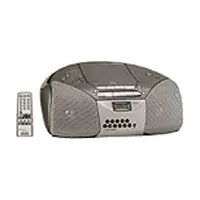


| Product Type | Portable Hi-Fi System |
| Brand | Sony |
| Model | CFD-S500 |
| Dimensions (Approx.) | 450 x 250 x 200 mm |
| Weight (Approx.) | 4.0 kg |
| Power Source | AC 220-240V, 50/60 Hz or 6 x D size (R20) batteries |
| Power Consumption | 15 W |
| Disc Format Supported | CD, CD-R, CD-RW |
| Tuner Bands | FM (87.5-108 MHz), AM (531-1602 kHz) |
| Cassette Deck | Playback and recording (stereo) |
| Audio Output | 2 x 5 W (RMS) |
| Speaker System | Full-range, bass reflex |
| Headphone Jack | 3.5 mm stereo |
| Additional Features | Preset equalizer, CD synchro recording |
| Cleaning | Wipe with a soft, dry cloth; do not use solvents |
| Safety Warnings | Do not expose to rain or moisture; use only specified power source |
| Spare Parts & Repairability | Contact Sony support for replacement parts; designed for professional service |
| General Information | Manufactured by Sony Corporation; user manual available for download |
Frequently Asked Questions - CFD-S500 SONY
User questions about CFD-S500 SONY
0 question about this device. Answer the ones you know or ask your own.
Ask a new question about this device
Download the instructions for your Hi-Fi System in PDF format for free! Find your manual CFD-S500 - SONY and take your electronic device back in hand. On this page are published all the documents necessary for the use of your device. CFD-S500 by SONY.
USER MANUAL CFD-S500 SONY
- As the laser beam used in the CD player
section is harmful to the eyes, do not
attempt to disassension the caring. Knit servicing to qualified personnel only.
- Should any solid object or liquid fall into the plume, verify the plume, and lavai
the prayer, uniping the prayer, and have it checked by qualified personnel before
operating it any further • Discs with non-standar
heart, square, star) cannot be played on
this player. Attempting to do so may damage the player. Do not use such disc
Cleaning the cabinet
- Clean the cabinet, panel and controls with a soft cloth slightly mounted with a mild
a self-cloth slightly moistened with a mini detergent solution. Do not use any type of
abrasive pad, scouring powder, or solvent, such as alcohol or herpine.
On power sources
- For AC operation,
power cord; do not use any other type. • The player is not disconnected from the
AC power source (mains) as long as it
connected to the wall outlet, even if the player itself has been turned off.
- Unplug the player from the wall outlet when it is not to be used for an event.
When it is not to be used for an external period of time.
- For battery operation, use six size D (R) batteries
- When the batteries are not to be used,
remove them to avoid damage that can caused by battery leakage or corrosion
- The nameplate indicating operating
voltage, power consumption, etc. is located at the bottom.
On placement
- Do not leave the player in a location near about 2000, or in a place which to live
near sources, or in a place subject to dire sunlight, excessive dust or mechanical
shock. • Do not place the player on an inclined or
unstable place.
- Do not place anything within 10 min of the side of the cabinet. The ventilation
holes must be unobstructed for the play
to operate property and prolong the life of its components.
- If the player is left in a car parked in the car, he gave to choose a location in the
where the player will not be subjected to
the direct rays of the sun. • Since a strong magnet is used for the
upakers, keep personal credit cards use
magnetic coding or spring-wound watch away from the player to prevent possible
damage from the magnet.
On operation
- If the player is cold to a war
ceal to a wall, moisture, or 13 pieces in a very damp room, moisture may condense
on the lenses inside the CD player section. Should this occur, the player will not
operate properly. In this case, remove the
CD and wait about an hour for the moisture to evaporate.
- If the player has not been used for a long time, it is the player made to work
time, set it in the playblack hole to warn it up for a few minutes before inserting a
cassette.
Notes on cassettes
- Break off the cassette tab from side A or B to prevent accidental according. If you
want to reuse the tape for recording, cover the blue box with adhering tape.
the broken tab will adhesive tape.

Tab for side B
10.15.21
• The use of a cassette with more than 90
minutes of play time is not recommended
except for long, continuous recording or playback.
Notes on CD
- Before playing, clean the CD with a
cleaning cloth. Wipe the CD from the
center out.
√
∴ m = 3/11
(2)
∴ m - 1 ≠ 0 ;
(
- Do not use solvents such as benzine,
thanner, commercially available cleaners or anti-static spray intended for vinyl LPs
- Do not expose the CD to direct sunlight or heat source such as hot air ducts, sun
near sources such as not all ducts, not leave it in a car parked in direct sunlight a
there can be a considerable rise in temperature inside the car.
- Do not stick paper or sticker on the CD,
not scratch the surface of the CD. • After playing, store the CD in its case.
If there is a scratch, dirt or fingerprints on the
CD, it may cause tracking error.
About CD-Ha/CD-HW This player can play Cl
This player can play CD-DA format 4 recorded in the CD-DA format b , but
playback capability may vary depending on the quality of the disc and the condition of
the recording device.
* CD-DA is the abbreviation for Compact Disc Digital Audio. It is a recording
standard used for Audio CDs.
If you have any questions or problems
concerning your player, please consult your
chearest sorry dealer.
Troubleshooting
Troubleshooting
General
The power does not come o
- Make sure the batteries are inserted - Numbers all the batteries with one
- Replace in the batches with few are weak.
- You cannot turn on the player with when you amote the finger on b
When you operate the player be to The power is not on, and "b.
and "Error" are displayed a • Make sure the batteries are inserted
- Replace all the batteries with new
are weak. There is no audio.
* Adjust the volume.
• Unplug the headphones when listening down all speakers
and high speaker. Voice is based.
- Someone is using a portable telephone or
other equipment that emits ratio waves near the holes. — More the portable telephones.
the player. — Show the potato, Options, etc., away from the player.
CD Player
The CD does not play or "no dI8C"
lights in the display even when a CD
is in place. • Plans the CD with the label surface
- Clean the C
• Take out the CD and leave the CD
compartment open for moisture condensation
• The CD-R/CD-RW was not finalized. Finalize
• There is a problem with the quality of the CI
R/CD-RW, recording device or applic
software.
The sound drops out - Reduce the volume.
- Clean the CD, or replace it if the CD is badly
- Place the player in a lacrían free frag
vibration.
- Clean the lens with a commercially available
• The sound may dr
heard when using poor quality CD-Rs/CD-
RWs or if there is a problem with the recording device or application software.
Stocking drive in applications
Radio Perception is now
Reception is po 1 Boyrient for union
Inception.
X
2
(1)
(1)
-
-
• Reorient the player itself to improve A


The audio is weak or has poor quality.
- Replace all the batteries with new ones if they are much
- More the player a
The picture of your TV becomes
unstable.
- If you are listening to an FM program near the
TV with an indoor umbrella, above the away from the TV.
Tape Player
The tape does not move when you
press an operation button.
- Close the cassette compartment securely.
The REC ● button does not function or the tape does not play or record.
• Make sure the safety tab on the cassette is in
place.
Poor or distorted playback, recording
or erasing quality. • Clean the heads, pinch polkrt and capstan with
a cleaning swab slightly moistened with
cleaning fluid or alcohol.
- Replace all the benches with new oles if they are weak.
• TYPE II (high position) or TYPE IV (metal)
type is being used. Use TYPE I (normal) tape only:
• Demagnetize the heads using a commercially
available tape head demagnetizer.
Lens
Lens
[NO TEXT]
∴ Sn = n + 1
图 1
(1)
1
中
金象向自由 c:00001000
(1)
Erase headP
-
-
-
-
-
-
-
-
-
-
-
-
-
-
-
-
-
-
-
-
-
-
-
-
-
-
-
-
-
-
-
-
-
-
-
-
-
-
-
-
-
-
-
-
-
-
-
-
-
-
-
-
-
-
-
-
-
-
-
-
-
-
-
-
-
-
-
-
-
-
-
-
-
-
-
-
-
-
-
-
-
-
-
-
-
-
-
-
-
-
-
-
-
-
-
-
-
- 99.
-
-
-
-
-
-
-
-
-
-
-
-
-
-
-
-
-
-
-
-
-
-
-
-
-
-
-
-
-
-
-
-
-
-
-
-
-
-
-
-
-
-
-
-
-
-
-
-
-
-
-
-
-
-
-
-
-
-
-
-
-
-
-
-
-
-
-
-
-
-
-
-
-
-
-
-
-
-
-
-
-
-
-
-
-
-
-
-
-
-
-
-
-
-
-
-
图图
[NO TEXT]
Capstan
Record/playback head
(No text)
The Ground Truth image displays a single, solid horizontal line. According to Rule 2 (UNDERSCORE & LINE RULES), this is a stylistic or background line, not a placeholder underscore. Therefore, the OCR result must ignore it and output nothing or only meaningful text. The provided OCR content is "____", which consists of four underscores. This is an incorrect interpretation of the line as a placeholder, violating the rule that stylistic lines must be ignored. The OCR has hallucinated placeholder underscores where none exist in the GT. Hence, the result is inconsistent with the Ground Truth.
Remote
The remote does not function.
- Replace all the batteries in the remote with
• Make sure that you are pointing the remote at
the remote sensor on the player.
- Remove any obstacles in the path of the
• Make sure the remote armor is not exposed to
strong light such as direct sunlight or
fluorescent lamp light.
- Active client to the player which using the remote.
[Non-Text]
After trying the above remedies, if you still have problems, unlike the AC power cord and
remove all the batteries. After all the indications
in the display disappear, plug the power cord
and insert the bananas again. If the problems persists, please consult your nearest Sony dealer
• • • •
[Non-Text]
[Non-Text]
[Non-Text]
[Non-Text]
[Non-Text]
[Non-Text]
[Non-Text]
[Non-Text]
[Non-Text]
[Non-Text]
[Non-Text]
[Non-Text]
[Non-Text]
Specifications
specifications
[Non-Text]
AUDIO POWER SPECIFICATIONS
POWER OUTPUT AND TOTAL
HARMONIC DISTORTION
With 3.2-ohm loads, both channels driven from 150 - 6 300 Hz rated 1.8 W per
from 150 - 6,300 Hz, rated 1.5 W per channel-minimum RMS power, with no
more than 10 % total harmonic distortion
in AC operation.
Other specification
CD player section
Systems Current for Joint digital motors
Compact diode digital audio system Laser diode properties
Material: GaAlAs
Wave length: 760 m
Emulsion duration: Continuous Laser output: Less than 44.6 pH
(This output is the value measured at a distance
of about 200 mm from the objective lens surface on the optical pick-up block with 7 mm.
to the prescription of clinical trials: a specimen.)
Spindle speed 200 m/min
(CLV)
Number of cha
2 Бюджетные при辉.
20 - 20 000 Hr +1/-2
Bow and Butler Brains unrecognizable lion
(2) 15.4.2017
Radio section
Frequency range
PM: 87.5 - 106 MHz
Ам: 530 - 1710 кг. Antenna»
FM: Telescopic antenna
AM: Buits-in ferrite ba
Cassette-o
Cassette border section Recording structure
6-track 2 close
Fast winding time (Amount. 120 miles) with four seconds C40
Флодясу творки
TYPE I (normal): 80 - 10 000 Hz
[Non-Text]
General
Speaker Full range: 10 cm dia., 3.2 ohms, cone type (2)
Outputs
Headphones jack (stereo minijack)
FOR 10:48.68 Power output
2.3 W + 2.3 W (at 3.2 ohms, 10% harmonic
destination) Tongue requirements
For CD radio
120V AC, 60 Hz
9 V DC, 6 size D (s25) For remote control:
3 V DC, 2 size AA (RM
Тория соколяр
30, 50 of Battery life
[Non-Text]
FM recording
Sorry R20P: approx. 13.5 h
Sorry alkaline
Tape playback
Sony R20P: a
Semy alkaline LIL20: approx. 15 h
CD playback
Sorry R20P: approx. 2.5 h
Sorry appreciated
Description
Approx. 386 · 166 · 252 mm (wh/d)
(15% · 6% · 10 inches)(incl. projecting parts)
Remote control (1) Headphones (1) (CFO)
(2) 求证的证券代码: 000519 (A股简称: 汇000520)
Design and specific
without botato.
[Non-Text]
[Non-Text]
[Non-Text]
[Non-Text]
[Non-Text]
[Non-Text]
[Non-Text]
[Non-Text]
[Non-Text]
[Non-Text]
[Non-Text]
[Non-Text]
[Non-Text]
[Non-Text]
[Non-Text]
[Non-Text]
[Non-Text]
[Non-Text]
[Non-Text]
[Non-Text]
[Non-Text]
[Non-Text]
[Non-Text]
[Non-Text]
[Non-Text]
[Non-Text]
[Non-Text]
[Non-Text]
[Non-Text]
[Non-Text]
[Non-Text]
Location of controls


D

ck numb

12

— Total

ime

Pr

I track —

01

aying or

|
To turn on/off the power Press POWER.
To adjust the volume
Press VOL. +, -,
To listen through headphones Connect the headphones to the ☐ (headphones) jack.
Adjusting the sound emphasis
To Select the sound characteristic
(On the remote, press SOUND repeatedly
Press To get
ROCK powerful, clean sounds, emphasizing low and high range audio
1AZZ recouing supply, conftwizing buo usiko
VOCAL the presence of vocals, stressing middle range audio
FLAT the whole dynamic range for music such as classical music
To reinforce the bass sound
"MEGA BASS" app
To return to normal sound, press the button again.
To get the MEGA Xpand effect
"MEGA Xmasl" appears in the display
You can get the effect of expansion of t
To return to normal sound, press the button again.
Falling asleep to music
1 Play the music source you want.
2 Press SLEEP to display \~SLEEP
3 Press FILTER to select the minnet
3. From SELF to select the hidden with the player goes on simultaneously. Each time you press the button, the indication changes as follows: "60"
→“OFF”→“10”→“20”→“30”.
To cancel the sleep function
Hess POWER to him of the power
Note
If the tape length of one side is longer than for so
the end.
[Non-Text]
[Non-Text]
[Non-Text]
[Non-Text]
[Non-Text]
[Non-Text]
[Non-Text]
[Non-Text]
[Non-Text]
[Non-Text]
[Non-Text]
[Non-Text]
[Non-Text]
[Non-Text]
[Non-Text]
[Non-Text]
The Ground Truth image displays a single, solid horizontal line, which is a stylistic or background element (like a rule line on paper). According to Rule 2, such lines must be ignored by the OCR result. The provided OCR content is "____", which consists of underscores. Underscores are not equivalent to a solid line and are not permitted under the “Stylistic/Background Lines (Ignore)” rule. Outputting underscores for a stylistic line is incorrect because it misinterprets the line as a placeholder fill-in-the-blank area. Hence, the OCR result is inconsistent with the Ground Truth.
Playing a CD
7 5
1 Press CD (direct power)
-
Load a CD in the CD
-
Press ⬆ PUSH OPEN
-
TESI EOSHORE
4 Press ▶II The plays
The player plays all to
To
stop playback
pause (playback
so to the next
go to the next
versus the CU
locate a specifi
locate a point s
to the sound
locate a point v
the display
* You cannot lo
pressing.
Tip To locate a travel
Example: To pla
2017年1月
Using the display
using the display,
To check the total track number and playing time
Press DISPLAY•ENT•MEMORY in stop mode (see fig. 1)
To check the remaining time
Press DISPLAY•ENT•MEMORY repeatedly while playing a CD. The display changes as
followex:
the current
• •
the Carter
the number
The following table
* For a track wth
[Non-Text]
Selecting the play mode
Selecting the play mode Press MODE and IFRED 17 IRED
the display.
To Select
To Select
Repeat 2 Single
regat all truck
shuffle play
repeat tracka
in random order
program play
[Non-Text]
The quick brown fox jumps over the lazy dog.
Kocal program
∴ m = 3/11
To cancel selected play mode
Press MODE u
To check the
To check the o
Every time you
To change the
to change on Press ■ once i
erased. Then cr
Tip
You can record
start recording.
Listening to the radio
1 Press RADIO BAND•AUTO PRESET until the band you want appears in the
display (direct power-on).
Each time you press the button, the indication changes as follows:
-FM 4 → -AM
2 Hold down TUNE + or – until the frequency digits begin to change in the
display.
The player automatically scans the radio frequencies and stops
clear stat
If you can't tune in a station, press the button repeatedly to change the frequency
step by step
Tip
If the FM broad
表决意见:
D. W 1
Presetting radio stations
You can store radio stations into the player's memory. You can preset up to 30 radio stations, 20
for FM and 10
1 Press RADIO BAND•AUTO PRESET to select the band.
- Hold down RADIO BAND-AUTO PRESET for 2 seconds until "AUTO" flashes
in the dis
- Press DISPLAY•ENT•MEMORY
The stations are stored in memory from the lower frequencies to the higher ones.
If a station cannot be next automatically
in a station cannot be preset automatically. I've read to print a string with a web signal meaningly.
-
Press RADIO BAND•AUTO PRESET to select the band
-
Type in a station you want.
3 Hold down the number buttons that you want to preset the new station on for about 2 seconds
To select the preset number over 10, press >10 first, then the corresponding number buttons.
You need to hold down the last number button to enter for about 2 seconds.
(Example: To select 12, press >10 and 1 first, then hold down 2 for about 2 seconds.)
(No text)
Playing preset radio stations
4.5.10
Press RADIO BAND•AUTO PRESET to select the band
2 Press the
To tune in a preset station over 10, press >10 first, then corresponding number
buttons.
(Example: To tune in a preset station 12, press >10 and 1 first, and then press 2.)
Playing a tape
1 Press TAPE (direct power-on)
2 Press ■▲ to open the tape compartment and insert a recorded tape. Close the
compartment. Use TYPE I (no
- Press
In
stop playback
fast-forward or rewind the tape
punc playbuck
•
eject the cassette
(No text)
Recording
1 Press ■▲ to open the tape compartment and insert a blank tape. Use TYPE I
(normal) tape only
- Select the program source you want to record
To record from the CD pl
To record from the 6D pH Press CD and insert a CD (So
To record from the radio
“Listening to the radio”)
- β1 (with a small symbol)
3 Press ● to start recording (●) is damaged autom
(4) is depicted automobile
To Press
stop recording ■
pause recording ■ Press the button again to resume recording
Time
- Adjusting the
- If the AM program makes a whistling sound after you've pressed ● in step
the position of ISS (Interference Suppress Switch) that most decreases the n
- For the best results, use the AC power to - To erase a recording, proceed as follow
1 Insert a tape with the recording you w
2 Press TAPE.
3 Press
[Non-Text]
[Non-Text]
[Non-Text]
[Non-Text]
[Non-Text]
[Non-Text]
[Non-Text]
[Non-Text]
[Non-Text]
[Non-Text]
[Non-Text]
[Non-Text]
[Non-Text]
[Non-Text]
[Non-Text]
[Non-Text]
[Non-Text]
[Non-Text]
[Non-Text]
[Non-Text]
[Non-Text]
[Non-Text]
[Non-Text]
[Non-Text]
[Non-Text]
[Non-Text]
[Non-Text]
[Non-Text]
[Non-Text]
[Non-Text]
[Non-Text]
[Non-Text]
[Non-Text]
[Non-Text]
[Non-Text]
[Non-Text]
[Non-Text]
[Non-Text]
[Non-Text]
[Non-Text]
[Non-Text]
[Non-Text]
[Non-Text]
[Non-Text]
[Non-Text]
[Non-Text]
[Non-Text]
[Non-Text]
[Non-Text]
[Non-Text]
[Non-Text]
[Non-Text]
[Non-Text]
[Non-Text]
[Non-Text]
[Non-Text]
[Non-Text]
[Non-Text]
[Non-Text]
[Non-Text]
[Non-Text]
[Non-Text]
[Non-Text]
[Non-Text]
[Non-Text]
[Non-Text]
[Non-Text]
[Non-Text]
[Non-Text]
[Non-Text]
[Non-Text]
[Non-Text]
[Non-Text]
[Non-Text]
[Non-Text]
[Non-Text]
[Non-Text]
[Non-Text]
[Non-Text]
[Non-Text]
[Non-Text]
[Non-Text]
[Non-Text]
[Non-Text]
[Non-Text]
[Non-Text]
[Non-Text]
[Non-Text]
[Non-Text]
[Non-Text]
[Non-Text]
[Non-Text]
[Non-Text]
[Non-Text]
[Non-Text]
[Non-Text]
[Non-Text]
[Non-Text]
[Non-Text]
[Non-Text]

- ON PLACEMENT
- ON OPERATION
- TAB FOR SIDE B
- TROUBLESHOOTING
- CD PLAYER
- TAPE PLAYER
- SPECIFICATIONS
- THE GROUND TRUTH IMAGE DISPLAYS A SINGLE, SOLID HORIZONTAL LINE, WHICH IS A STYLISTIC OR BACKGROUND ELEMENT (LIKE A RULE LINE ON PAPER). ACCORDING TO RULE 2, SUCH LINES MUST BE IGNORED BY THE OCR RESULT. THE PROVIDED OCR CONTENT IS "____", WHICH CONSISTS OF UNDERSCORES. UNDERSCORES ARE NOT EQUIVALENT TO A SOLID LINE AND ARE NOT PERMITTED UNDER THE “STYLISTIC/BACKGROUND LINES (IGNORE)” RULE. OUTPUTTING UNDERSCORES FOR A STYLISTIC LINE IS INCORRECT BECAUSE IT MISINTERPRETS THE LINE AS A PLACEHOLDER FILL-IN-THE-BLANK AREA. HENCE, THE OCR RESULT IS INCONSISTENT WITH THE GROUND TRUTH
- LISTENING TO THE RADIO
- PLAYING A TAPE
- RECORDING
Brand : SONY
Model : CFD-S500
Category : Hi-Fi System