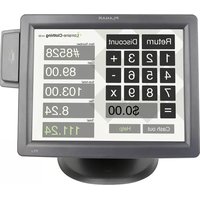
ep46L - Screen Planar - Free user manual and instructions
Find the device manual for free ep46L Planar in PDF.


Pick your language and provide your email: we'll send you a specifically translated version.
| Product Type | LED-backlit LCD display |
| Screen Size | 46 inches (diagonal) |
| Resolution | 1920 x 1080 (Full HD) |
| Brightness | 500 cd/m² |
| Contrast Ratio | 4000:1 |
| Viewing Angle | 178° horizontal / 178° vertical |
| Response Time | 8 ms |
| Connectivity | HDMI, DVI, VGA, DisplayPort, USB |
| Power Consumption | 150 W (typical) |
| Dimensions (with stand) | 1050 x 620 x 80 mm |
| Weight | 25 kg |
| VESA Mount | 400 x 400 mm |
| Operating Temperature | 0°C to 40°C |
| Built-in Speakers | Yes (2 x 10 W) |
| OSD Controls | Buttons or remote control |
| Energy Saving | VESA DPMS compliant |
| Accessories Included | Power cable, remote control, user manual |
Frequently Asked Questions - ep46L Planar
How do I clean the screen?
Use a soft, dry cloth. For stubborn stains, dampen the cloth slightly with water or a mild screen cleaner. Never spray liquid directly on the screen.
Can I mount this display on a wall?
Yes, the Planar ep46L supports VESA 400x400 mm mounting. Use a compatible wall mount kit designed for the weight of the display.
What is the optimal viewing angle?
The display offers a viewing angle of 178° horizontally and vertically, making it suitable for public spaces and digital signage.
How to adjust brightness and contrast?
Use the On-Screen Display (OSD) menu accessed via the buttons on the display or the remote control. Navigate to 'Picture' settings to adjust brightness, contrast, and other parameters.
Does the display have built-in speakers?
Yes, the ep46L includes built-in stereo speakers (2 x 10 W) for basic audio output.
What video inputs are available?
The display features HDMI, DVI, VGA, and DisplayPort inputs. Also includes a USB port for service or playback.
How to reset to factory settings?
Go to the OSD menu, select 'Setup' or 'System', and choose 'Reset' or 'Factory Default'. Confirm to restore original settings.
Can I use the display as a computer monitor?
Yes, connect your computer via HDMI, DVI, VGA, or DisplayPort. The display supports standard resolutions up to 1920x1080.
What should I do if the display does not turn on?
Check the power cable connection, ensure the power outlet is working, and press the power button. If still off, disconnect power for 1 minute and retry. Contact support if issue persists.
How to enable energy saving mode?
The display supports VESA DPMS (Display Power Management Signaling). Enable power saving in the OSD under 'Power Management' or 'Energy Saving'.
User questions about ep46L Planar
0 question about this device. Answer the ones you know or ask your own.
Ask a new question about this device
No questions yet. Be the first to ask one.
Download the instructions for your Screen in PDF format for free! Find your manual ep46L - Planar and take your electronic device back in hand. On this page are published all the documents necessary for the use of your device. ep46L by Planar.
USER MANUAL ep46L Planar
Manual assistant
Powered by Anthropic
Waiting for your message
Product information
Brand : Planar
Model : ep46L
Category : Screen