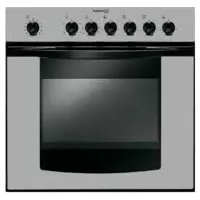
FE 10 K.C (BK) GB - Oven INDESIT - Free user manual and instructions
Find the device manual for free FE 10 K.C (BK) GB INDESIT in PDF.


Pick your language and provide your email: we'll send you a specifically translated version.
| Product Type | Built-in Electric Oven |
| Brand | Indesit |
| Model | FE 10 K.C (BK) GB |
| Color | Black |
| Dimensions (HxWxD) | 59.5 x 59.5 x 55 cm |
| Oven Capacity | 65 liters |
| Net Weight | 32 kg |
| Power Supply | 230 V ~ 50 Hz |
| Maximum Power Consumption | 2.55 kW |
| Energy Efficiency Class | A |
| Heating Methods | Conventional, Fan Assisted, Grill, Fan Grill, Defrost |
| Temperature Range | 50°C - 250°C |
| Control Type | Dial and Push Button |
| Display Type | Analog Timer |
| Interior Light | Yes |
| Cooling System | Cool Door Technology |
| Cleaning Method | Easy-clean Enamel Interior |
| Safety Features | Child Lock, Automatic Switch-off |
| Spare Parts Availability | Common parts available through authorized service centers |
| Warranty | Standard 2 years |
Frequently Asked Questions - FE 10 K.C (BK) GB INDESIT
How do I preheat the Indesit FE 10 K.C (BK) GB oven?
Turn the function selector to the desired cooking mode and the temperature dial to the required setting. Wait until the indicator light turns off, which indicates the oven has reached the set temperature.
What is the maximum temperature my oven can reach?
The oven can reach up to 250°C in conventional mode and 200°C in fan-assisted mode.
How do I clean the oven interior?
Use a damp cloth with mild detergent. Avoid abrasive cleaners. The easy-clean enamel helps remove baked-on spills. For stubborn dirt, use the self-cleaning cycle if available.
Can I use aluminum foil in the oven?
Yes, but avoid covering the bottom of the oven or the fan. Use foil only on shelves or trays to catch drips, ensuring it does not block heat circulation.
Why is my oven not heating?
Check that the oven is correctly plugged in and the circuit breaker is on. Ensure the timer is set if using manual mode. If the issue persists, contact Indesit service.
How do I replace the interior light bulb?
Disconnect the oven from the power supply. Remove the glass cover (usually by unscrewing or prying off). Replace with a 300°C heat-resistant bulb of the same type. Reassemble and reconnect.
What is the child lock feature and how to activate it?
The child lock prevents accidental operation. To activate, press and hold the Child Lock button (if equipped) for 3 seconds until an indicator appears. Repeat to deactivate.
How do I use the grill function?
Select the Grill or Fan Grill function using the selector dial. Preheat for 5 minutes. Place food on the top shelf and monitor to prevent burning.
What do the error codes mean?
Common error codes: F01 indicates a sensor fault, F02 overheating. Refer to the manual for full list. If an error appears, reset the oven by unplugging for 30 seconds.
Can I use metal utensils or containers?
Metal containers are suitable for conventional modes, but avoid metal in microwave combination modes (if applicable). For fan modes, use oven-safe materials.
User questions about FE 10 K.C (BK) GB INDESIT
0 question about this device. Answer the ones you know or ask your own.
Ask a new question about this device
No questions yet. Be the first to ask one.
Download the instructions for your Oven in PDF format for free! Find your manual FE 10 K.C (BK) GB - INDESIT and take your electronic device back in hand. On this page are published all the documents necessary for the use of your device. FE 10 K.C (BK) GB by INDESIT.
USER MANUAL FE 10 K.C (BK) GB INDESIT
Manual assistant
Powered by Anthropic
Waiting for your message
Product information
Brand : INDESIT
Model : FE 10 K.C (BK) GB
Category : Oven