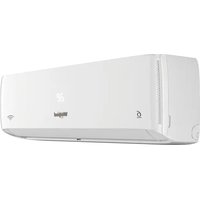
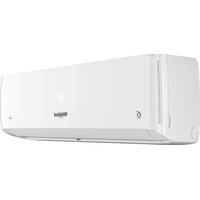
ACE184XD0 - Air Conditioning WHIRLPOOL - Free user manual and instructions
Find the device manual for free ACE184XD0 WHIRLPOOL in PDF.


Pick your language and provide your email: we'll send you a specifically translated version.
| Product Type | Air Conditioner |
| Brand | Whirlpool |
| Model | ACE184XD0 |
| Cooling Capacity | 18000 BTU/h |
| Energy Efficiency Ratio (EER) | 11.0 |
| Power Supply | 230 V ~ 60 Hz |
| Current | 7.8 A |
| Dimensions (W x H x D) | 24.0 x 16.0 x 24.5 inches |
| Weight | 68 lbs |
| Refrigerant | R410A |
| Filter Type | Washable and reusable |
| Noise Level (Indoor/Outdoor) | 54 dBA / 62 dBA |
| Control Type | Remote control and digital display |
| Modes | Cool, Fan, Dry, Sleep |
| Timer | 24-hour programmable timer |
| Air Direction | 4-way adjustable louvers |
| Installation Type | Window mounting kit included |
| Safety Features | Overheat protection, auto restart |
| Maintenance | Clean filter every 2 weeks; coil cleaning annually |
| Repairability | Spare parts available; user-accessible filter |
Frequently Asked Questions - ACE184XD0 WHIRLPOOL
How do I install the Whirlpool ACE184XD0 air conditioner?
The unit comes with a window mounting kit. Follow the installation manual for proper fitting. Ensure the window is strong enough to support the weight and that the unit is level.
How often should I clean the filter?
Clean the washable filter every two weeks during heavy use. Remove the filter, vacuum or rinse with water, dry completely, and reinstall.
What do the error codes mean?
Error codes indicate specific issues. For example, code E1 may indicate a sensor problem. Refer to the troubleshooting section of your manual for a full list.
Can I use an extension cord?
No, do not use an extension cord. Plug the unit directly into a dedicated 230V outlet with the correct amperage to avoid fire hazards.
How do I set the timer?
Press the Timer button on the remote or control panel. Use the + and - buttons to set the desired hours (1-24). Confirm by pressing Timer again.
Why is the unit not cooling properly?
Check if the filter is dirty, the thermostat is set correctly, and the windows and doors are closed. Also ensure the unit is not undersized for the room.
How do I switch between modes?
Press the Mode button repeatedly to cycle through Cool, Fan, Dry, and Sleep modes. The selected mode will appear on the display.
What is the recommended room size?
The ACE184XD0 is designed for rooms up to 900 square feet under standard conditions. Actual performance may vary based on insulation and sunlight.
How do I clean the coils?
Turn off and unplug the unit. Remove the front panel and filter. Use a soft brush or vacuum to gently clean the evaporator and condenser coils. Avoid damaging the fins.
Can I use the unit in a room with high humidity?
Yes, use the Dry mode to dehumidify without excessive cooling. This mode runs the fan and compressor intermittently to remove moisture.
User questions about ACE184XD0 WHIRLPOOL
0 question about this device. Answer the ones you know or ask your own.
Ask a new question about this device
No questions yet. Be the first to ask one.
Download the instructions for your Air Conditioning in PDF format for free! Find your manual ACE184XD0 - WHIRLPOOL and take your electronic device back in hand. On this page are published all the documents necessary for the use of your device. ACE184XD0 by WHIRLPOOL.
USER MANUAL ACE184XD0 WHIRLPOOL
Manual assistant
Powered by Anthropic
Waiting for your message
Product information
Brand : WHIRLPOOL
Model : ACE184XD0
Category : Air Conditioning