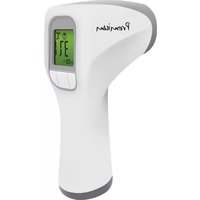
TH400 - Thermometer G-Tech - Free user manual and instructions
Find the device manual for free TH400 G-Tech in PDF.


Pick your language and provide your email: we'll send you a specifically translated version.
| Product Type | Digital Thermometer |
| Model | TH400 |
| Brand | G-Tech |
| Measurement Range | -50°C to 300°C (-58°F to 572°F) |
| Accuracy | ±1°C between -20°C to 100°C; ±2°C otherwise |
| Resolution | 0.1°C / 0.1°F |
| Display | LCD screen with backlight |
| Probe Type | Stainless steel thermocouple probe |
| Probe Length | Approximately 12 cm (4.7 inches) |
| Response Time | < 2 seconds |
| Power Source | 1x CR2032 battery (included) |
| Battery Life | Approximately 200 hours of continuous use |
| Auto-Off | After 10 minutes of inactivity |
| Unit Switch | °C / °F selectable |
| Dimensions | Approximately 20 x 3.5 x 1.5 cm (7.9 x 1.4 x 0.6 inches) |
| Weight | Approximately 50 g (1.8 oz) with battery |
| Material | ABS plastic body, stainless steel probe |
| Water Resistance | IPX4 (splash-proof) |
| Functions | Instant temperature reading, hold function, min/max memory |
| Cleaning | Wipe probe with alcohol after each use; do not immerse in liquid |
| Safety | Do not use in microwave; keep away from children |
| Accessories | Protective cap, battery, user manual |
| Reparability | Battery replacement only; no user-serviceable parts |
| Warranty | 1 year limited warranty |
Frequently Asked Questions - TH400 G-Tech
How do I change the temperature unit from °C to °F?
Press and hold the MODE button for 3 seconds until the unit symbol flashes, then press UP or DOWN to switch. Wait 5 seconds to confirm.
How do I replace the battery?
Locate the battery compartment on the back, slide the cover off, remove the old CR2032 battery, insert a new one with the positive side up, and close the cover.
What is the measurement range of the TH400?
The thermometer measures from -50°C to 300°C (-58°F to 572°F). Do not exceed these limits.
How accurate is the thermometer?
Accuracy is ±1°C between -20°C and 100°C, and ±2°C outside that range. For best results, let the probe stabilize.
Can I use the thermometer in liquids?
Yes, the probe is water-resistant (IPX4) and can be inserted into liquids, but do not submerge the handle or expose it to running water.
How do I clean the thermometer?
Wipe the probe with a cotton ball soaked in isopropyl alcohol before and after each use. Avoid using abrasive cleaners.
Why does the display show 'LO' or 'HI'?
'LO' means the temperature is below the minimum range (-50°C) and 'HI' means above the maximum (300°C). Remove the probe from the extreme condition.
Does the thermometer have an auto-off feature?
Yes, the thermometer automatically turns off after 10 minutes of inactivity to save battery.
Can I measure the temperature of ovens or grills?
Yes, the probe can withstand temperatures up to 300°C, making it suitable for ovens, grills, and deep frying. Do not leave it in the oven for extended periods.
What is the response time?
The thermometer provides a reading in less than 2 seconds for most applications. For very low or high temperatures, it may take slightly longer.
User questions about TH400 G-Tech
0 question about this device. Answer the ones you know or ask your own.
Ask a new question about this device
No questions yet. Be the first to ask one.
Download the instructions for your Thermometer in PDF format for free! Find your manual TH400 - G-Tech and take your electronic device back in hand. On this page are published all the documents necessary for the use of your device. TH400 by G-Tech.
USER MANUAL TH400 G-Tech


Manual assistant
Powered by Anthropic
Waiting for your message
Product information
Brand : G-Tech
Model : TH400
Category : Thermometer