DNX772BH - Browser KENWOOD - Free user manual and instructions
Find the device manual for free DNX772BH KENWOOD in PDF.


Pick your language and provide your email: we'll send you a specifically translated version.
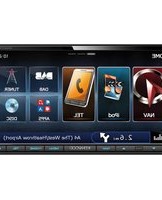
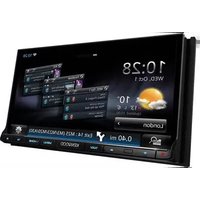
| Product Type | Car Multimedia Receiver with Navigation |
| Brand | Kenwood |
| Model | DNX772BH |
| Display | 7-inch WVGA Touchscreen |
| GPS Navigation | Built-in with Preloaded Maps |
| Audio Power | 50 Watts x 4 Channels |
| Bluetooth | Hands-Free Calling and Audio Streaming |
| USB Input | Yes (compatible with iPod/iPhone and Android) |
| AUX Input | Yes (3.5mm front/rear) |
| Rear Camera Input | Yes (compatible with backup camera) |
| Radio Tuner | AM/FM with RDS |
| Disc Playback | CD, DVD, MP3, WMA |
| Dimensions | 178 x 100 x 160 mm (Double DIN) |
| Weight | Approx. 2.5 kg |
| Power Supply | 12V DC (Car Battery) |
| Smartphone Integration | Apple CarPlay and Android Auto |
| Maintenance | Wipe gently with a soft, dry cloth; avoid solvents |
| Safety Features | Parking Brake Interlock, Rear Camera Trigger |
| Spare Parts Availability | Contact Kenwood Service Center |
| Repairability | Professional installation and repair recommended |
Frequently Asked Questions - DNX772BH KENWOOD
How do I update the navigation maps on my Kenwood DNX772BH?
To update maps, visit the Kenwood navigation update website. Download the latest map data to a USB drive (FAT32 formatted). Insert the USB into the unit's USB port, then follow the on-screen prompts. Ensure the vehicle is parked and the engine is running to avoid battery drain.
How can I connect my phone via Bluetooth?
Enable Bluetooth on your phone. On the DNX772BH, go to Settings > Bluetooth and select 'Pair New Device'. Choose your phone from the list and confirm the pairing code. Once connected, you can make hands-free calls and stream audio.
What should I do if the screen is unresponsive?
First, try a soft reset by pressing and holding the reset button (small pinhole) near the volume knob for 5 seconds. If that fails, disconnect the car battery for 10 minutes. If the issue persists, the unit may need professional servicing.
How do I install a rear view camera?
Connect the camera's video cable to the REAR CAMERA IN RCA jack on the back of the unit. Route the cable to the rear of the vehicle. In the system menu, enable 'Camera Input' under Settings > Camera. The camera will activate automatically when shifting to reverse.
Can I use Android Auto or Apple CarPlay?
Yes, the DNX772BH supports both Android Auto and Apple CarPlay. Connect your phone via USB cable (for CarPlay) or wirelessly (Android Auto requires initial USB setup). The unit will switch to the appropriate mode automatically.
No sound from speakers after installation, what's wrong?
Check speaker connections at the unit and speakers. Ensure the mute function is off. Verify that the fader/balance settings are centered. If using an external amplifier, check its power and ground connections. Also, ensure the unit's internal amplifier is enabled.
How do I set the clock time?
Go to Settings > Clock. You can set time manually or enable GPS time sync for automatic updates. If using GPS sync, ensure the unit has a clear view of the sky for satellite reception.
My CDs keep ejecting or not reading?
Check that the disc is clean and not scratched. Ensure the disc format is supported (CD-DA, MP3, WMA). Try a different disc. If the issue continues, a laser lens cleaner disc may help. If not, the drive may need professional repair.
How do I reset the unit to factory defaults?
Go to Settings > System and select 'Factory Reset'. Enter the default password (usually 0000). Confirm the reset. The unit will reboot and all personalized settings will be erased.
Is the DNX772BH compatible with a backup battery?
The unit is designed to use the car's 12V battery. For memory retention (e.g., presets), it requires constant 12V power (yellow wire). If you install an auxiliary battery, ensure it is properly fused and connected to the constant power line to avoid data loss.
User questions about DNX772BH KENWOOD
0 question about this device. Answer the ones you know or ask your own.
Ask a new question about this device
No questions yet. Be the first to ask one.
Download the instructions for your Browser in PDF format for free! Find your manual DNX772BH - KENWOOD and take your electronic device back in hand. On this page are published all the documents necessary for the use of your device. DNX772BH by KENWOOD.
USER MANUAL DNX772BH KENWOOD

Manual assistant
Powered by Anthropic
Waiting for your message
Product information
Brand : KENWOOD
Model : DNX772BH
Category : Browser