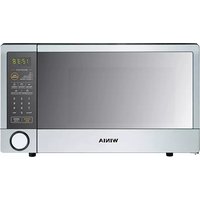
WOR07R3ZEL - Microwave WINIA - Free user manual and instructions
Find the device manual for free WOR07R3ZEL WINIA in PDF.


Pick your language and provide your email: we'll send you a specifically translated version.
| Product Type | Countertop Microwave Oven |
| Brand | Winia |
| Model | WOR07R3ZEL |
| Capacity | 0.7 cu ft (20 L) |
| Power Output | 700 W |
| Dimensions (W x D x H) | 17.7 x 12.7 x 10.2 inches |
| Weight | 10.6 kg |
| Control Type | Electronic touchpad with LED display |
| Number of Power Levels | 10 |
| Cooking Functions | Auto cook, defrost, popcorn, beverage, reheat, potato, pizza, frozen dinner |
| Timer | 99 minutes 99 seconds |
| Interior Light | Yes |
| Turntable | Yes, glass tray |
| Child Safety Lock | Yes |
| Door Interlock | Yes |
| Exterior Material | Stainless steel |
| Interior Material | Enamel-coated steel |
| Cleaning Instructions | Wipe with damp cloth; avoid harsh abrasives |
| Power Supply | 120 V, 60 Hz, 10 A |
| Voltage | 120 V |
| Frequency | 60 Hz |
| Warranty | 1 year |
Frequently Asked Questions - WOR07R3ZEL WINIA
How do I set the clock on my Winia WOR07R3ZEL microwave?
Press the Clock button, then use the number pad to enter the time. Press Clock again to confirm. The clock will display the time in 12-hour format.
What type of cookware can I use in this microwave?
Use microwave-safe glass, ceramic, or plastic containers. Avoid metal pans or foil. Check for the microwave-safe symbol on containers.
How do I clean the interior of the microwave?
Wipe the interior with a damp cloth or sponge. For stubborn stains, use mild soap and water. Do not use abrasive cleaners or scouring pads.
Why is my microwave not heating food?
Ensure the door is fully closed and latched. Check that the power cord is plugged in. If it still doesn't heat, the magnetron may be faulty, requiring professional repair.
How do I use the defrost function?
Press the Defrost button, then enter the weight of the food in pounds or ounces. The microwave will automatically set defrost time.
Can I pop popcorn in this microwave?
Yes, use the Popcorn button or set cooking time manually. Follow popcorn package instructions. Do not use metal trays.
How do I set the child safety lock?
Press and hold the Stop/Clear button for 3 seconds. A lock icon will appear on the display. Repeat to unlock.
The microwave makes noise during operation. Is this normal?
Yes, the cooling fan and turntable motor produce sound. If you hear unusual grinding or loud noises, check for obstructions or contact service.
Can I use the microwave without the turntable?
No, the turntable ensures even cooking. Always use it unless specified in a recipe.
How do I adjust the power level?
Press Power repeatedly to cycle through levels (100% to 10%). Select a level, then set cooking time.
User questions about WOR07R3ZEL WINIA
0 question about this device. Answer the ones you know or ask your own.
Ask a new question about this device
No questions yet. Be the first to ask one.
Download the instructions for your Microwave in PDF format for free! Find your manual WOR07R3ZEL - WINIA and take your electronic device back in hand. On this page are published all the documents necessary for the use of your device. WOR07R3ZEL by WINIA.
USER MANUAL WOR07R3ZEL WINIA


Manual assistant
Powered by Anthropic
Waiting for your message
Product information
Brand : WINIA
Model : WOR07R3ZEL
Category : Microwave