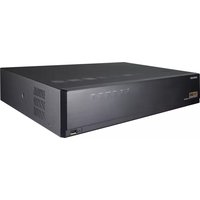
QRN-810S - Video recorder Hanwha - Free user manual and instructions
Find the device manual for free QRN-810S Hanwha in PDF.


Pick your language and provide your email: we'll send you a specifically translated version.
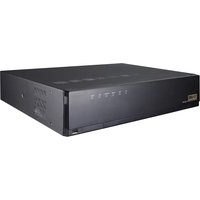
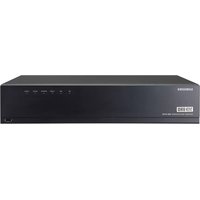
| Product Type | Network Video Recorder (NVR) |
| Brand | Hanwha |
| Model | QRN-810S |
| Video Input Channels | 8 channels |
| Recording Resolution | Up to 8MP (3840x2160) |
| Compression | H.265, H.264, MJPEG |
| Storage | 1 SATA HDD (up to 10TB) |
| Network Interface | 1x Gigabit Ethernet RJ-45 |
| PoE Support | 8 PoE ports (802.3af/at) |
| Dimensions (W x D x H) | 370 x 310 x 44 mm (1U rackmount) |
| Weight | Approx. 3.2 kg (without HDD) |
| Power Supply | 100-240V AC, 50/60Hz, 1.5A |
| Power Consumption | Max 60W (with PoE) |
| Operating Temperature | 0°C to 40°C (32°F to 104°F) |
| Humidity | 0% to 90% (non-condensing) |
| Remote Access | Web browser, mobile app (iOS/Android) |
| Audio | 1-channel audio input, 1-channel output |
| Alarm I/O | 4 alarm inputs, 2 relay outputs |
| Maintenance | Clean with soft dry cloth; avoid liquids and abrasives |
| Safety | Indoor use only; do not expose to moisture or extreme temperatures |
| Spare Parts & Reparability | Contact authorized Hanwha service center for replacement parts; user-replaceable HDD only |
Frequently Asked Questions - QRN-810S Hanwha
How do I connect cameras to the QRN-810S?
Connect IP cameras using the PoE ports on the back panel. Ensure your cameras are on the same subnet or use the built-in DHCP server.
Can I access the NVR remotely?
Yes, you can access it via web browser by entering the IP address, or use the Hanwha mobile app for iOS and Android. Port forwarding or DDNS may be required for external access.
How do I reset the admin password?
Press and hold the reset button on the front panel for 10 seconds. This will restore factory defaults and clear the password. Note: This erases all settings.
What is the maximum storage capacity?
The QRN-810S supports one internal SATA HDD up to 10TB. For larger storage, consider external network storage (NAS).
How to update firmware?
Download the latest firmware from Hanwha's support site. Log into the NVR web interface, go to System > Maintenance > Firmware Upgrade, and upload the file.
Why is my camera not showing video?
Check that the camera is connected properly and powered. Verify IP address settings and that the camera is on the same network. Also ensure the camera is supported (ONVIF or Hanwha protocol).
How to backup recorded footage?
Use the Backup function in the playback menu. You can export footage to a USB drive or network location in H.264 or AVI format.
Does the NVR support audio recording?
Yes, it has one audio input and one output. Audio can be recorded simultaneously with video if supported by the camera.
What is the warranty period?
Standard warranty is 2 years from purchase date. Register your product on Hanwha's website for extended warranty options.
Can I use third-party IP cameras?
Yes, the QRN-810S supports ONVIF Profile S/T compliant cameras. Some advanced features may only work with Hanwha cameras.
User questions about QRN-810S Hanwha
0 question about this device. Answer the ones you know or ask your own.
Ask a new question about this device
No questions yet. Be the first to ask one.
Download the instructions for your Video recorder in PDF format for free! Find your manual QRN-810S - Hanwha and take your electronic device back in hand. On this page are published all the documents necessary for the use of your device. QRN-810S by Hanwha.
USER MANUAL QRN-810S Hanwha
Manual assistant
Powered by Anthropic
Waiting for your message
Product information
Brand : Hanwha
Model : QRN-810S
Category : Video recorder