0E-21VGAHDMI - Monitor W Box - Free user manual and instructions
Find the device manual for free 0E-21VGAHDMI W Box in PDF.


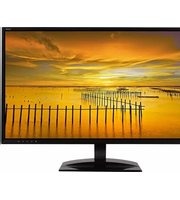
| Product Type | Monitor |
| Brand | W Box |
| Model | 0E-21VGAHDMI |
| Screen Size | 21 inches |
| Resolution | 1920 x 1080 (Full HD) |
| Aspect Ratio | 16:9 |
| Panel Type | TN (Twisted Nematic) |
| Refresh Rate | 60 Hz |
| Response Time | 5 ms |
| Brightness | 250 cd/m² |
| Contrast Ratio | 1000:1 (static) |
| Viewing Angle | 170° horizontal / 160° vertical |
| Input Connectors | 1 x VGA, 1 x HDMI |
| Audio | Built-in speakers (2 x 2W) |
| Power Consumption | 30W (typical), <0.5W (standby) |
| Power Supply | 100-240V AC, 50/60 Hz |
| Dimensions (with stand) | 19.8 x 14.6 x 7.1 inches (W x H x D) |
| Weight (with stand) | 7.5 lbs |
| VESA Mount | 100 x 100 mm |
| Tilt Adjustment | -5° to +20° |
| Kensington Lock | Yes |
| Color | Black |
| Cleaning Instructions | Wipe with a dry or slightly damp soft cloth; do not use strong detergents. |
| Safety Compliance | CE, FCC, RoHS |
Frequently Asked Questions - 0E-21VGAHDMI W Box
User questions about 0E-21VGAHDMI W Box
0 question about this device. Answer the ones you know or ask your own.
Ask a new question about this device
Download the instructions for your Monitor in PDF format for free! Find your manual 0E-21VGAHDMI - W Box and take your electronic device back in hand. On this page are published all the documents necessary for the use of your device. 0E-21VGAHDMI by W Box.
USER MANUAL 0E-21VGAHDMI W Box
LED HD
COLOR MONITOR
0E-19VGA
OE-21VGAHDMI
W
BOX
TECHNOLOGIES
Contents
Contents ...... 1
Safety 1
Cautions....2
FCC RF Interference Statement 3
Features 4
Controls & Menu Operation 5
Mounting Guide 13
Accessories 14
Power Indicator / Modes of Operation 14
Care 14
Dimensions 15
Specifications 16
Limited Warranty....18
Safety
- To use the product safely, correctly and to keep users from suffering hurt or property loss, please observe the following safety precautions when installing, using and maintaining.
- Please read this handbook before operating the product and keep the handbook for future reference.
- Notice and observe all the warnings and illustration.
- Do not adjust, maintain or modify if you don't have corresponding qualifications.
- Do not open or remove the rear cover, box or cover board of the product. Please contact the dealer or after-sales service center when needing internal checking, adjustment and maintaining.
- Do not place article on the product. The product might be damaged if foreign matters enter the internal unit.
-
Do not tread or squeeze the power line, especially the plug, outlet or the place where the cable extends out of the product.
-
Do not put the product in flammable or corrosive gaseous environment, which might cause fire or damage the product. Putting the product in flammable gas can easily cause a dangerous explosion.
- Please cut off power or remove the connecting line immediately if there is smoking, off-odor or abnormal noise. Contact the after-sales service center after affirming there is no more smoking or off-flavor. Without proper maintenance, fire can occur.
- Only qualified servicemen can maintain. If the product gets any kind of damage, such as damage to the plug, splash or foreign matter into the facility, exposed to rain or humidity, not able to function or dropped, please fix it immediately.
- Do not expose the product to the rain or chemicals. If the product is moist, please dry it before turn on the power.
- Turn off the power when cleaning the product.
- Installment in an unsuitable location might cause failure of the product or other accidents. Fasten the screw of every component when installing.
- Do not touch the fixed component inside the product, otherwise it might cause damage to people or to the facility.
- Be careful when maintaining inner body even if the power is cut off. Some facilities are equipped with UPS, and they can continue to supply power that is dangerous to people after the power is cut off.
Cautions
CAUTION TO SERVICE PERSONNEL
POWER SUPPLY CORD IS USED AS MAIN POWER DISCONNECT DEVICE IN THIS PRODUCT. UNPLUG THIS PRODUCT FROM THE WALL OUTLET BEFORE REMOVING THE BACK COVER AND SERVICING.
-
Please put the product in flat, stable and dry location. Avoid direct sunlight, high temperature, humidity, dust and corrosive gases.
-
If the product is installed on the wall, please make sure the wall's load bearing is enough. To avoid falling and injury to persons, install according to the illustration.
-
The LCD might experience degraded performance when the temperature variation is big, which will cause image distortion or decay of color. Wait for a moment (with power on) and the normal performance will resume.
-
Do not block the ventilation opening. Install the product according to this handbook.
-
Do not install the product near any heat source such as radiator, heat register or stove.
-
Do not use unqualified connecting lines, which might cause equipment failure.
- Do not press, stretch or heat the connecting line, which might cause damage to it.
- Please firmly grasp the plug of the connecting line when inserting and drawing. Pulling the connecting line emphatically might cause damage to it.
- Cut off power and the connecting line immediately and contact the after-sales service center if the product or the connecting line is damaged for some reason. Continuing using without maintaining might cause smoking or off-odor.
- Do not hang on the product, which might cause the product to fall or injure persons. Take caution with children near the product.
- Please cut off power for safety if not using the product for a prolonged period.
- Do not let the connecting line get squeezed by the wall or buckle, pull or twine the connecting line.
- Make sure the power and the connecting line are cut off when moving the product.
- Keep the product from collisions, which might cause equipment failure.
FCC RF Interference Statement
This equipment has been tested and found to comply with the limits for a Class B digital device, pursuant to Part 15 of the FCC Rules. These limits are designed to provide reasonable protection against harmful interference in a residential installation.

This equipment generates, uses, and can radiate radio frequency energy and, if not installed and used in accordance with the instructions, may cause harmful interference to radio communications. However, there is no guarantee that interference will not occur in a particular installation.
If this equipment causes harmful interference to radio or television reception, which can be determined by turning the equipment off and on, the user is encouraged to try to correct the interference by one or more of the following measures.
- Reorient or relocate the receiving antenna.
○ Increase the space between the equipment and receiver. - Connect the equipment into an outlet on a circuit different from that to which the receiver is connected.
- Only a shielded interface cable should be used.
Finally, any changes or modifications to the equipment by the user not expressly approved by the grantee or manufacturer could void the user's authority to operate such equipment.
Doc Compliance Notice
This digital apparatus does not exceed the Class A limit for radio noise emissions from digital apparatus set out in the radio interference regulation of Canadian Department of Communications.
CE Compliance
This monitor complies with the basic protection requirements of the Electromagnetic Compatibility (EMC) Directive 2004/108/EC for electrical and electronic equipment imported into the European Union (EU):

The electromagnetic disturbance generated by the apparatus does not exceed the level specified in the harmonized EMC Standards for this type of apparatus. It has a level of immunity to the electromagnetic disturbance to be expected in its intended use, and should operate without unacceptable degradation of its specified performance.
Features
• Ultrathin and lightweight.
• Automatic elimination of ghosting, protecting the LCD panel for long-term use.
- Rapid response, no trailing.
• High reliability and excellent expansion capability.
• Multilevel menu display function.
• External power supply, low energy consumption, long service life.
• Auto image adjustment function in VGA state.
• High contrast ratio and high luminance. Greatly enhances layering and detail presentation.
High performance LCD panels utilizing a top ranking video processing chip that enhances the display of high-definition images. Low power consumption, dust prevention, moisture protection and shock resistance effectively lengthen the service life of the CCTV Display.
Controls & Menu Operation
Please connect the monitor to external devices according to the following I/O interface list, and choose the corresponding incoming signal channel.
0E-19VGA

OE-21HDMIVGA

Main Menu
Press the menu buttons on the bottom right side of the screen which allows the main menu to be displayed on the screen. Depending upon the model, the submenus of the main menu: Picture menu (VGA), Picture menu (HDMI, Audio menu, OSD menu, Function menu (HDMI) and Geometry menu (VGA).
Press the menu button to choose the submenus. The menu chosen will show a wireframe, and press ▲▼ button to move among the secondary menus of the submenu.

A. → "Source" button
- Press the button to display all the signal channel menus.
B. ▼ "Downward" button
- Press the buttons to scrolling the cursor to desired function.
- Press the buttons to decrease the value of selected function in sub OSD menu.
C. ▲ "Upward" button
- Press the buttons to scrolling the cursor to desired function.
- Press the buttons to increase the value of selected function in sub OSD menu.
D. "Menu" button
- Press the button to show the OSD main menu.
- As a confirmation key during the OSD operation.
E. ⏻“Power” button
- Press the button to turn ON or turn OFF the monitor.
0E-19VGA
On Screen Display (OSD) Menu
The OSD menu of the monitor provides various adjustments for the monitor such as color, brightness, contrast, and volume, etc.

When you press the MENU button on the monitor, the OSD screen will appear. Select each of the functions with the UP or DOWN buttons. Use the MENU button again to enter each of the function or when you're in the function already, use the MENU button to select the option you want to adjust. Use the UP or DOWN buttons to adjust each option's values. When you want to exit press the EXIT button.
Picture Settings
This function adjusts the brightness and contrast of the LED Monitor.

Color Adjust
This function adjusts the overall balance of white colors in a picture in large increments. Color temperature consists of COOL, NORMAL, WARM, and USER COLOR.

IMAGE
This function adjusts the image of the monitor.

Signal Source
This function selects the source of the monitor.


OSD Menu
This function allows you to change the language of the OSD and adjust the OSD options.
MISC.
This function changes various miscellaneous options.

0E-21VGAHDMI
Picture menu (VGA)
Picture menu can set contrast, brightness, color temp and scale. Press ◀▶ button to adjust, press ▲▼ button to move, press menu button to exit.

Picture menu (HDMI)
Picture menu can set contrast, brightness, hue, saturation, sharpness, color temp, scale, picture overscan and picture mode. Press ◀▶ button to adjust, press ▲▼ button to move, press menu button to exit.

Audio menu
Audio menu can set bass, treble, balance. Press ◀▶ button to adjust, press ▲▼button to move, press menu button to exit.

OSD menu
OSD menu can language, H-position, V-position, duration, halftone, reset defaults and version. Press ◀▶ button to adjust, press ▲▼button to move, press menu button to exit.

Function menu (HDMI)
Function menu can set DLC. Press ◀▶ button to adjust, press ▲▼ button to move, press menu button to exit.

Geometry menu (VGA)
Geometry menu can set H-position, V-position, clock, phase and auto adjust. Press ◀▶ button to adjust, press ▲▼button to move, press menu button to exit.

Channel selection
"Source" menu can select the input channel. The options include VGA or HDMI on the 0E-21VGAHDMI. Press ▲▼button to select, press menu button to exit.
Mounting Guide
Wall or Other Mounting with VESA Standard
CAUTION The wall mount must bear a minimum of five times the monitor's net weight. To mount your MONITOR to the wall or another surface, you need to purchase a VESA wall mount. Use four M4 x 8mm screws (the base attachment screws removed in step 1 below are M4 x 8mm) to attach the mount. The monitor mount VESA hole pattern is 100mm x 100mm.
Note: Metric (M4 x 8 mm) is the type screw that should be used (do not use longer screws or the monitor may be damaged).
- Before mounting the monitor, remove the base riser (vertical portion of the base) by removing the four screws near the top with a screwdriver. Then the base and the riser can be removed. In order to prevent losing these screws, we suggest replacing the screws in their original holes.
- Attach the VESA mount (100mm x 100mm) plate to the rear of the monitor and follow all of the instructions provided with the mount to complete the mounting process.
Accessories

Power Adaptor

VGA Cable

Audio Cable
Power Indicator / Modes of Operation
LED Indicator
LED is off when power is off; LED glows green when power is on. The power management feature of the monitor is designed for security surveillance applications. When there is no video, the monitor remains ON to be instantly ready to display video when the source is changed or if a PC changes state from sleep/standby to active mode. A floating “No Signal” box moves slowly across the screen until video is restored.
Care
- Please wipe dust and other particles with clean dustless cloth.
Dimensions
0E-19VGA

0E-21HDMIVGA

Specifications
| Model | 0E-19VGA | 0E-21HDMIVGA | |
| Screen diagonal dimension | 18.5 | 20.7 | |
| (inches) | |||
| Viewable area W x H (inches) | 16.13*9.21mm | 18.02*10.14mm | |
| Led Type | RGB | ||
| Pixel Pitch (mm) | 0.3 | 0.23 | |
| Screen Maximum Resolution | 1360x768 | 1920x1080 | |
| Supported Panel | 720x400; 640x480; | 720x400; 640x480; 800x600; 1024x768; 1280x1024; 1360x768; | |
| Display Resolutions | 800x600; 1024x768; 1280x1024; 1360x768 | 1680x1050; 1920x1080 | |
| Supported Input Resolutions | 720x400; 640x480; | 720x400; 640x480; 800x600; 1024x768; 1280x1024; 1360x768; | |
| 800x600; 1024x768; | 1680x1050; 1920x1080 | ||
| 1280x1024; 1360x768 | |||
| 1920x1080 (scaled) | |||
| Refresh Rate | 60, 70, 72, 75 Hz depending on resolution | ||
| (Vertical Frequency) | |||
| Color Space/Gamut | Deep Color | ||
| Color Depth | 16.7M | ||
| Brightness | 200 CD/m2 | ||
| Auto Adjust | Yes | ||
| Monitor Aspect Ratio | 16:9 | ||
| Display Aspect Ratio | OSD selectable 16:9 or 4:3 | ||
| Horizontal TV Lines | 720 | 1080 | |
| Contrast Ratio | 50000: 1 | 700:01 | |
| Response Time (ms) | 8.5 | 8 | |
| View Angle H/V (degrees) | 90/65 | ||
| Digital Video Inputs | VGA up to 1360x768 | HDMI up to 1920x1080 | |
| Analog Video In/Out | HD | VGA up to 1360x768 | HDMI up to 1920x1080 |
| Audio inputs (stereo) | 1x 3.5mm mini-jack | ||
| Speakers | Two - built in 2” | ||
| Stand-by | <0.5watts | ||
| Power Consumption | ≤20W | <30W | |
| Monitor Body Dimensions | 17.4*2.03*10.87 | 19.35*2.01*11.86 | |
| (W x L x D) | |||
| Max Dimensions Monitor + Stand | 17.4*6.44*13.51 | 19.35*6.44*14.38 | |
| (inches) | |||
| Panel Surface | Front bezel, high glossy; back cover, matte finish; base high glossy | ||
| Case & Stand Material | Plastic | ||
| VESA Mounting Pattern | 100x100; location centered on monitor body | ||
| Base/Stand included | Yes | ||
| Base Tilt Angle | +15°~-10° | ||
| Weight Cabinet only (lb.) | 5.5 | 6.15 | |
| Weight Cabinet + Base Stand | 5.95 | 6.5 | |
| (lb.) | |||
| Power Supply (external) | AC 100-240V~50/60Hz 1.1A | ||
| Operating Temperature | 0°C ~ 50°C | ||
| Storage Temperature | -20°C ~ 50°C | ||
| Operating Humidity | 10 ~ 90% | ||
| Accessories | VGA cable/Audio cable/User manual/Power cable | ||
| Certifications | CE/FCC/ROHS | CE/FCC/ROHS/HDMI | |
| Warranty | 30 months | ||
Limited Warranty
1. Limited Warranty
A. General
Subject to the terms and conditions of this Limited Warranty, from the date of sale through the period of time for product categories specified in Section 1(b), ADI warrants its W Box Technologies products to be free from defects in materials and workmanship under normal use and service,
normal wear and tear excepted. Except as required by law, this Limited Warranty is only made to Buyer and may not be transferred to any third party.
ADI shall have no obligation under this Limited Warranty or otherwise if:
(I) The product is improperly installed, applied or maintained;
(II) The product is installed outside of stated operating parameters, altered, or improperly services or repaired;
(III) Damage is caused by outside natural occurrences, such as lightning, power surges, fire, floods, acts of nature, or the like.
(IV) Defects resulting from unauthorized modification, misuse, vandalism, or other causes unrelated to defective materials or workmanship, or failures related to batteries of any type used in connection with the products sold hereunder.
ADI only warrants those products branded as W Box Technologies products and sold by ADI. Any other products branded by third parties are warranted by the third party manufacturer for a period as defined by the third party manufacturer, and ADI assigns to Buyer those warranties and only those warranties extended by such third party manufacturers or vendors for non-ADI branded products. ADI does not itself warrant any non-ADI branded product and sells only on an as is basis in accordance with ADI's terms and conditions of sale.
B. Specific Warranties for Product Categories
| Product Categories | Warranty Period |
| Soundbars | 12 months |
| UPS (uninterruptible power supplies) | 24 months |
| Analog Cameras | 24 months |
| CCTV Power Supplies | 24 months |
| Volume Controls | 24 months |
| Surge Protection | 24 months |
| In Ceiling Speakers | 24 months |
| Monitors | 30 months |
| Video Baluns | 30 months |
| Intrusion Audio Devices | 30 months |
| Magnetic Locks | 36 months |
| Racks | 60 months |
| TV Mounts | 60 months |
| HDMI Cables | Limited Lifetime |
| Wire Ties | Limited Lifetime |
| Analog Cables | Limited Lifetime |
| Patch Cables | Limited Lifetime |
| Bus Terminals | Limited Lifetime |
| B Connectors | Limited Lifetime |
| Extension Cords | Limited Lifetime |
2. Exclusion of Warranties, Limitation of Liability
THERE ARE NO WARRANTIES OR CONDITIONS, EXPRESS OR IMPLIED, OF MERCHANTABILITY, OR FITNESS FOR A PARTICULAR PURPOSE OR OTHERWISE, WHICH EXTEND BEYOND THE DESCRIPTION ON THE FACE HEREOF. TO THE FULLEST EXTENT PERMITTED BY LAW, IN NO CASE SHALL ADI BE LIABLE TO ANYONE FOR ANY (I) CONSEQUENTIAL, INCIDENTAL, INDIRECT, SPECIAL, OR PUNITIVE DAMAGES ARISING OUT OF OR RELATING IN ANY WAY TO THE PRODUCT AND.OR FOR BREACH OF THIS OR ANY OTHER WARRANTY OR CONDITION, EXPRESS OR IMPLIED, OR UPON ANY OTHER BASIS OF LIABILITY WHATSOEVER, EVEN IF THE LOSS OR DAMAGE IS CAUSED BY ADI'S OWN NEGLIGENCE OR FAULT AND EVEN IF ADI HAS BEEN ADVISED OF THE POSSIBILITY OF SUCH LOSSES OR DAMAGES. Any product description (whether in writing or made orally by ADI or ADI's agents), specifications, samples, models, bulletin, drawings, diagrams, engineering sheets, or similar materials used in connection with the Buyer's order are for the sole purpose of identifying ADI's products and shall not be construed as an express warranty or condition. Any suggestions by ADI or ADI's agents regarding use, applications or suitability of the products shall not be construed as an express warranty or condition unless confirmed to be such in writing by ADI. ADI does not represent that the products it sells may not be compromised or circumvented; that the products will prevent any personal injury or property loss by burglary, robbery, fire or otherwise, or that the products will in all cases provide adequate warning or protection. Buyer understands and will cause its customer to understand that a properly installed and maintained product is not insurance or guarantee that such will not cause or lead to personal injury or property loss. CONSEQUENTLY ADI SHALL HAVE NO LIABILITY FOR ANY PERSONAL INJURY, PROPERTY DAMAGE OR OTHER LOSS BASED ON ANY CLAIM AT ALL INCLUDING A CLAIM THAT THE PRODUCT FAILED TO GIVE WARNING. However, if ADI is held liable whether directly or indirectly for any loss or damage with respect to the products it sells, regardless of cause or origin, its maximum liability shall not in any case exceed the purchase price of the product, which shall be fixed as liquidated damages and not as a penalty and shall be the complete and exclusive remedy against ADI.
FOR THE AVOIDANCE OF DOUBT, ADI DOES NOT SEEK HEREUNDER TO EXCLUDE OR RESTRICT ITS LIABILITY IN RELATION TO (I) FRAUD, (II) DEATH OR PERSONAL INJURY DIRECTLY RESULTING FROM ITS NEGLIGENCE OR (III) ANY MATTER IN RESPECT OF WHICH, BY LAW, IT IS NOT PERMITTED TO RESTRICT ITS LIABILITY.
3. Limitation on Liability to Buyer's Customers
Buyer agrees to limit liability to its customers to the fullest extent permitted by law. Buyer acknowledges that ADI shall only be deemed to give consumers of its products such statutory warranties as may be required by law and at no time shall Buyer represent to its customers and/or users of ADI products that ADI provides any additional warranties. By accepting the products, to the fullest extent permitted by law, Buyer assumes all liability for, and agrees to indemnity and hold ADI harmless against and defend ADI from, any and all suits, claims, demands, causes of action and judgments relating to damages, whether for personal injury or to personal property, suffered by any person, firm, corporation or business association, including but not limited to, Buyer's customers and/or users of the products because of any failure of the products to detect and/or warn of the danger for which the goods were designed or any other failure of the products whether
or not such damages are caused or contributed to by the sold or joint concurring negligence or fault of ADI.
4. Returns
Subject to the terms and conditions listed below, during the applicable warranty period, ADI will replace Product or provide a credit at purchase at its sole option free of charge any defective products returned prepaid. Any obligations of ADI to replace Limited Lifetime warranty products pursuant to this warranty which result from defect are limited to the availability of replacement product. ADI reserves the right to replace any such products with the then currently available products, or provide a credit in its sole discretion. In the event Buyer has a problem with any ADI product, please call your local ADI branch for return instructions:
- For US call 1-800-233-6261
- For Canada call 877-234-7378
- For Puerto Rico call 787-793-8830
Be sure to have the model number and the nature of the problem available. In the event of replacement, the return product will be credited to Buyer's account and a new invoice issued for the replacement item. ADI reserves the right to issue a credit only in lieu of replacement.
If any W Box Technologies product is found to be in good working order or such product's inability to function properly is a result of user damage or abuse, the product will be returned to Buyer in the same condition as received and Buyer shall be responsible for any return freight changes.
5. Governing Law
The laws of State of New York apply to this Limited Warranty.
6. Miscellaneous
Where any term of this Limited Warranty is prohibited by such laws, it shall be null and void, but the remainder of the Limited Warranty shall remain in full force and effect.

TECHNOLOGIES
LED HD LCD COLOR MONITOR 18.5", 20.7" Viewing Size; VGA, HDMI Inputs; Includes Audio and VGA cables
CAUTION: DO NOT EXCEED MAXIMUM LISTED WEIGHT CAPACITY, SERIOUS INJURY OR PROPERTY DAMAGE MAY OCCUR!




- CONTENTS
- SAFETY
- CAUTIONS
- CAUTION TO SERVICE PERSONNEL
- FCC RF INTERFERENCE STATEMENT
- DOC COMPLIANCE NOTICE
- CE COMPLIANCE
- FEATURES
- CONTROLS & MENU OPERATION
- MAIN MENU
- E-19VGA
- ON SCREEN DISPLAY (OSD) MENU
- PICTURE SETTINGS
- COLOR ADJUST
- IMAGE
- SIGNAL SOURCE
- OSD MENU
- MISC
- E-21VGAHDMI
- PICTURE MENU (VGA)
- PICTURE MENU (HDMI)
- AUDIO MENU
- FUNCTION MENU (HDMI)
- GEOMETRY MENU (VGA)
- CHANNEL SELECTION
- MOUNTING GUIDE
- WALL OR OTHER MOUNTING WITH VESA STANDARD
- ACCESSORIES
- POWER INDICATOR / MODES OF OPERATION
- LED INDICATOR
- CARE
- DIMENSIONS
- LIMITED WARRANTY
- GENERAL
- EXCLUSION OF WARRANTIES, LIMITATION OF LIABILITY
- LIMITATION ON LIABILITY TO BUYER'S CUSTOMERS
- RETURNS
- GOVERNING LAW
- MISCELLANEOUS
Brand : W Box
Model : 0E-21VGAHDMI
Category : Monitor