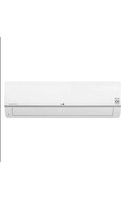
ARNU36GBGA0 - Water pump LG - Free user manual and instructions
Find the device manual for free ARNU36GBGA0 LG in PDF.


| Product Type | Water Pump |
| Brand | LG |
| Model | ARNU36GBGA0 |
| Power Supply | 230V / 50Hz |
| Power Consumption | 0.75 kW |
| Max Flow Rate | 36 L/min |
| Max Head | 10 m |
| Inlet/Outlet Size | 1 inch (DN25) |
| Weight | 15 kg |
| Dimensions (WxHxD) | 300 x 400 x 200 mm |
| Noise Level | < 55 dB |
| Protection Class | IP44 |
| Operating Temperature | 0°C to 40°C |
| Materials | Cast iron body, stainless steel impeller |
| Features | Thermal overload protection, automatic pressure switch |
| Maintenance | Regular cleaning of strainer |
| Accessories | Included pressure gauge |
Frequently Asked Questions - ARNU36GBGA0 LG
User questions about ARNU36GBGA0 LG
0 question about this device. Answer the ones you know or ask your own.
Ask a new question about this device
Download the instructions for your Water pump in PDF format for free! Find your manual ARNU36GBGA0 - LG and take your electronic device back in hand. On this page are published all the documents necessary for the use of your device. ARNU36GBGA0 by LG.
USER MANUAL ARNU36GBGA0 LG
Heat Pump Indoor Unit
OWNER'S MANUAL
Models: BR/BG/BH Series
Type: Ceiling Concealed Duct- High Static
Prior to installation, this air-conditioning unit must be submitted for approval by the utility service which provides electricity (EN 61000-2, EN 61000-3 Norm).
IMPORTANT
- Please read this owner's manual carefully and thoroughly before installing and operating your room air conditioner.
- Please retain this owner's manual for future reference after reading it thoroughly.
TABLE OF CONTENTS
Safety Precautions......3
Prior to Operation ....8
Operating Instructions......9
Name and Function of Remote
Controller....9
Maintenance and Service ....11
Before you Call for
Service....13

FOR YOUR RECORDS
Write the model and serial numbers here:
Model #
Serial #
You can find them on a label on the side of each unit.
Dealer's Name
Date Purchased
■ Staple your receipt to this page in the event you need to prove date of purchase or to issue warranty.

READ THIS MANUAL
Inside you will find many helpful hints on how to use and maintain your air conditioner properly. Just a little preventive care on your part can save you a great deal of time and money over the life of your air conditioner.
You'll find many answers to common problems in the chart of troubleshooting tips. If you review our chart of
Troubleshooting Tips first, you may not need to call for service at all.

PRECAUTION
- Contact the authorized service technician for repair or maintenance of this unit.
- Contact the installer for installation of this unit.
- The air conditioner is not intended for use by young children or invalids without supervision.
- Young children should be supervised to ensure that they do not play with the air conditioner.
- When the power cord is to be replaced, replacement work shall be performed by authorized personnel only using only genuine replacement parts.
- Installation work must be performed in accordance with the National Electric Code by qualified and authorized personnel only.

Safety Precautions
To prevent injury to the user or other people and property damage, the following instructions must be followed.
■ Incorrect operation due to ignoring instruction will cause harm or damage. The seriousness is classified by the following indications.

WARNING
This symbol indicates the possibility of death or serious injury.

CAUTION
This symbol indicates the possibility of injury or damage to properties only.
■ Meanings of symbols used in this manual are as shown below.
| Be sure not to do. | |
| Be sure to follow the instruction. |

WARNING
■ Installation
Do not use a defective or underrated circuit breaker. Use this appliance on a dedicated circuit.
• There is risk of fire or electric shock.

For electrical work, contact the dealer, seller, a qualified electrician, or an Authorized Service Center.
- Do not disassemble or repair the product. There is risk of fire or electric shock.

Always ground the product.
- There is risk of fire or electric shock.

Install the panel and the cover of control box securely.
• There is risk of fire or electric shock.
Always install a dedicated circuit and breaker.
- Improper wiring or installation may cause fire or electric shock
Use the correctly rated breaker or fuse.
- There is risk of fire or electric shock.


Do not modify or extend the power cable.
- There is risk of fire or electric shock.

For installation, always contact the dealer or an Authorized Service Center.
• There is risk of fire, electric shock, explosion, or injury.

Do not let the air conditioner run for a long time when the humidity is very high and a door or a window is left open.
- Moisture may condense and wet or damage furniture.

Do not plug or unplug the power supply plug during operation.
• There is risk of fire or electric shock.

Do not install, remove, or re-install the unit by yourself (customer).
• There is risk of fire, electric shock, explosion, or injury.

Do not install the product on a defective installation stand.
- It may cause injury, accident, or damage to the product.

■ Operation
Take care to ensure that power cable could not be pulled out or damaged during operation.
- There is risk of fire or electric shock.

Do not touch(operate) the product with wet hands.
• There is risk of fire or electrical shock.

Be cautious when unpacking and installing the product.
- Sharp edges could cause injury. Be especially careful of the case edges and the fins on the condenser and evaporator.

Be sure the installation area does not deteriorate with age.
- If the base collapses, the air conditioner could fall with it, causing property damage, product failure, and personal injury.

Do not place anything on the power cable.
- There is risk of fire or electric shock.

Do not place a heater or other appliances near the power cable.
• There is risk of fire and electric shock.

Do not allow water to run into electric parts.
- It may cause There is risk of fire, failure of the product, or electric shock.

When flammable gas leaks, turn off the gas and open a window for ventilation before turn the product on.
- Do not use the telephone or turn switches on or off. There is risk of explosion or fire

Do not open the inlet grill of the product during operation. (Do not touch the electrostatic filter, if the unit is so equipped.)
• There is risk of physical injury, electric shock, or product failure.

Do not store or use flammable gas or combustibles near the product.
• There is risk of fire or failure of product.

If strange sounds, or small or smoke comes from product. Turn the breaker off or disconnect the power supply cable.
- There is risk of electric shock or fire.

When the product is soaked (flooded or submerged), contact an Authorized Service Center.
• There is risk of fire or electric shock.

Do not use the product in a tightly closed space for a long time.
• Oxygen deficiency could occur.

Stop operation and close the window in storm or hurricane. If possible, remove the product from the window before the hurricane arrives.
• There is risk of property damage, failure of product, or electric shock.

Be cautious that water could not enter the product.
• There is risk of fire, electric shock, or product damage.

Ventilate the product from time to time when operating it together with a stove, etc.
• There is risk of fire or electric shock.

Turn the main power off when cleaning or maintaining the product.
• There is risk of electric shock.

When the product is not be used for a long time, disconnect the power supply plug or turn off the breaker.
- There is risk of product damage or failure, or unintended operation.

Take care to ensure that nobody could step on or fall onto the outdoor unit.
• This could result in personal injury and product damage.

CAUTION
■ Installation
Always check for gas (refrigerant) leakage after installation or repair of product.
- Low refrigerant levels may cause failure of product.

Install the drain hose to ensure that water is drained away properly.
• A bad connection may cause water leakage.

Keep level even when installing the product.
• To avoid vibration or water leakage.

Do not install the product where the noise or hot air from the outdoor unit could damage the neighborhoods.
- It may cause a problem for your neighbors.

Use two or more people to lift and transport the product.
- Avoid personal injury.

Do not install the product where it will be exposed to sea wind (salt spray) directly.
- It may cause corrosion on the product. Corrosion, particularly on the condenser and evaporator fins, could cause product malfunction or inefficient operation.

■ Operation
Do not expose the skin directly to cool air for long periods of time. (Don't sit in the draft.)
• This could harm to your health.

Do not use the product for special purposes, such as preserving foods, works of art, etc. It is a consumer air conditioner, not a precision refrigeration system.
• There is risk of damage or loss of property.

Do not block the inlet or outlet of air flow.
- It may cause product failure.

Do not step on or put anything on the product. (outdoor units)
• There is risk of personal injury and failure of product.

Do not drink the water drained from the product.
• It is not sanitary and could cause serious health issues.

Use a soft cloth to clean. Do not use harsh detergents, solvents, etc.
• There is risk of fire, electric shock, or damage to the plastic parts of the product.

Always insert the filter securely. Clean the filter every two weeks or more often if necessary.
- A dirty filter reduces the efficiency of the air conditioner and could cause product malfunction or damage.

Use a firm stool or ladder when cleaning or maintaining the product.
- Be careful and avoid personal injury.

Do not touch the metal parts of the product when removing the air filter. They are very sharp!
• There is risk of personal injury.

Do not insert hands or other objects through the air inlet or outlet while the product is operated.
• There are sharp and moving parts that could cause personal injury.

Replace the all batteries in the remote control with new ones of the same type. Do not mix old and new batteries or different types of batteries.
• There is risk of fire or explosion

Do not recharge or disassemble the batteries. Do not dispose of batteries in a fire.
• They may burn or explode.

If the liquid from the batteries gets onto your skin or clothes, wash it well with clean water. Do not use the remote if the batteries have leaked.
• The chemicals in batteries could cause burns or other health hazards.

Prior to Operation
Preparing for operation
- Contact an installation specialist for installation.
- Use a dedicated circuit.
Usage
- Being exposed to direct airflow for an extended period of time could be hazardous to your health. Do not expose occupants, pets, or plants to direct airflow for extended periods of time.
- Due to the possibility of oxygen deficiency, ventilate the room when used together with stoves or other heating devices.
- Do not use this air conditioner for non-specified special purposes (e.g. preserving precision devices, food, pets, plants, and art objects). Such usage could damage the items.
Cleaning and maintenance
- Do not touch the metal parts of the unit when removing the filter. Injuries can occur when handling sharp metal edges.
- Do not use water to clean inside the air conditioner. Exposure to water can destroy the insulation, leading to possible electric shock.
- When cleaning the unit, first make sure that the power and breaker are turned off. The fan rotates at a very high speed during operation. There is a possibility of injury if the unit's power is accidentally triggered on while cleaning inner parts of the unit.
Service
For repair and maintenance, contact your authorized service dealer.
Operating Instructions
Name and Function of Remote Controller(Optional)
Model: ARNU, LRNU-BH/BG/BR

1. Operation display
Displays the operation conditions.
2. On/Off Button
Operation starts when this button is pressed, and stops when the button is pressed again.
3. Set Temperature Button
Used to set the temperature when the desired temperature is obtained.
4. FAN Operation Button
Used to circulate room air without cooling or heating.
5. Fan Speed Button
Used to set the desired fan speed.
6. Operation Mode Selection Button
Used to select the operation mode.
- Auto Operation Mode
• Cooling Operation Mode
- Soft Dry Operation Mode
- Heating Operation Mode(except cooling model)
7. Room Temperature Checking Button
Used to check the room temperature.
8. Timer Cancel Button
Used to cancel the timer.
9. Timer Set Button
Used to set the timer when the desired time is obtained.
10. Week Button
Used to set a day of the week.
11. Program Button
Used to set the weekly timer.
12. Holiday Button
Used to set a holiday of the week.
13. Time Set Button
Used to set the time of the day and change the time in the weekly timer Function.
14. Set and Clear Button
Used to set and clear the weekly timer.
15. Reset Button
Used to set the current time and clear the setting time.
- Remote Controller Model
Standard Type : PDRCUSZ0
Simple Type : PQRCUCA0
Deluxe Type : PQRCUDS0
PQRCUDS0B
PQRCUDS0S
Wireless Remote Controller(Optional)

PQWRHSF0(Heat pump) PQWRCSF0(Cooling only)
- Start/Stop Button
Operation starts when this button is pressed. - Operation Mode Selection Button
Used to select the operation mode. - Room Temperature Setting Buttons
Used to select the room temperature. - Indoor Fan Speed Selector
Used to select fan speed in four steps low, medium, high and Chaos. - Jet Cool
Speed cooling/heating operates super high fan speed. - Chaos Swing Button
Used to stop or start louver movement and set the desired up/down airflow direction. - On/Off Timer Buttons
Used to set the time of starting and stopping operation. - Time Setting Button
Used to adjust the time. - Timer Set/Cancel Button
Used to set the timer when the desired time is obtained and to cancel the Timer operation. - Sleep Mode Auto Button
Used to set Sleep Mode Auto operation. - Air Circulation Button
Used to circulate the room air without cooling or heating. - Room Temperature Button
Used to set the desired horizontal airflow direction. - Plasma
Used to start or stop the plasma-purification function. - Horizontal Airflow Direction Control Button
Used to set the desired horizontal airflow direction. - Reset Button
Initialize remote controller. - 2nd F Button
Used prior to using modes printed in blue at the bottom of buttons. - Auto Clean
Used to set Auto Clean mode.
Maintenance and Service

CAUTION: Before performing any maintenance, turn off the main power to the system.
Grille, Case, and Remote Controller
☐ Turn the system off before cleaning. To clean, wipe with a soft, dry cloth. Do not use bleach or abrasives.
NOTICE
Power supply must be disconnected before cleaning the indoor unit.
Air Filters
The air filters behind the front grille should be checked and cleaned once every 2 weeks or more often if necessary.

■ Never use any of the followings:
• Water hotter than 40° C. Could cause deformation and/or discoloration.
• Volatile substances. Could damage the surfaces of the air conditioner.


- Remove the Air filters.
■ Take hold of the tab and pull slightly forward to remove the filter.

CAUTION: When the air filter is to be removed, do not touch the metal parts of the indoor unit. It may cause an injury.
- Clean dirt from the air filter using a vacuum cleaner or washing with water.
■ If dirt is conspicuous, wash with a neutral detergent in lukewarm water.
■ If hot water (50°C or more) is used, it may be deformed.
- After washing with water, dry well in the shade.
■ Do not expose the air filter to direct sunlight or heat from a fire when drying it.
- Install the air filter.
When the air conditioner is not going to be used for a long time.
When it is not going to be used for a long time.

Operate the air conditioner at the following settings for 2 to 3 hours.
- Type of operation: Fan operation mode.
• This will dry out the internal mechanisms.

Turn off the breaker.

CAUTION
Turn off the breaker when the air conditioner is not going to be used for a long time.
Dirt may collect and may cause a fire.
Helpful information
The air filters and your electric bill. If the air filters become clogged with dust, the cooling capacity will drop, and 6% of the electricity used to operate the air conditioner will be wasted.
When the air conditioner is used again.

Clean the air filter and install it in the indoor unit.
(Refer to page 12 for cleaning it.)

Check that the air inlet and outlet of the indoor/outdoor unit are not blocked.

Check that the ground wire is connected correctly. It may be connected to the indoor unit side.
Operation Tips
Do not overcool the room.
This is not good for the health and wastes electricity.
Make sure that the doors and windows are shut tight.
Avoid opening doors and windows as much as possible to keep the cool air in the room.
Keep blinds or curtains closed.
Do not let direct sunshine enter the room when the air conditioner is in operation.
Clean the air filter regularly.
Blockages in the air filter reduce the airflow and lower cooling and dehumidifying effects. Clean at least once every two weeks.
Keep the room temperature uniform.
Adjust the vertical and horizontal airflow direction to ensure a uniform temperature in the room.
Ventilate the room occasionally.
Since windows are kept closed, it is a good idea to open them and ventilate the room now and then.
Before you call for service...

Troubleshooting Tips! Save time and money!
Check the following points before requesting repairs or service.... If the malfunction persists, please contact your dealer.
| The air conditioner does not operate. | The room has a peculiar odor. | It seems that condensation is leaking from the air conditioner. | Air conditioner does not operate for about 3 minutes when restart. |
| Have you made a mistake in timer operation?Has the fuse blown or has the circuit breaker been tripped? | Check that this is not a damp smell exuded by the walls, carpet, furniture or cloth items in the room. | Condensation occurs when the airflow from the air conditioner cools the warm room air. | This is the protector of the mechanism.Wait about three minutes and operation will begin. |
| Does not cool or heat effectively. | The air conditioner operation is noisy. | Crack sound is heard. | Remote control display is faint, or no display at all. |
| Is the air filter dirty? See air filter cleaning instructions.The room may have been very hot when the room air conditioner was first turned on. Allow time for it to cool down.Has the temperature been set incorrectly?Are the indoor unit's air inlet or outlet vents obstructed? | For a noise that sounds like water flowing.-This is the sound of freon flowing inside the air conditioner unit.For a noise that sounds like the compressed air releasing into atmosphere.-This is the sound of the dehumidifying water being processed inside the air conditioning unit. | This sound is generated by the expansion/constriction of the front panel, etc. due to changes of temperature.Filter sign lamp (LED) is ON.Cleaning the filter, press the Timer button and button of wired remote controller at the same time for 3 sec. | Are the batteries depleted?Are the batteries inserted in the opposite (+) and (-) directions? |
NOTICE
WATER RESISTANT: The outdoor side of this appliance is WATER RESISTANT. The indoor side is not water resistant and should not be exposed to excess water.

LG



- HEAT PUMP INDOOR UNIT
- OWNER'S MANUAL
- IMPORTANT
- TABLE OF CONTENTS
- FOR YOUR RECORDS
- READ THIS MANUAL
- PRECAUTION
- SAFETY PRECAUTIONS
- WARNING
- CAUTION
- INSTALLATION
- DO NOT MODIFY OR EXTEND THE POWER CABLE
- DO NOT INSTALL, REMOVE, OR RE-INSTALL THE UNIT BY YOURSELF (CUSTOMER)
- DO NOT INSTALL THE PRODUCT ON A DEFECTIVE INSTALLATION STAND
- OPERATION
- TAKE CARE TO ENSURE THAT POWER CABLE COULD NOT BE PULLED OUT OR DAMAGED DURING OPERATION
- DO NOT TOUCH(OPERATE) THE PRODUCT WITH WET HANDS
- BE CAUTIOUS WHEN UNPACKING AND INSTALLING THE PRODUCT
- BE SURE THE INSTALLATION AREA DOES NOT DETERIORATE WITH AGE
- DO NOT PLACE ANYTHING ON THE POWER CABLE
- DO NOT PLACE A HEATER OR OTHER APPLIANCES NEAR THE POWER CABLE
- DO NOT ALLOW WATER TO RUN INTO ELECTRIC PARTS
- DO NOT BLOCK THE INLET OR OUTLET OF AIR FLOW
- DO NOT STEP ON OR PUT ANYTHING ON THE PRODUCT. (OUTDOOR UNITS)
- DO NOT DRINK THE WATER DRAINED FROM THE PRODUCT
- USE A SOFT CLOTH TO CLEAN. DO NOT USE HARSH DETERGENTS, SOLVENTS, ETC
- ALWAYS INSERT THE FILTER SECURELY. CLEAN THE FILTER EVERY TWO WEEKS OR MORE OFTEN IF NECESSARY
- USE A FIRM STOOL OR LADDER WHEN CLEANING OR MAINTAINING THE PRODUCT
- DO NOT TOUCH THE METAL PARTS OF THE PRODUCT WHEN REMOVING THE AIR FILTER. THEY ARE VERY SHARP
- DO NOT INSERT HANDS OR OTHER OBJECTS THROUGH THE AIR INLET OR OUTLET WHILE THE PRODUCT IS OPERATED
- REPLACE THE ALL BATTERIES IN THE REMOTE CONTROL WITH NEW ONES OF THE SAME TYPE. DO NOT MIX OLD AND NEW BATTERIES OR DIFFERENT TYPES OF BATTERIES
- DO NOT RECHARGE OR DISASSEMBLE THE BATTERIES. DO NOT DISPOSE OF BATTERIES IN A FIRE
- IF THE LIQUID FROM THE BATTERIES GETS ONTO YOUR SKIN OR CLOTHES, WASH IT WELL WITH CLEAN WATER. DO NOT USE THE REMOTE IF THE BATTERIES HAVE LEAKED
- PRIOR TO OPERATION
- PREPARING FOR OPERATION
- USAGE
- CLEANING AND MAINTENANCE
- SERVICE
- OPERATING INSTRUCTIONS
- NAME AND FUNCTION OF REMOTE CONTROLLER(OPTIONAL)
- OPERATION DISPLAY
- ON/OFF BUTTON
- SET TEMPERATURE BUTTON
- FAN OPERATION BUTTON
- FAN SPEED BUTTON
- OPERATION MODE SELECTION BUTTON
- ROOM TEMPERATURE CHECKING BUTTON
- TIMER CANCEL BUTTON
- TIMER SET BUTTON
- WEEK BUTTON
- PROGRAM BUTTON
- HOLIDAY BUTTON
- TIME SET BUTTON
- SET AND CLEAR BUTTON
- RESET BUTTON
- WIRELESS REMOTE CONTROLLER(OPTIONAL)
- MAINTENANCE AND SERVICE
- GRILLE, CASE, AND REMOTE CONTROLLER
- NOTICE
- AIR FILTERS
- WHEN THE AIR CONDITIONER IS NOT GOING TO BE USED FOR A LONG TIME
- WHEN IT IS NOT GOING TO BE USED FOR A LONG TIME
- OPERATE THE AIR CONDITIONER AT THE FOLLOWING SETTINGS FOR 2 TO 3 HOURS
- TURN OFF THE BREAKER
- HELPFUL INFORMATION
- WHEN THE AIR CONDITIONER IS USED AGAIN
- CLEAN THE AIR FILTER AND INSTALL IT IN THE INDOOR UNIT
- CHECK THAT THE AIR INLET AND OUTLET OF THE INDOOR/OUTDOOR UNIT ARE NOT BLOCKED
- CHECK THAT THE GROUND WIRE IS CONNECTED CORRECTLY. IT MAY BE CONNECTED TO THE INDOOR UNIT SIDE
- OPERATION TIPS
- DO NOT OVERCOOL THE ROOM
- MAKE SURE THAT THE DOORS AND WINDOWS ARE SHUT TIGHT
- KEEP BLINDS OR CURTAINS CLOSED
- CLEAN THE AIR FILTER REGULARLY
- KEEP THE ROOM TEMPERATURE UNIFORM
- VENTILATE THE ROOM OCCASIONALLY
- BEFORE YOU CALL FOR SERVICE
- TROUBLESHOOTING TIPS! SAVE TIME AND MONEY
- LG
Brand : LG
Model : ARNU36GBGA0
Category : Water pump