AL1371 - Interface IFM - Free user manual and instructions
Find the device manual for free AL1371 IFM in PDF.


Pick your language and provide your email: we'll send you a specifically translated version.
| Product Type | AS-i Interface Module |
| Model | AL1371 |
| Brand | IFM |
| Supply Voltage | 24 V DC (SELV/PELV) |
| Current Consumption | Max. 200 mA |
| Power Consumption | Max. 4.8 W |
| Dimensions (W x H x D) | 100 x 80 x 40 mm |
| Weight | Approx. 200 g |
| Protection Class | IP20 |
| Interface Type | AS-i (Actuator-Sensor Interface) |
| Number of Channels | 4 inputs / 4 outputs |
| Data Transfer Rate | 167 kbps |
| Connection | M12 connector (A-coded) |
| Operating Temperature | -25°C to +70°C |
| Storage Temperature | -40°C to +85°C |
| Housing Material | Polyamide (PA) / Metal |
| Mounting | DIN rail (35 mm) |
| Certifications | CE, UL, RoHS |
| Functions | Data communication, diagnostics, power supply distribution |
| Maintenance | Clean with dry cloth; no solvents |
| Safety | Use only with SELV/PELV power supply; disconnect before servicing |
| Spare Parts | Replacement connectors (M12) available; contact IFM support |
Frequently Asked Questions - AL1371 IFM
What is the supply voltage for the IFM AL1371?
The IFM AL1371 requires a 24 V DC power supply (SELV/PELV). Do not exceed this voltage.
How do I connect the IFM AL1371 to the AS-i network?
Use an M12 A-coded connector for the AS-i bus. Ensure correct polarity: brown = V+, blue = V-, black = data, white = data.
What are the dimensions of the AL1371?
The module measures 100 x 80 x 40 mm (W x H x D) and weighs approximately 200 g.
Can I mount the AL1371 on a DIN rail?
Yes, the device is designed for 35 mm DIN rail mounting per EN 60715.
What is the operating temperature range?
The AL1371 operates reliably from -25°C to +70°C. Storage range is -40°C to +85°C.
How many inputs and outputs does the AL1371 have?
It provides 4 inputs and 4 outputs for connecting sensors and actuators.
Is the AL1371 compatible with older AS-i versions?
Yes, it supports AS-i version 3.0 and is backward compatible with version 2.1.
What should I do if the device LED indicates a fault?
Check the AS-i cable connections and power supply. The LED codes are: green = normal, red = fault, flashing = address conflict. Refer to the manual for details.
Can I replace the connector myself?
Yes, the M12 connector is replaceable. Use only IFM approved connectors to maintain IP rating. Ensure power is off before replacement.
How do I clean the AL1371 module?
Clean the housing with a dry, lint-free cloth. Do not use solvents or water, as they may damage the electronics.
User questions about AL1371 IFM
0 question about this device. Answer the ones you know or ask your own.
Ask a new question about this device
No questions yet. Be the first to ask one.
Download the instructions for your Interface in PDF format for free! Find your manual AL1371 - IFM and take your electronic device back in hand. On this page are published all the documents necessary for the use of your device. AL1371 by IFM.
USER MANUAL AL1371 IFM


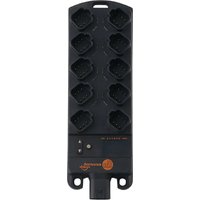
Manual assistant
Powered by Anthropic
Waiting for your message
Product information
Brand : IFM
Model : AL1371
Category : Interface