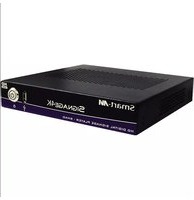
SignWall - Media player Smart-AVI - Free user manual and instructions
Find the device manual for free SignWall Smart-AVI in PDF.


Pick your language and provide your email: we'll send you a specifically translated version.
| Product Type | Digital Signage Media Player |
| Model | SignWall |
| Brand | Smart-AVI |
| Dimensions (W x D x H) | 120 mm x 80 mm x 25 mm |
| Weight | Approximately 200 g |
| Power Supply | 5V DC, 2A via USB-C or barrel connector |
| Video Output | HDMI 2.0 up to 4K @ 60 Hz |
| Audio Output | HDMI audio pass-through, 3.5 mm headphone jack |
| Connectivity | Wi-Fi 802.11 b/g/n, Ethernet 10/100, Bluetooth 4.0 |
| Storage | microSD card slot (up to 32 GB), USB 2.0 host port |
| Supported Media Formats | MP4, AVI, MKV, MOV, JPEG, PNG, BMP, GIF, mp3, WAV |
| Operating System | Embedded Linux with custom signage software |
| Management | Web-based interface and cloud content scheduling |
| Mounting | VESA mount compatible (75x75 mm) |
| Operating Temperature | 0°C to 40°C |
| Storage Temperature | -20°C to 60°C |
| Humidity | 10% to 90% non-condensing |
| Certifications | CE, FCC, RoHS |
| Maintenance | Clean with a soft dry cloth; avoid liquids and abrasive cleaners |
| Safety | Use only supplied power adapter; do not expose to water or extreme heat |
| Repairability | No user-serviceable parts; contact Smart-AVI support for repairs |
Frequently Asked Questions - SignWall Smart-AVI
How do I set up the SignWall media player?
Connect the player to a power source using the included adapter, then connect it to your display via HDMI. Power on the display and the player; the device will boot automatically.
What video resolutions does SignWall support?
It supports resolutions up to 4K Ultra HD (3840x2160) at 60Hz via HDMI 2.0.
Can I use wireless connectivity?
Yes, the SignWall has built-in Wi-Fi 802.11 b/g/n and Bluetooth 4.0 for wireless networking and peripheral connections.
How do I update the firmware?
Firmware updates are available through the device's web interface. Check for updates under 'System Settings' and follow the on-screen instructions.
What file systems are supported for USB and microSD?
The device supports FAT32, exFAT, and NTFS file systems for external storage.
Can I schedule content playback?
Yes, the onboard signage software allows you to create playlists and schedule content by day, time, or date via the web interface.
Is the SignWall compatible with VESA mounts?
It has a 75x75 mm VESA mounting pattern, making it easy to attach to a standard display mount or bracket.
What should I do if the device does not power on?
Check that the power adapter is securely connected and the outlet is working. Try a different USB cable or adapter. If the issue persists, contact Smart-AVI support.
How do I clean the SignWall?
Use a soft, dry cloth to gently wipe the exterior. Do not use water, solvents, or abrasive cleaners as they may damage the device.
Where can I find the user manual?
The manual is available for free download on notice-facile.com in PDF format. You can also request a translated version.
User questions about SignWall Smart-AVI
0 question about this device. Answer the ones you know or ask your own.
Ask a new question about this device
No questions yet. Be the first to ask one.
Download the instructions for your Media player in PDF format for free! Find your manual SignWall - Smart-AVI and take your electronic device back in hand. On this page are published all the documents necessary for the use of your device. SignWall by Smart-AVI.
USER MANUAL SignWall Smart-AVI


Manual assistant
Powered by Anthropic
Waiting for your message
Product information
Brand : Smart-AVI
Model : SignWall
Category : Media player