CSB912M2NS5 - Oven Café - Free user manual and instructions
Find the device manual for free CSB912M2NS5 Café in PDF.


Pick your language and provide your email: we'll send you a specifically translated version.
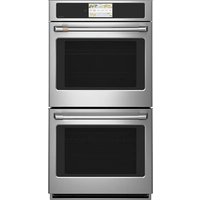
| Product Type | Electric Built-in Oven |
| Brand | Café |
| Model | CSB912M2NS5 |
| Width | 23.5 inches |
| Height | 27.5 inches |
| Depth | 24.0 inches |
| Weight | 150 lbs |
| Power Supply | 240 V, 60 Hz, 3400 W |
| Oven Capacity | 4.5 cu ft |
| Main Functions | Bake, Broil, Convection Bake, Convection Roast, Self-Clean |
| Control Type | Digital touch screen with knobs |
| Cleaning Method | Self-cleaning cycle with high temperature |
| Safety Features | Child lock, auto shut-off, cool touch door |
| Replacement Parts | Available through Café parts service |
| Repairability | Moderate; user-replaceable oven light and racks |
| Color | Stainless steel |
| Warranty | 1 year limited warranty |
Frequently Asked Questions - CSB912M2NS5 Café
How do I set the clock on my Café CSB912M2NS5 oven?
Press the Settings button on the control panel, then select Clock. Use the numeric keypad to enter the current time and press Start to confirm.
How do I preheat the oven?
Select the desired cooking mode (e.g., Bake), set the temperature using the + / - controls, and press Start. The oven will preheat and alert you when it reaches the set temperature.
What is the self-cleaning cycle and how do I use it?
The self-cleaning cycle uses high heat (about 800°F) to burn off food residues. Remove racks and accessories, close the door, select Self-Clean, choose a cleaning time (2-4 hours), and press Start. The oven will lock automatically.
How do I replace the oven light?
Turn off power to the oven. Remove the glass cover by turning it counterclockwise. Replace the burnt bulb with a 40W appliance bulb (halogen or incandescent, depending on model). Reinstall the cover and restore power.
Why is my oven not heating properly?
Check that the oven is properly plugged in and the circuit breaker is not tripped. Ensure the temperature probe (if used) is inserted correctly. If the problem persists, it may be a faulty heating element or control board; contact Café support.
Can I use aluminum foil in the oven?
Yes, but avoid covering the entire oven bottom or blocking air vents. Use heavy-duty foil and never allow foil to touch the heating elements, as it may cause fire or damage.
How do I calibrate the oven temperature?
Press and hold the Bake button for 5 seconds until the display shows a temperature offset. Use the numeric keys to adjust (+/- up to 35°F). Press Start to save.
What do error codes F9 or F11 mean?
F9 indicates a keypad fault; try unplugging the oven for 30 seconds and replugging. F11 suggests a main control board error; contact Café service for repair.
Where can I download the user manual?
Visit the Café website and enter model number CSB912M2NS5 to download the manual in PDF. Alternatively, use the link on notice-facile.com.
How do I enable the child lock feature?
Press and hold the Lock button for 3 seconds until the lock indicator appears. To disable, repeat the same action. The control panel will be locked during operation.
User questions about CSB912M2NS5 Café
0 question about this device. Answer the ones you know or ask your own.
Ask a new question about this device
No questions yet. Be the first to ask one.
Download the instructions for your Oven in PDF format for free! Find your manual CSB912M2NS5 - Café and take your electronic device back in hand. On this page are published all the documents necessary for the use of your device. CSB912M2NS5 by Café.
USER MANUAL CSB912M2NS5 Café
Manual assistant
Powered by Anthropic
Waiting for your message
Product information
Brand : Café
Model : CSB912M2NS5
Category : Oven