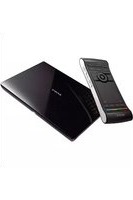
MDX-60 - Media player SONY - Free user manual and instructions
Find the device manual for free MDX-60 SONY in PDF.


Pick your language and provide your email: we'll send you a specifically translated version.
| Product Type | Multimedia Player |
| Brand | Sony |
| Model | MDX-60 |
| Dimensions (W x H x D) | 178 x 50 x 160 mm |
| Weight | 0.8 kg |
| Power Supply | 12 V DC (car battery) |
| Maximum Output Power | 4 x 30 W (Max) |
| Supported Disc Formats | CD, CD-R, CD-RW, MP3 |
| Radio Tuner | FM/AM with RDS |
| Audio Input | Auxiliary (3.5 mm) |
| USB Port | Yes, for MP3 playback |
| Display Type | LCD with backlight |
| Remote Control | Included |
| Equalizer | Preset EQ modes |
| Detachable Faceplate | Yes, for security |
| Cleaning Instructions | Wipe with a soft dry cloth |
| Safety Precautions | Use only specified voltage; avoid liquids |
| Spare Parts Availability | Contact Sony support |
| Installation | For car use; professional installation recommended |
| Warranty | 1 year limited |
| Country of Origin | Japan |
Frequently Asked Questions - MDX-60 SONY
How do I connect the MDX-60 to my car's power?
Connect the yellow wire to constant 12V, red to switched 12V, and black to ground. Always use the provided fuse.
Can I play MP3 files from a USB drive?
Yes, insert a USB drive with MP3 files into the USB port. The unit will automatically detect and play them.
What is the detachable faceplate for?
The faceplate can be removed to prevent theft. Always remove it when leaving the car.
How do I set the clock?
Press and hold the 'CLOCK' button until the time flashes, then use the volume knob or 'SEEK' buttons to adjust hours and minutes.
Why is there no sound from the speakers?
Check that the unit is powered on, volume is not muted, and speaker wires are properly connected. Also verify that the fader/balance settings are correct.
Can I use this unit with a steering wheel remote?
Yes, the MDX-60 supports wired remote control (not included). Connect to the remote input wire.
How to clean the laser lens?
Use a CD lens cleaning disc. Do not use liquid cleaners or touch the lens directly.
What CD formats are supported?
Supports CD-DA, CD-R, CD-RW, and CD-ROM with MP3/WMA files. Discs must be finalized and in ISO 9660 format.
How do I reset the unit?
Press the reset button on the front panel with a pointed object. This restores factory settings.
Is the display adjustable?
Yes, you can change the display color and brightness via the settings menu. Some models offer multiple color options.
User questions about MDX-60 SONY
0 question about this device. Answer the ones you know or ask your own.
Ask a new question about this device
No questions yet. Be the first to ask one.
Download the instructions for your Media player in PDF format for free! Find your manual MDX-60 - SONY and take your electronic device back in hand. On this page are published all the documents necessary for the use of your device. MDX-60 by SONY.
USER MANUAL MDX-60 SONY


Manual assistant
Powered by Anthropic
Waiting for your message
Product information
Brand : SONY
Model : MDX-60
Category : Media player