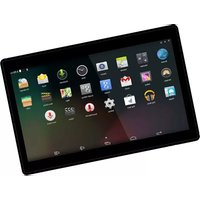
TIO-10525 - Tablet DENVER - Free user manual and instructions
Find the device manual for free TIO-10525 DENVER in PDF.


Pick your language and provide your email: we'll send you a specifically translated version.
| Product Type | Tablet |
| Brand | Denver |
| Model | TIO-10525 |
| Display Size | 10.1 inches |
| Display Resolution | 1280 x 800 pixels |
| Operating System | Android |
| Processor | Quad-core 1.5 GHz |
| RAM | 2 GB |
| Internal Storage | 32 GB |
| Expandable Storage | microSD up to 128 GB |
| Battery Capacity | 5000 mAh |
| Battery Life | Up to 6 hours |
| Weight | 500 g |
| Dimensions | 240 x 165 x 10 mm |
| Camera (Rear) | 5 MP |
| Camera (Front) | 2 MP |
| Connectivity | Wi-Fi 802.11 b/g/n, Bluetooth 4.0 |
| Ports | microUSB, 3.5 mm audio |
| Power Adapter | 5V/2A |
| Repairability | Replacement parts available via authorized service centers |
| Cleaning | Wipe with soft dry cloth; avoid solvents |
| Safety | Keep away from moisture and extreme temperatures |
Frequently Asked Questions - TIO-10525 DENVER
How do I turn on the Denver TIO-10525 tablet for the first time?
Press and hold the power button located on the side of the tablet until the screen lights up. Then follow the on-screen setup instructions to select your language, connect to Wi-Fi, and sign in to your Google account.
How can I insert a microSD card into the tablet?
Locate the microSD card slot on the side of the tablet (usually covered by a flap). Open the flap, insert the microSD card with the gold contacts facing down, and push gently until it clicks. Close the flap securely.
What should I do if the tablet freezes or becomes unresponsive?
Press and hold the power button for about 10-15 seconds until the device restarts. If the issue persists, try a factory reset via the recovery menu (hold Volume Up and Power simultaneously).
How do I take a screenshot on the Denver TIO-10525?
Press and hold the Power button and the Volume Down button simultaneously for about 2 seconds. You will hear a shutter sound and see a notification indicating the screenshot is saved.
Can I charge the tablet using a power bank?
Yes, you can charge the tablet using a power bank as long as it provides at least 5V/2A output. Use the provided microUSB cable. Charging may be slower with lower output.
How do I connect the tablet to a Wi-Fi network?
Go to Settings > Wi-Fi. Toggle Wi-Fi on, select your network from the list, enter the password, and tap Connect. You can also access quick settings by swiping down on the notification bar.
Is the Denver TIO-10525 compatible with a keyboard or mouse?
Yes, the tablet supports Bluetooth peripherals. Go to Settings > Bluetooth, turn it on, and pair your keyboard or mouse by following the device's pairing instructions.
How can I clean the screen without damaging it?
Use a soft, lint-free microfiber cloth slightly dampened with water or a screen-safe cleaner. Do not spray directly on the screen and avoid abrasive materials or alcohol-based solutions.
What are the factory reset steps for the Denver TIO-10525?
Back up your data first. Then go to Settings > System > Reset > Erase all data (factory reset). Confirm when prompted. Alternatively, turn off the tablet, then press Volume Up + Power to enter recovery mode and select 'Wipe data/factory reset'.
Does the tablet have a SIM card slot?
No, the Denver TIO-10525 is a Wi-Fi-only model and does not support cellular connectivity. It cannot accept a SIM card. Internet access is only possible via Wi-Fi.
User questions about TIO-10525 DENVER
0 question about this device. Answer the ones you know or ask your own.
Ask a new question about this device
No questions yet. Be the first to ask one.
Download the instructions for your Tablet in PDF format for free! Find your manual TIO-10525 - DENVER and take your electronic device back in hand. On this page are published all the documents necessary for the use of your device. TIO-10525 by DENVER.
USER MANUAL TIO-10525 DENVER



Manual assistant
Powered by Anthropic
Waiting for your message
Product information
Brand : DENVER
Model : TIO-10525
Category : Tablet