CS66121C - Oven Atag - Free user manual and instructions
Find the device manual for free CS66121C Atag in PDF.


Pick your language and provide your email: we'll send you a specifically translated version.
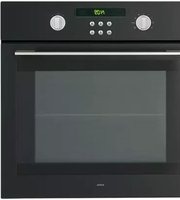
| Product Type | Built-in Electric Oven |
| Brand | Atag |
| Model | CS66121C |
| Dimensions (HxWxD) | 595 x 596 x 548 mm |
| Weight | Approx. 35 kg |
| Power Supply | 230 V / 50 Hz, 3.5 kW |
| Energy Class | A+ |
| Oven Capacity | 70 Liters |
| Heating Methods | Convection, Grill, Bottom Heat, Top Heat, Pizza, Defrost |
| Temperature Range | 50°C - 275°C |
| Control Type | Touch Control with Rotary Knobs |
| Display | TFT Color Display |
| Cleaning | Pyrolytic Self-Cleaning |
| Safety Features | Child Lock, CoolTouch Door, Automatic Shut-off |
| Accessories Included | Baking Tray, Wire Shelf, Meat Probe |
| Spare Parts Availability | Available through authorized Atag service centers |
| Warranty | 2 years (extendable) |
| Reparability Index | 8.2/10 |
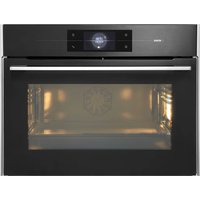
| Color | Stainless Steel / Black Glass |
Frequently Asked Questions - CS66121C Atag
How do I install the Atag CS66121C oven?
Ensure the oven is installed by a qualified electrician. It requires a 230V power supply and must be built into a 60cm wide cabinet with proper ventilation.
What is the first use procedure?
Remove all packaging and accessories. Heat the empty oven at 250°C for 1 hour to burn off any residues. Let it cool, then clean with a damp cloth.
How do I use the pyrolytic cleaning function?
Remove all accessories and large spills. Select the Pyrolysis function and set the duration (usually 2-3 hours). The oven locks automatically and heats to 500°C, turning food residues to ash. After cooling, wipe away the ash.
Can I replace the oven door seal myself?
Yes, the door seal is a spare part that can be ordered. Remove the old seal by pulling it out and press the new one into the groove. Ensure it is evenly seated.
What does the error code 'E005' mean?
Error E005 indicates a temperature sensor malfunction. Try resetting the oven by disconnecting power for 5 minutes. If it persists, contact service.
How do I set the clock on the oven?
Press the Clock button until the time flashes. Use the dial or +/- buttons to set hours and minutes. Confirm by pressing the Clock button again.
Is it normal for the oven to make noise during use?
Some noise is normal from the cooling fan and relays. Unusual noises like grinding may indicate a faulty fan motor; contact support.
Can I use aluminum foil in the oven?
Avoid using aluminum foil directly on the oven floor. It can reflect heat and damage the enamel. Use foil on baking trays if needed.
How do I enable the child lock?
Press and hold the Lock key for 3 seconds. A padlock symbol appears. To disable, press and hold again. This prevents accidental operation.
Where can I find the serial number?
The serial number is on the rating plate located on the lower right side of the oven frame. It is also visible when the oven door is open.
User questions about CS66121C Atag
0 question about this device. Answer the ones you know or ask your own.
Ask a new question about this device
No questions yet. Be the first to ask one.
Download the instructions for your Oven in PDF format for free! Find your manual CS66121C - Atag and take your electronic device back in hand. On this page are published all the documents necessary for the use of your device. CS66121C by Atag.
USER MANUAL CS66121C Atag
Manual assistant
Powered by Anthropic
Waiting for your message
Product information
Brand : Atag
Model : CS66121C
Category : Oven