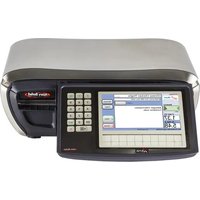
XTi101 - Scale AVERY BERKEL - Free user manual and instructions
Find the device manual for free XTi101 AVERY BERKEL in PDF.


Pick your language and provide your email: we'll send you a specifically translated version.
| Product Type | Price Computing Scale |
| Model | XTi101 |
| Brand | Avery Berkel |
| Capacity | 15 kg / 30 lb |
| Readability | 0.002 kg / 0.005 lb |
| Pan Size | 320 x 280 mm |
| Display | LCD, 7-segment, with backlight |
| Tare Range | Full capacity |
| Power Supply | AC 220-240V, 50/60 Hz or rechargeable battery |
| Battery | Internal rechargeable lead-acid |
| Dimensions (WxDxH) | 345 x 310 x 110 mm |
| Net Weight | 4.2 kg |
| Operating Temperature | 0°C to 40°C |
| Interface | RS-232 optional |
| Functions | Weighing, Tare, Piece Counting, Accumulation |
| Calibration | Auto-calibration with weight |
| Platform Material | Stainless steel |
| Housing | ABS plastic |
| Overload Protection | Yes |
| Water Protection | IPX4 (splash proof) |
| Certification | OIML Class III, NTEP |
| Includes | Power cord, instruction manual |
| Maintenance | Clean with mild soap, not abrasive |
| Spare Parts | Available from authorized dealers |
| Warranty | 2 years |
Frequently Asked Questions - XTi101 AVERY BERKEL
How to calibrate the Avery Berkel XTi101 scale?
Press the CAL button on the keypad. Use standard calibration weights (e.g., 5 kg) when prompted. The scale will auto-calibrate and confirm.
What does error code E01 mean?
Error E01 indicates overload. Remove the excess weight from the platform immediately to avoid damage.
How to change the battery in the XTi101?
Open the battery compartment at the bottom. Disconnect the old battery terminals, insert a new rechargeable lead-acid battery of the same type, and reconnect.
Can I use non-rechargeable batteries in the scale?
No, the scale requires a rechargeable battery designed for it. Use only the specified lead-acid or NiMH replacement battery.
How to set the date and time on the display?
Go to the SETUP menu by pressing the MODE key. Navigate to Date/Time option and use arrow keys to adjust. Press ENTER to confirm.
What is the maximum weighing capacity?
The maximum capacity is 15 kg (30 lb) for the XTi101 model. Do not exceed this limit.
How often should the scale be cleaned?
Clean the stainless steel platform daily with a soft cloth dampened with mild soap and water. Avoid abrasive cleaners.
Is the XTi101 scale legal for trade?
Yes, it is OIML Class III and NTEP certified, making it suitable for retail and commercial use.
How to connect the scale to a computer?
The scale has an optional RS-232 interface. Use a compatible cable and configure the baud rate in the user settings.
Where can I find spare parts for the XTi101?
Spare parts are available from Avery Berkel authorized dealers and service centers. Contact your local distributor.
User questions about XTi101 AVERY BERKEL
0 question about this device. Answer the ones you know or ask your own.
Ask a new question about this device
No questions yet. Be the first to ask one.
Download the instructions for your Scale in PDF format for free! Find your manual XTi101 - AVERY BERKEL and take your electronic device back in hand. On this page are published all the documents necessary for the use of your device. XTi101 by AVERY BERKEL.
USER MANUAL XTi101 AVERY BERKEL


Manual assistant
Powered by Anthropic
Waiting for your message
Product information
Brand : AVERY BERKEL
Model : XTi101
Category : Scale