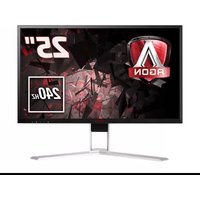
AG271FZ2 - Monitor AOC - Free user manual and instructions
Find the device manual for free AG271FZ2 AOC in PDF.


Pick your language and provide your email: we'll send you a specifically translated version.
| Product Type | Gaming Monitor |
| Screen Size | 27 inches |
| Resolution | 1920 x 1080 (Full HD) |
| Refresh Rate | 240 Hz |
| Panel Type | TN |
| Response Time | 1 ms (MPRT) |
| Aspect Ratio | 16:9 |
| Brightness | 400 cd/m² (typical) |
| Contrast Ratio | 1000:1 (typical) |
| Viewing Angles | 170° horizontal / 160° vertical |
| Color Support | 16.7 million colors |
| Connectivity | HDMI 2.0, DisplayPort 1.2, USB 3.0 (x2), Audio Out |
| VESA Mount | 100 x 100 mm |
| Stand Adjustments | Height, Tilt, Swivel, Pivot |
| Built-in Speakers | 2 x 2W |
| Power Consumption | 45 W (typical), <0.5 W standby |
| Weight (with stand) | 6.5 kg |
| Dimensions (with stand) | 612 x 533 x 245 mm |
| Key Features | AMD FreeSync Premium, Low Input Lag, Game Mode, Flicker-Free, Low Blue Light |
| Accessories Included | Power cable, HDMI cable, DisplayPort cable, USB cable, Quick Start Guide |
| Cleaning Instructions | Use a dry, soft cloth; avoid harsh chemicals or solvents |
| Safety Warning | Use a grounded electrical outlet; keep away from moisture |
| Repairability | Not user-serviceable; contact authorized service center |
Frequently Asked Questions - AG271FZ2 AOC
How do I set up the monitor for the first time?
Unbox the monitor, attach the stand (or mount to a VESA arm), connect the power adapter and a video cable (HDMI or DisplayPort), then press the power button.
How can I adjust the monitor settings?
Use the joystick button at the back of the monitor to navigate the On-Screen Display (OSD). You can adjust brightness, contrast, input source, game modes, and more.
What is the recommended resolution and refresh rate?
The native resolution is 1920x1080 at 240Hz. Ensure your graphics card and cable support 240Hz; use a DisplayPort cable for optimal performance.
How do I enable FreeSync?
Connect the monitor via DisplayPort, then enable FreeSync in the OSD under 'Game Setting' > 'FreeSync Premium'. Also enable it in your graphics card control panel.
The screen is flickering; what should I do?
Check that the refresh rate is set correctly. Try disabling FreeSync or adjusting the response time setting. Also ensure the power cable is securely connected.
Can I mount this monitor on a wall?
Yes, it supports VESA 100x100mm mounts. Remove the stand and attach a compatible VESA bracket. Use screws of the correct length (M4, 10mm).
How do I clean the monitor screen?
Turn off the monitor and unplug it. Use a soft, dry microfiber cloth to gently wipe the screen. Do not use paper towels, alcohol, or abrasive cleaners.
Why is there no sound from the built-in speakers?
Ensure the audio cable is connected to the monitor's audio out port, or use HDMI/DisplayPort audio. Check that the monitor volume is not muted in the OSD.
What should I do if the monitor shows 'No Signal'?
Verify that the video cable is securely connected to both the monitor and the PC. Try a different input source or cable. Also ensure the PC is turned on and outputting to the correct display.
How can I reduce motion blur or ghosting?
Enable 'Overdrive' or 'Response Time' setting in the OSD. Select 'Medium' or 'Fast' for optimal performance. Note that extreme settings may cause overshoot.
User questions about AG271FZ2 AOC
0 question about this device. Answer the ones you know or ask your own.
Ask a new question about this device
No questions yet. Be the first to ask one.
Download the instructions for your Monitor in PDF format for free! Find your manual AG271FZ2 - AOC and take your electronic device back in hand. On this page are published all the documents necessary for the use of your device. AG271FZ2 by AOC.
USER MANUAL AG271FZ2 AOC
Manual assistant
Powered by Anthropic
Waiting for your message
Product information
Brand : AOC
Model : AG271FZ2
Category : Monitor