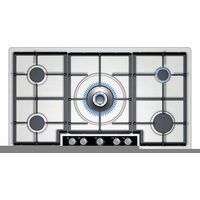
EC945RB91A - Cooker SIEMENS - Free user manual and instructions
Find the device manual for free EC945RB91A SIEMENS in PDF.


Pick your language and provide your email: we'll send you a specifically translated version.
| Product Type | Freestanding Electric Cooker |
| Brand | Siemens |
| Model | EC945RB91A |
| Width | 90 cm |
| Height | 85 cm |
| Depth | 60 cm |
| Weight | Approximately 70 kg |
| Power Supply | 230 V, 50 Hz, 16 A |
| Total Connected Load | 11.5 kW |
| Oven Type | Electric Multifunction Oven |
| Oven Functions | Convection, Grill, Top Heat, Bottom Heat, Defrost, Pizza Setting |
| Hob Type | Ceramic Induction Hob |
| Number of Cooking Zones | 4 |
| Oven Capacity | 71 L |
| Energy Efficiency Class | A |
| Cleaning System | Catalytic Self-Cleaning |
| Safety Features | Child Lock, Automatic Shut-Off, Residual Heat Indicator |
| Control Type | Touch Control with Digital Display |
| Oven Door | Cool-Door Technology, Removable Inner Glass |
| Spare Parts Availability | Original Siemens Spare Parts Available |
| Repairability Index | 8.0 / 10 |
Frequently Asked Questions - EC945RB91A SIEMENS
How do I install the Siemens EC945RB91A cooker?
Ensure the kitchen has a suitable power outlet (230 V, 16 A). The cooker must be installed by a qualified electrician. Allow at least 5 cm clearance around the appliance for ventilation.
What type of cookware is recommended for the induction hob?
Use pots and pans with a magnetic base. Check with a magnet; if it sticks, the cookware is suitable. Flat-bottomed pans ensure optimal performance.
How do I clean the oven?
The oven features catalytic self-cleaning liners that absorb grease. Wipe away ash after heating. For the door glass, use a soft cloth and mild detergent. Avoid abrasive cleaners.
What do I do if the oven doesn't heat up?
Check the power supply and circuit breaker. Ensure the oven function is selected. If the problem persists, the heating element or thermostat may be faulty. Contact Siemens service.
How can I activate the child lock?
Press and hold the 'Lock' button for 3 seconds until the symbol appears on the display. Repeat to deactivate. This prevents accidental operation.
Can I use the oven with aluminum foil?
Avoid covering the oven floor with aluminum foil as it can block heat and damage the enamel. Use foil only on baking trays.
What is the 'Pizza Setting' function?
The Pizza Setting combines top and bottom heat with convection for even browning. Ideal for frozen pizzas and homemade dough.
How do I reset the time on the display?
After power loss, the oven may show a flashing symbol. Press the 'Clock' button and use the + / - keys to set the time. Confirm with the 'Clock' button.
Where can I find replacement parts for my cooker?
Order original Siemens parts from authorized dealers or the Siemens website. Use the model number EC945RB91A for accurate fit.
Why does the hob turn off automatically?
The induction hob has an automatic shut-off for safety. If no cookware is detected or if the hob runs for an extended time without settings, it will switch off.
User questions about EC945RB91A SIEMENS
0 question about this device. Answer the ones you know or ask your own.
Ask a new question about this device
No questions yet. Be the first to ask one.
Download the instructions for your Cooker in PDF format for free! Find your manual EC945RB91A - SIEMENS and take your electronic device back in hand. On this page are published all the documents necessary for the use of your device. EC945RB91A by SIEMENS.
USER MANUAL EC945RB91A SIEMENS
Manual assistant
Powered by Anthropic
Waiting for your message
Product information
Brand : SIEMENS
Model : EC945RB91A
Category : Cooker