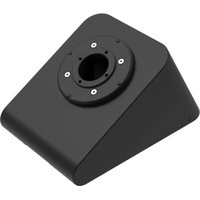
Connect 72385 - Mounting bracket iPort - Free user manual and instructions
Find the device manual for free Connect 72385 iPort in PDF.


Pick your language and provide your email: we'll send you a specifically translated version.
| Product Type | Smart Home Device |
| Brand | iPort |
| Model | Connect 72385 |
| Dimensions (L x W x H) | 5.5 x 5.5 x 8.5 cm |
| Weight | Approx. 100 g |
| Power Supply | 110-240V AC, 50/60Hz |
| Max Load | 10A (2200W) |
| Wireless Connectivity | Wi-Fi 2.4 GHz 802.11 b/g/n |
| Mobile App | Compatible with iPort Home app (iOS/Android) |
| Voice Control | Works with Amazon Alexa and Google Assistant |
| Main Functions | Remote on/off, scheduling, timer, energy monitoring |
| Safety Features | Overload protection, surge protection, child lock |
| Operating Temperature | 0°C to 40°C |
| Material | Flame-retardant PC/ABS |
| Certifications | CE, RoHS |
| Repairability | Non-user-serviceable; contact support for issues |
| Spare Parts Availability | Contact iPort customer service |
| Cleaning Instructions | Wipe with dry cloth; do not use liquids or solvents |
| Warranty | 1 year limited warranty |
Frequently Asked Questions - Connect 72385 iPort
How do I reset the iPort Connect 72385 to factory defaults?
Press and hold the power button for 10 seconds until the LED blinks rapidly. The device will then reboot in pairing mode.
Can I use the device with a 5 GHz Wi-Fi network?
No, the Connect 72385 only supports 2.4 GHz Wi-Fi networks. Ensure your router broadcasts a 2.4 GHz SSID.
What should I do if the device goes offline?
Check your internet connection and power cycle the device. Also ensure the iPort Home app is updated. If the issue persists, perform a reset and re-pair.
Is the iPort Connect 72385 compatible with Apple HomeKit?
No, this model does not support HomeKit. It works with Amazon Alexa and Google Assistant only.
How do I set up a schedule for the device?
Open the iPort Home app, select the device, tap 'Schedule', then set the desired on/off times and days. The schedule will run automatically.
Can I control the device remotely?
Yes, as long as the device is connected to the internet, you can control it from anywhere using the iPort Home app on your smartphone.
What is the maximum load the device can handle?
The Connect 72385 is rated for 10A (2200W) at 220V. Do not exceed this limit to avoid damage.
How do I pair the device with Alexa?
In the Alexa app, enable the 'iPort Home' skill and link your account. Then use voice commands like 'Alexa, turn on living room plug'.
My device is not responding after a power outage. What should I do?
Unplug the device, wait 30 seconds, then plug it back in. It should reconnect automatically. If not, check your Wi-Fi and reset if needed.
Is the device energy monitoring feature accurate?
Yes, it uses real-time measurement with ±1% accuracy. You can view historical energy usage in the app.
User questions about Connect 72385 iPort
0 question about this device. Answer the ones you know or ask your own.
Ask a new question about this device
No questions yet. Be the first to ask one.
Download the instructions for your Mounting bracket in PDF format for free! Find your manual Connect 72385 - iPort and take your electronic device back in hand. On this page are published all the documents necessary for the use of your device. Connect 72385 by iPort.
USER MANUAL Connect 72385 iPort
Manual assistant
Powered by Anthropic
Waiting for your message
Product information
Brand : iPort
Model : Connect 72385
Category : Mounting bracket