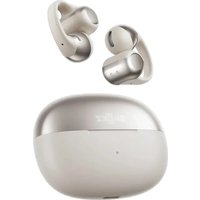
OpenDots ONE - Earplug SHOKZ - Free user manual and instructions
Find the device manual for free OpenDots ONE SHOKZ in PDF.


| Brand | Shokz |
| Model | OpenDots ONE |
| Category | Earplug |
| Product Type | Wireless bone conduction earplug |
| Dimensions | Approx. 30 x 20 x 15 mm per earpiece |
| Weight | Approx. 8 g per earpiece |
| Battery Life | Up to 8 hours continuous use |
| Charging | USB-C, 1.5 hours full charge |
| Connectivity | Bluetooth 5.2 |
| Water Resistance | IP55 (splash resistant) |
| Material | Silicone ear tips, titanium alloy frame |
| Noise Reduction | Passive noise isolation up to 30 dB |
| Controls | Touch sensors on each earpiece |
| Compatibility | iOS and Android smartphones with Bluetooth |
| Care and Cleaning | Wipe with soft dry cloth; remove ear tips and wash with mild soap |
| Safety | Class 1 laser product (FDA compliant), low SAR value |
| Spare Parts | Replacement ear tips (S/M/L) and charging cable available separately |
| Warranty | 2-year limited warranty from date of purchase |
Frequently Asked Questions - OpenDots ONE SHOKZ
User questions about OpenDots ONE SHOKZ
0 question about this device. Answer the ones you know or ask your own.
Ask a new question about this device
Download the instructions for your Earplug in PDF format for free! Find your manual OpenDots ONE - SHOKZ and take your electronic device back in hand. On this page are published all the documents necessary for the use of your device. OpenDots ONE by SHOKZ.
USER MANUAL OpenDots ONE SHOKZ

Download the Shokz App
The Shokz App offers a variety of features, including Dolby Audio toggle, customizable sound modes, dual-device connection, battery status display, Find My Earbuds, touch control customization, wear detection toggle, left-right earbud swap, prompt volume adjustment, firmware updates, and more. Define your own listening experience by downloading the app now for a more convenient and enhanced user experience.
*Note:
The Shokz App is not yet available in some regions. For more information, please visit userguide.shokz.net/opendotsone.
Catalogue
WHAT'S IN THE BOX 03
WEAR AND USE 05
Earbud Diagram 06
Charging Case 07
Bluetooth Pairing Instructions 08
Wearing Instructions 10
TOUCH CONTROL INSTRUCTIONS 13
Audio Control 15
Call Control 16
CHARGING 17
Power On/Off, and Standby Mode 18
Charging the Earbuds 20
Charging the Charging Case 21
CHARGING CASE INDICATOR 22
OTHER SHOKZ APP FUNCTIONS 25
Dolby Audio 26
EQ Adjustments 27
MultiPoint Pairing 28
Interchangeable Left/Right Earbud 30
Wear Detection 31
Adjusting the Volume of the Prompt Sounds 32
AutoReconnect 33
Find My Earbuds 34
Resetting the Earbuds 35
CLEANING & MAINTENANCE 36
Cleaning 37
IP Rating 38
Storage and Maintenance 39
LEGAL AND REGULATORY INFORMATION… 40
AFTER-SALES SERVICE 44
Serial Number Location 45
Warranty 46
What's in the Box
What's in the Box

OpenDots ONE True Wireless Earbuds *2

OpenDots ONE Charging Case *1
USB-C Charging Cable *1

OpenDots ONE Packing Box *1
User Guide
User Guide *1
Legal Statement
Legal Statement *1
Shokz App Warranty
App Card *1 Warranty Card *1
If any of the above-listed items are missing or the product is damaged, do not use it. Please contact the dealer where the product was purchased or reach out to us.
(Refer to page 46: After-Sales Service – Warranty)
Wear and Use
Earbud Diagram
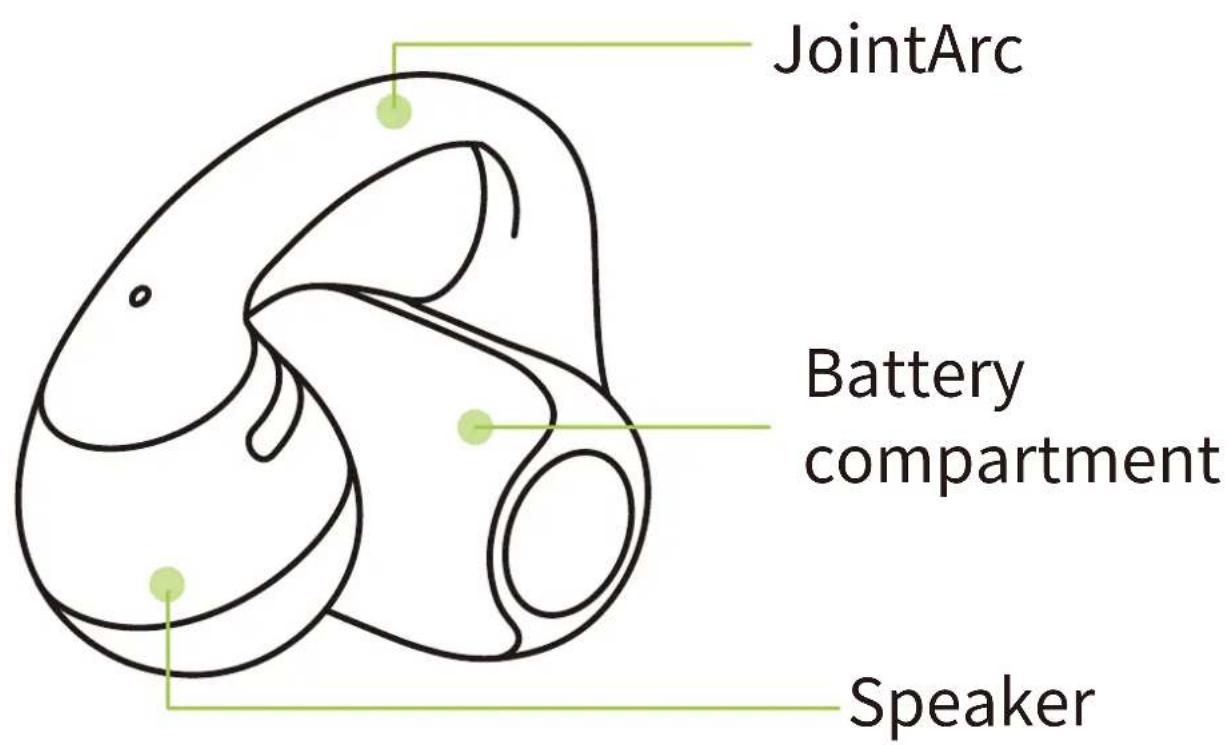
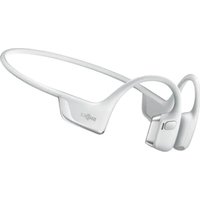
These earbuds feature an open-ear design and do not need to be inserted into the ear canal. They are not left/right specific and can automatically adjust based on how they are worn.
Charging Case
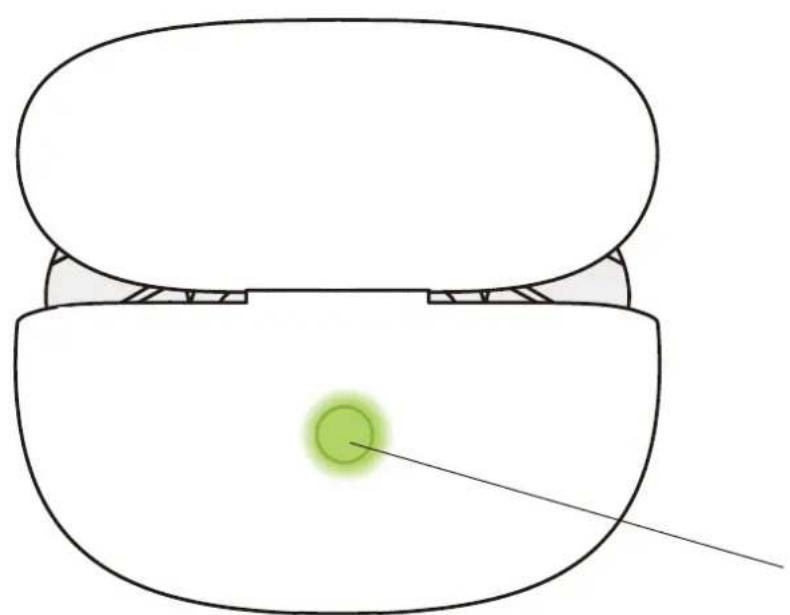
Charging Case Button

Charging Case Indicator LED
Bluetooth Pairing Instructions

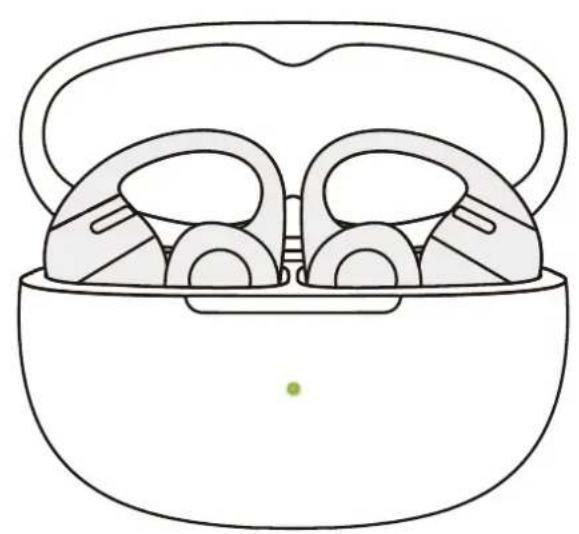
For first-time use, open the charging case to automatically enter Bluetooth pairing mode. The indicator light inside the case will flash orange and green. To re-pair the earbuds, follow these steps:
- Place both earbuds back into the charging case.
- With the case lid open, press and hold the function button for more than 3 seconds until the indicator light flashes orange and green. The earbuds will enter pairing mode.

- Turn on the Bluetooth function on your device and select "OpenDots ONE by Shokz". Once your device displays a successful pairing message, the connection is complete.
*After the earbuds are connected to your device, they will automatically power on and reconnect whenever you open the charging case. Closing the case will automatically power off the earbuds and disconnect them from the device.
*Note: If your earbuds disconnect due to distance from your device, return within 10 m (33 ft) within 3 minutes, and they’ll reconnect automatically with a confirmation tone. After 3 minutes, perform any touch control to trigger reconnection.
Wearing Instructions
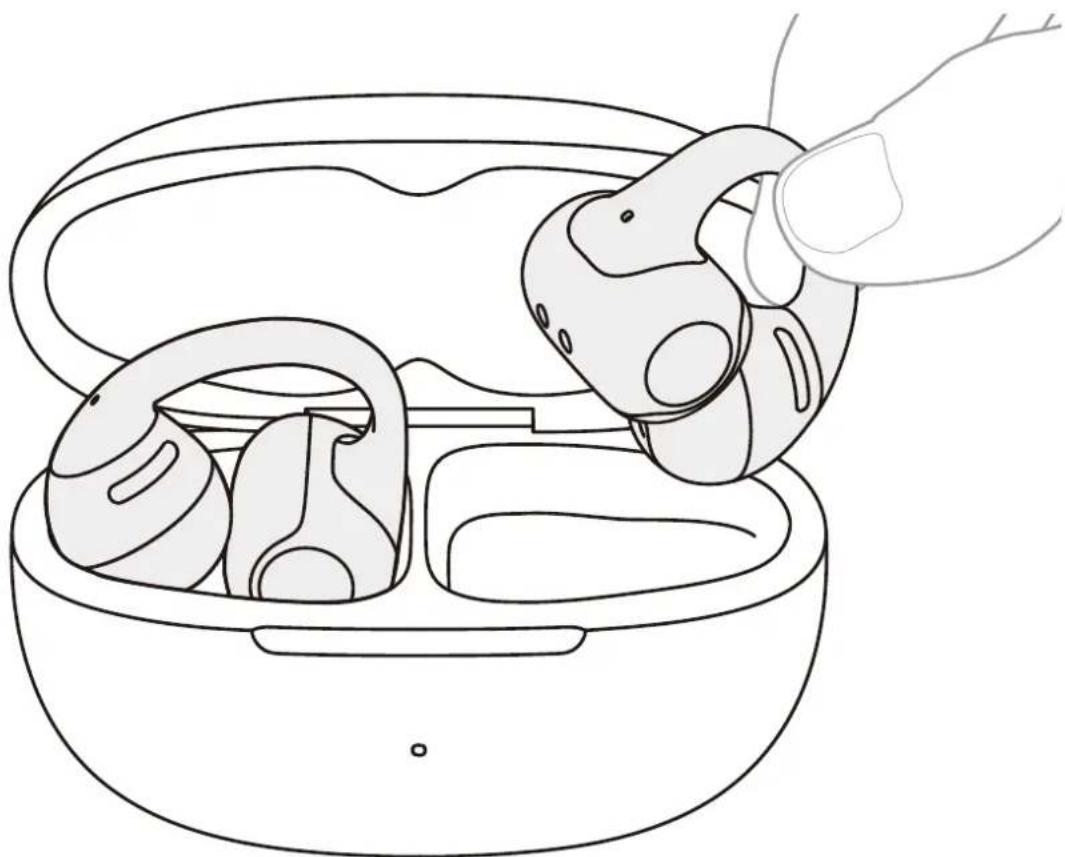
- Pinch the JointArc with your thumb and forefinger and raise it toward your ear.

- Place the round speaker against the inner ridge of your ear and the cylindrical battery compartment behind your ear.

- Adjust the earbuds for a secure and comfortable fit.
*Note:
-
For optimal comfort, it is recommended to wear the JointArc at an angle of 0° to 30° relative to the ground. You can adjust this angle based on your personal preference.
-
When putting on the earbuds, open them gently and avoid pulling them apart too much. Use one hand to follow the steps above. Also, refrain from bending the JointArc excessively when the earbuds are not in use.
Touch Control Instructions
Touch Control Instructions
Single-finger tap
Tap any area of the JointArc or battery compartment with one finger.

Two-finger pinch
Gently pinch both ends of the battery compartment with two fingers simultaneously.

Audio Control
| Functions | Actions | |
 Play/Pause Play/Pause | ·Single-finger tap 2 times.  ·······Two-finger pinch 2 times. ·······Two-finger pinch 2 times.  | |
 | ·Two-finger pinch and hold right earbud for 2 seconds.  Continuous volume +: Two-finger pinch and hold right earbud for longer than 2 seconds while audio is playing. Continuous volume +: Two-finger pinch and hold right earbud for longer than 2 seconds while audio is playing. | |
 | ·Two-finger pinch and hold left earbud for 2 seconds.  Continuous volume —: Two-finger pinch and hold left earbud for longer than 2 seconds while audio is playing. Continuous volume —: Two-finger pinch and hold left earbud for longer than 2 seconds while audio is playing. |
Call Control
| Functions | Actions | |
 |  Answer/Hang up Answer/Hang up | · Single-finger tap 2 times. ●● · Two-finger pinch 2 times. ●● |
 Reject a call Reject a call | · Two-finger pinch for 2 seconds. ● |
Charging
Power On/Off, and Standby Mode
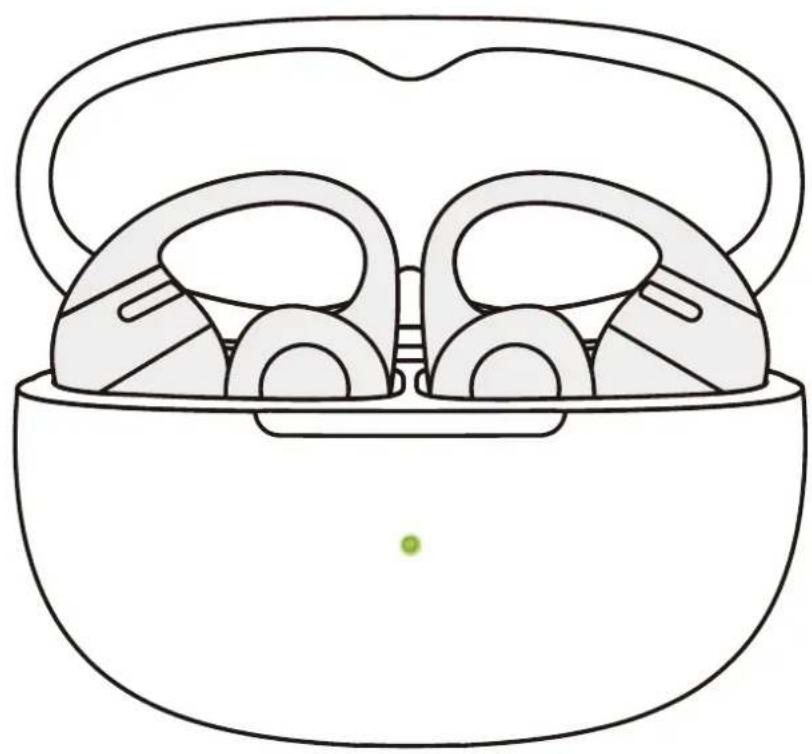
1. Power On
When the earbuds are inside the charging case, opening the case will automatically power them on, and the case indicator light will turn on.
*Note: After removing the earbuds from the case, closing the charging case helps preserve battery life and prevents debris from entering the case.
![graph TD A["Top Band Earbuds"] --> B["Downward Arrow"] B --> C["Shokz Brand"]](/content/2026/07/1486551/images/c9e670ec8110e9785fd468ba9080f536a04a665738f006e3fa705cb4564585bc.jpg)
2. Power Off
Place both earbuds back into the charging case and close the lid. The earbuds will automatically power off.
3. Standby Mode
If the earbuds are outside the charging case and remain un-connected to a device for 3 minutes, they will switch to standby mode to conserve battery power.
Charging the Earbuds


High battery level

Low battery level
Place the earbuds into the charging case until they are magnetically secured in place. The charging case indicator light will turn on, and you can then close the case.
*Note:
-
The indicator light on the charging case shows the battery status of the earbuds inside. A green light indicates a battery level higher than 80%, while an orange light indicates a level lower than 80%. If both earbuds are in the case, the light will display the battery level of the earbud with the lower charge.
-
The earbuds will be fully charged after approximately 60 minutes in the case. Ensure the charging case has enough battery to charge the earbuds.
Charging the Charging Case
- Orange light on the charging case

Insert the provided USB-C to USB-C charging cable into the charging case and connect it to a USB-C power source or certified wall charger. Alternatively, place the charging case on a certified wireless charger to charge it.
During charging, the orange light on the outside of the case will remain on, indicating that the case is charging. When the light turns green and remains on, the charging case is fully charged.
*Note:
-
When charging via cable, it takes approximately 2 hours to fully charge the case. The charging case uses a standard 5 V ± 5 % USB voltage. It is not recommended to use a power source with a higher voltage for charging the case. Using third-party charging cables may extend the charging time. Before charging, ensure the charging port is dry and free from sweat or other liquids. If there is liquid in the port, wipe it clean with a soft, dry cloth.
-
When charging wirelessly, the case fully charges in approximately 4 hours. If the case has a silicone protective cover, wireless charging may take longer. Before charging, ensure the case is positioned in the center of the wireless charger. If the case is not aligned properly, charging may fail.
Charging Case Indicator
Charging Case Indicator

Charging Case Indicator LED
1. Battery Status of Earbuds in the Charging Case When the earbuds are in the charging case, the indicator light shows the battery status of the earbuds:
| Battery above 80% | Open the charging case, and the green light will remain on for 5 seconds before turning off. |
| Battery below 80% | Open the charging case, and the orange light will remain on for 5 seconds before turning off. |
*Note: If both earbuds are in the case, the indicator light will display the battery level of the earbud with the lower charge.
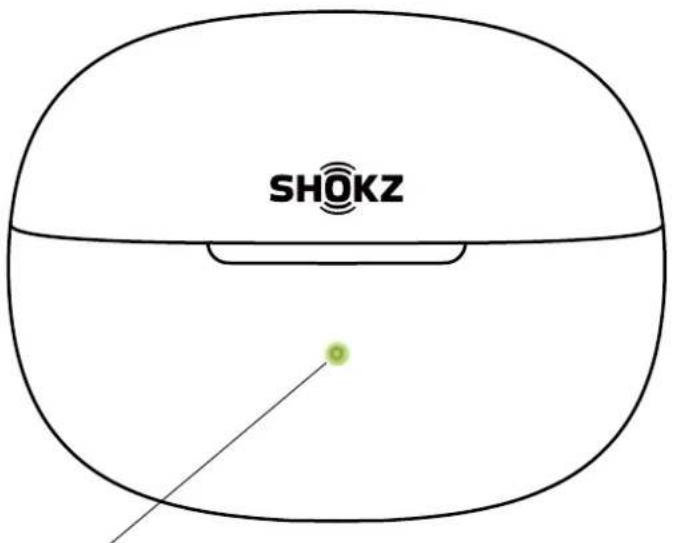
Charging Case Indicator LED
2. Both Earbuds Outside the Charging Case, Not Connected to External Power
When both earbuds are outside the charging case and not connected to an external power source, the indicator light shows the battery status of the charging case:
| Battery above 40% | When opening/closing the charging case or pressing the case button, the green light will remain on for 5 seconds before turning off. |
| Battery below 40% | When opening/closing the charging case or pressing the case button, the orange light will remain on for 5 seconds before turning off. |
3. Connected to External Power Source
| Charging | The orange light remains on. |
| Charging Complete | The green light remains on. |
4. Other
| Pairing | The orange and green lights flash alternately. |
| Reset to Factory Settings | The orange light flashes for 5 seconds before turning off. |
Other Shokz App Functions
Dolby Audio
- Dolby Audio enhances the sound experience, making it more realistic and immersive. You can turn Dolby Audio on or off in the Shokz App.
- Before using, ensure that your earbuds are successfully connected to your phone, then open the Shokz App.
- Use the Dolby Audio toggle to turn Dolby Audio on or off.
OpenDots ONE
Dolby Audio

EQ Adjustments
- You can select different sound profiles or customize your own in the Shokz App.
- The Shokz App includes 4 preset sound modes: Standard, Vocal, Bass, and Private. You can check the specific effects of each mode in the app.
- Before using, ensure that your earbuds are successfully connected to your phone, then open the Shokz App.
- In the sound profile options, select a preset mode to adjust. To create a customized listening experience, tap “Customize” to freely personalize the sound profile.
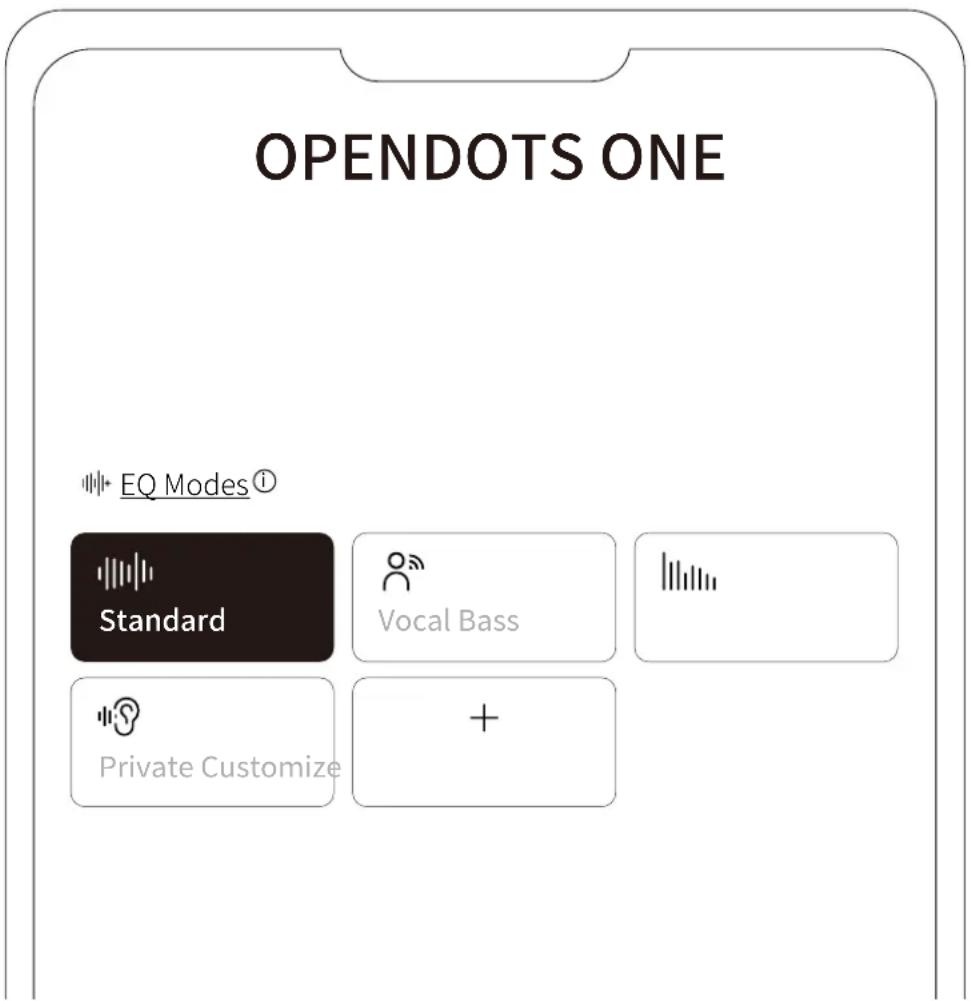
MultiPoint Pairing
Before starting, please ensure that the Shokz App is updated to the latest version in the app store, and that your earbud firmware is upgraded to the latest version. Make sure Bluetooth is enabled on your devices.
- First, connect your earbuds to your phone, then select “MultiPoint Pairing” in the Shokz App.
OPENDOTS ONE
* MultiPoint Pairing
Off
- On the pop-up page, confirm that the MultiPoint Pairing feature is enabled.
- Select “Connect to the Second Device” and follow the instructions to connect to the second device.
MultiPoint Pairing
* MultiPoint Pairing

Connect to the Second Device
- Your earbuds are now connected to two devices, and you can easily manage their Bluetooth connections through the Shokz App.
Interchangeable Left/Right Earbud
- The earbuds do not require a specific left or right orientation. Once worn, the earbuds can automatically detect the fit and adapt to the left and right channels. You can enable or disable this feature in the Shokz App.
- Before using, ensure that your earbuds are successfully connected to your phone, then open the Shokz App.
- After opening the app, tap the settings icon (💡) in the top-right corner, then select "Settings" > "Interchangeable Left/Right Earbuds" to toggle this feature on or off.
Settings

Interchangeable Left/Right Earbuds
Wear Detection
- The earbuds can automatically detect whether they are being worn and will play or pause audio accordingly. You can enable or disable this wear detection feature in the Shokz App.
- Before using, ensure that your earbuds are successfully connected to your phone, then open the Shokz App.
- After opening the app, tap the settings icon (💡) in the top-right corner, then select "Settings" > "Smart Wear Detection" to toggle this feature on or off.
Settings

Smart Wear Detection

Adjusting the Volume of the Prompt Sounds
- The volume of the prompt sounds can be adjusted in the Shokz App.
- Before using, ensure that your earbuds are successfully connected to your phone, then open the Shokz App.
- After opening the app, tap the settings icon (💡) in the top-right corner, then select "Settings" > "Prompt Settings" to adjust the volume to low, medium, or high.
Settings

Prompt Settings

Auto Reconnect
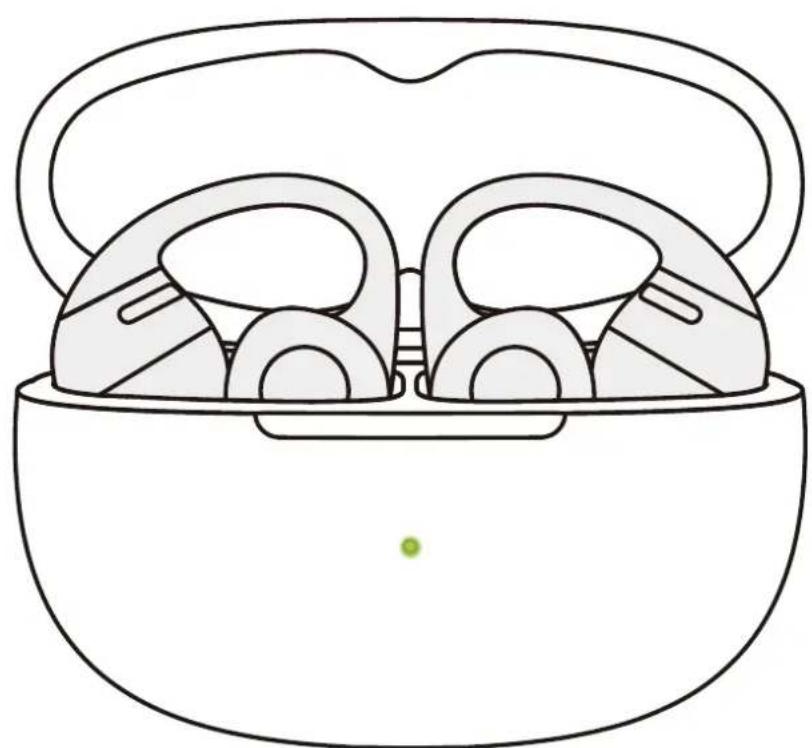
- After powering on, the earbuds will automatically attempt to connect to the most recently connected device. A prompt sound will indicate a successful connection.
- If the earbuds are disconnected from the device due to distance, and return within connection range (10m) within 3 minutes, they will automatically reconnect to the last paired device. A prompt sound will indicate a successful connection.
- These devices must be within range (10m) and powered on. Please ensure your mobile device has Bluetooth enabled.
Find My Earbuds
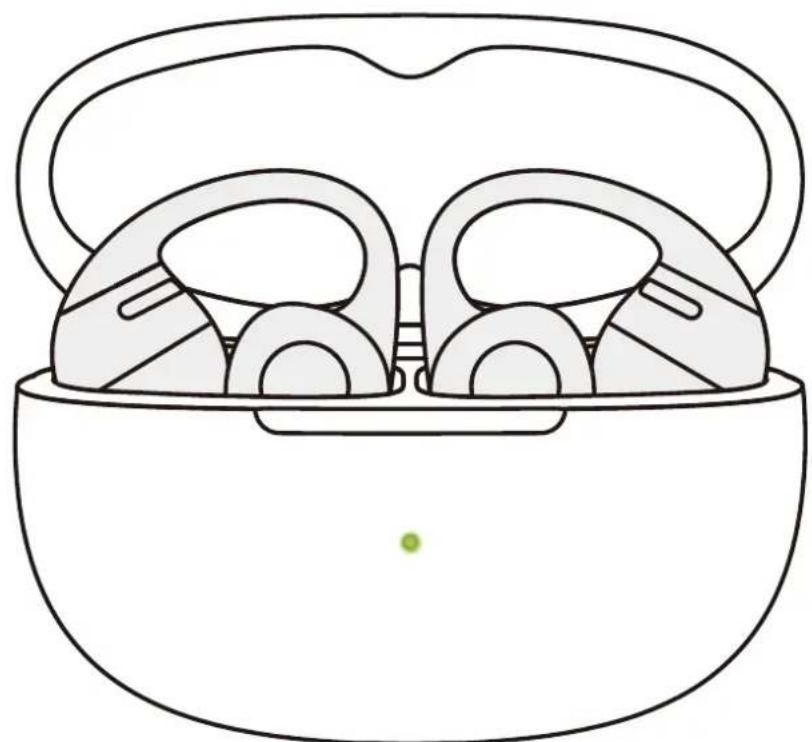
- Before using, ensure that your earbuds are successfully connected to your phone, then open the Shokz App.
- After opening the app, tap the settings icon (💡) in the top-right corner, then select "Settings" > "Find My Earbuds".
- On the pop-up page, select the earbud you want to locate.
- Select "Ring Left Ear" / "Ring Right Ear" to make the earbud emit a continuous ringing sound.
*Note: Do not use the ringing function while wearing the earbuds.
Resetting the Earbuds

- Resetting the earbuds will erase the paired device list and restore all settings to their defaults.
- Place both earbuds into the charging case.
- Press and hold the charging case function button for 15 seconds. When the orange light inside the case flashes for 5 seconds and then turns off, the reset is complete.
- Once the indicator light flashes orange and green, the earbuds are ready to pair and use.
Cleaning & Maintenance
Cleaning
1. Cleaning the Earbuds
It is recommended to use a soft, clean, dry cloth to wipe the earbuds. When cleaning the earbud mesh, use a clean, dry cotton swab to gently remove any dirt and earwax from the mesh, then wipe it clean with a soft cloth.
*Note:
- Stop using the earbuds and disconnect them from all devices before cleaning and maintenance.
- This product is not waterproof; do not rinse the earbuds directly with water or use ultrasonic cleaning.
- Avoid allowing liquids to enter any openings of the earbuds.
- To avoid damaging, warping, or discoloring the earbuds, do not use abrasive cleaners, sprays, high-concentration cleaners, chemical cleaning liquids, alcohol, or acetone-based solvents. Do not use any sharp or abrasive objects to clean the earbuds.
2. Cleaning the Charging Case
It is recommended to use a soft, clean, dry cloth to wipe the charging case. Use a clean, dry soft-bristled brush to remove any debris from the charging port. Use a clean, dry cotton swab to gently clean the charging contacts inside the case.
*Note:
- Disconnect the charging case from the charging cable before cleaning and maintenance.
- Do not use abrasive objects to clean the charging case.
IP Rating
Under controlled laboratory conditions, the earbud part of this product has been tested for splash resistance, meeting the IP54 level under the IEC 60529 standard.

*Note:
- The IP54 dust and water resistance is only applicable to the earbud body, not the charging case.
- The splash-resistant feature is not permanent and may degrade over time due to wear and tear from regular use.
- Do not immerse the product in water or expose it to prolonged moisture, or wear it during water activities such as swimming, water skiing, or surfing.
- If the product or its accessories come into contact with water, please wipe them off as soon as possible and place them in a well-ventilated, cool area to dry. Do not use or charge the product before it is completely dry.
Storage and Maintenance
- Store the product in a cool, dry place. Operating temperature: 0° C to 40° C.
- Keep the product away from heat sources, flammable gases, and corrosive liquids. Avoid prolonged exposure to direct sunlight or high-temperature environments.
- Stop using the product immediately if any part is damaged, emits smoke, becomes excessively hot, or produces a burning smell.
- The earbuds are rated IP54 for dust and splash resistance, suitable for non-water sports and workouts. They are not fully water-proof. Do not submerge the earbuds in water. The IP54 protection level may degrade over time with normal wear and tear.
- The charging case is not waterproof. Avoid exposing it to any liquid.
- Use a soft, dry cloth to clean the earbuds.
- If the product is stored for an extended period, charge it fully before using it again.
Legal and Regulatory Information
Legal and Regulatory Information
Hearing Protection
Listening to music at high volumes may cause hearing damage and sound distortion. Please listen responsibly.
Battery Safety
Caution
- Replacing the battery with an incorrect type may compromise safety.
- Do not throw the battery into fire, place it in a heated oven, or subject it to mechanical crushing or cutting, as this may cause an explosion.
- Exposure to extremely high temperatures may result in explosion or leakage of flammable liquid or gas.
- Subjecting the battery to extremely low air pressure may cause an explosion or leakage of flammable liquid or gas.
- If the battery becomes significantly swollen, stop using it immediately.
Charging
-
Ensure the earbuds are completely dry before placing them in the charging case, and keep the charging port dry before charging.
-
Only use power adapters approved by relevant authorities and compliant with local regulations (e.g., UL, CSA, VDE, CCC).
Driving Hazard
- In some countries or regions, using this product while driving or cycling may violate local regulations. Please check and comply with traffic laws and regulations in your area or consult local authorities.
Skin Irritation
-
A small number of people may experience sensitivity to certain materials. Exposure to specific environments or prolonged contact with substances such as soap, sweat, sunscreen, or lotion may cause skin irritation or allergic reactions.
-
To reduce the risk of skin irritation, avoid wearing the product on injured skin.
-
If you experience redness, swelling, itching, or any other skin reaction, stop wearing the product immediately and consult a doctor.
Electromagnetic Interference
-
Do not use this product in areas where the use of wireless devices is prohibited or restricted (e.g., airports, medical facilities) to avoid interfering with other electronic equipment or causing potential hazards.
-
Certain electronic devices may malfunction due to radio interference from this product (e.g., some automotive electronic systems). Please consult the device manufacturer for specific details.
-
The radio waves generated by this product may affect the operation of certain medical devices such as pacemakers, defibrillators, cochlear implants, and hearing aids. If you use such medical devices, consult your physician and the device manufacturer for restrictions on using this product, and maintain a safe distance between the product and the medical equipment. If you suspect interference, stop using the product immediately.
Choking Hazard
- Keep the earbuds and charging case out of reach of children and pets.
- In case of accidental ingestion, seek immediate medical assistance.
Caution
Design and specifications are subject to change without notice.
For the latest company and product information, please visit
www.shokz.com
Manufacturer's Statement
Warranty
Shokz provides a 24-month warranty for this product. For current warranty terms, please visit our website at www.shokz.com or contact the seller from whom you purchased the product.
Please comply with the specific regulations of your country before using the product.
After-Sales Service
Serial Number Location

- The product serial number is indicated on the barcode of the packaging box and on the warranty card.
- It is also printed on the inside of the charging case lid.
Warranty
Your earphones are covered by a warranty. Visit our website at https://shokz.com/pages/warranty-return for details of the limited warranty.

SHOKZ


- DOWNLOAD THE SHOKZ APP
- CATALOGUE
- WHAT'S IN THE BOX 03
- WEAR AND USE 05
- TOUCH CONTROL INSTRUCTIONS 13
- CHARGING 17
- CHARGING CASE INDICATOR 22
- OTHER SHOKZ APP FUNCTIONS 25
- CLEANING & MAINTENANCE 36
- LEGAL AND REGULATORY INFORMATION… 40
- AFTER-SALES SERVICE 44
- WHAT'S IN THE BOX
- WEAR AND USE
- EARBUD DIAGRAM
- CHARGING CASE
- BLUETOOTH PAIRING INSTRUCTIONS
- WEARING INSTRUCTIONS
- NOTE
- TOUCH CONTROL INSTRUCTIONS
- SINGLE-FINGER TAP
- TWO-FINGER PINCH
- AUDIO CONTROL
- CALL CONTROL
- CHARGING
- POWER ON/OFF, AND STANDBY MODE
- POWER ON
- POWER OFF
- STANDBY MODE
- CHARGING THE EARBUDS
- CHARGING THE CHARGING CASE
- CHARGING CASE INDICATOR
- BATTERY STATUS OF EARBUDS IN THE CHARGING CASE WHEN THE EARBUDS ARE IN THE CHARGING CASE, THE INDICATOR LIGHT SHOWS THE BATTERY STATUS OF THE EARBUDS
- BOTH EARBUDS OUTSIDE THE CHARGING CASE, NOT CONNECTED TO EXTERNAL POWER
- CONNECTED TO EXTERNAL POWER SOURCE
- OTHER
- OTHER SHOKZ APP FUNCTIONS
- DOLBY AUDIO
- EQ ADJUSTMENTS
- MULTIPOINT PAIRING
- INTERCHANGEABLE LEFT/RIGHT EARBUD
- SETTINGS
- WEAR DETECTION
- ADJUSTING THE VOLUME OF THE PROMPT SOUNDS
- AUTO RECONNECT
- FIND MY EARBUDS
- RESETTING THE EARBUDS
- CLEANING & MAINTENANCE
- CLEANING
- CLEANING THE EARBUDS
- CLEANING THE CHARGING CASE
- IP RATING
- STORAGE AND MAINTENANCE
- LEGAL AND REGULATORY INFORMATION
- HEARING PROTECTION
- BATTERY SAFETY
- CAUTION
- DRIVING HAZARD
- SKIN IRRITATION
- ELECTROMAGNETIC INTERFERENCE
- CHOKING HAZARD
- MANUFACTURER'S STATEMENT
- WARRANTY
- AFTER-SALES SERVICE
- SERIAL NUMBER LOCATION
- SHOKZ
Brand : SHOKZ
Model : OpenDots ONE
Category : Earplug